Anime AI Photo Editing Prompts 2026: 7 Copy-Paste Gemini & ChatGPT Prompts
I first tried turning my own photo into anime because I kept seeing anime profile pictures everywhere — on my friends’ WhatsApp DPs, on Instagram reels, in the fan groups I follow. The edits looked fun, but most of them did not look like the person at all. I wanted the anime look without losing my own face, so I started testing prompts in Gemini and ChatGPT, one style at a time, until I had a set that actually kept me recognizable.
In my experience, the difference between a good anime AI photo and a strange one is not the tool. It is how clearly the prompt tells the tool to keep your face. When I write “preserve my actual face shape and features” and name the style properly, the result looks like me in anime form. When I just write “make me anime”, the face drifts. So in this article, I am sharing the 7 anime prompts I actually use, for solo portraits, couples, and fun character looks. You upload your photo, copy one prompt, and paste it. Every prompt keeps your face recognizable and focuses on clean linework, expressive eyes, and a clear mood — not a messy filter.
Quick Pick: Which Anime Prompt Should You Use?
| Prompt | Best for | Mood |
|---|---|---|
| 1. Classic Anime Portrait | Solo, DP and fan posts | Clean, timeless |
| 2. Ghibli-Style Hand-Painted Portrait | Solo, dreamy posts | Soft, magical |
| 3. Chibi Anime Portrait | Solo, cute DP and stickers | Playful, cute |
| 4. Anime Couple Portrait | Couples, anniversary posts | Romantic, warm |
| 5. Cyberpunk Neon Anime Portrait | Solo, night and gaming posts | Bold, futuristic |
| 6. Anime School Uniform Portrait | Solo, youthful DP | Bright, cheerful |
| 7. Anime Fantasy Adventure Portrait | Solo, epic and travel posts | Brave, cinematic |
Gemini or ChatGPT — Which One Should I Use for Anime Photos?
This is the question I get most, so here is what I have found by trying the same prompt in both tools. Gemini, from Google, is usually better at keeping a single face consistent. If your main worry is “will it still look like me”, start with Gemini. ChatGPT, from OpenAI, is often stronger on detailed anime style — the linework, the neon glow, the painted background come out richer. If your main worry is “will the anime style look right”, try ChatGPT.
What I do in practice is simple: I generate the same prompt in Gemini first, and if the face is right but the style feels flat, I try the same prompt in ChatGPT and pick the better one. Both tools need the same thing from you — a clear original photo and the full prompt in one message. Do not upload a photo that WhatsApp already compressed, because WhatsApp reduces photo quality when you forward it. Use the original photo from your phone gallery. And do not mix prompts: a classic look, a chibi look, and a cyberpunk look in one message will confuse both tools. One prompt at a time.
7 Anime AI Photo Editing Prompts
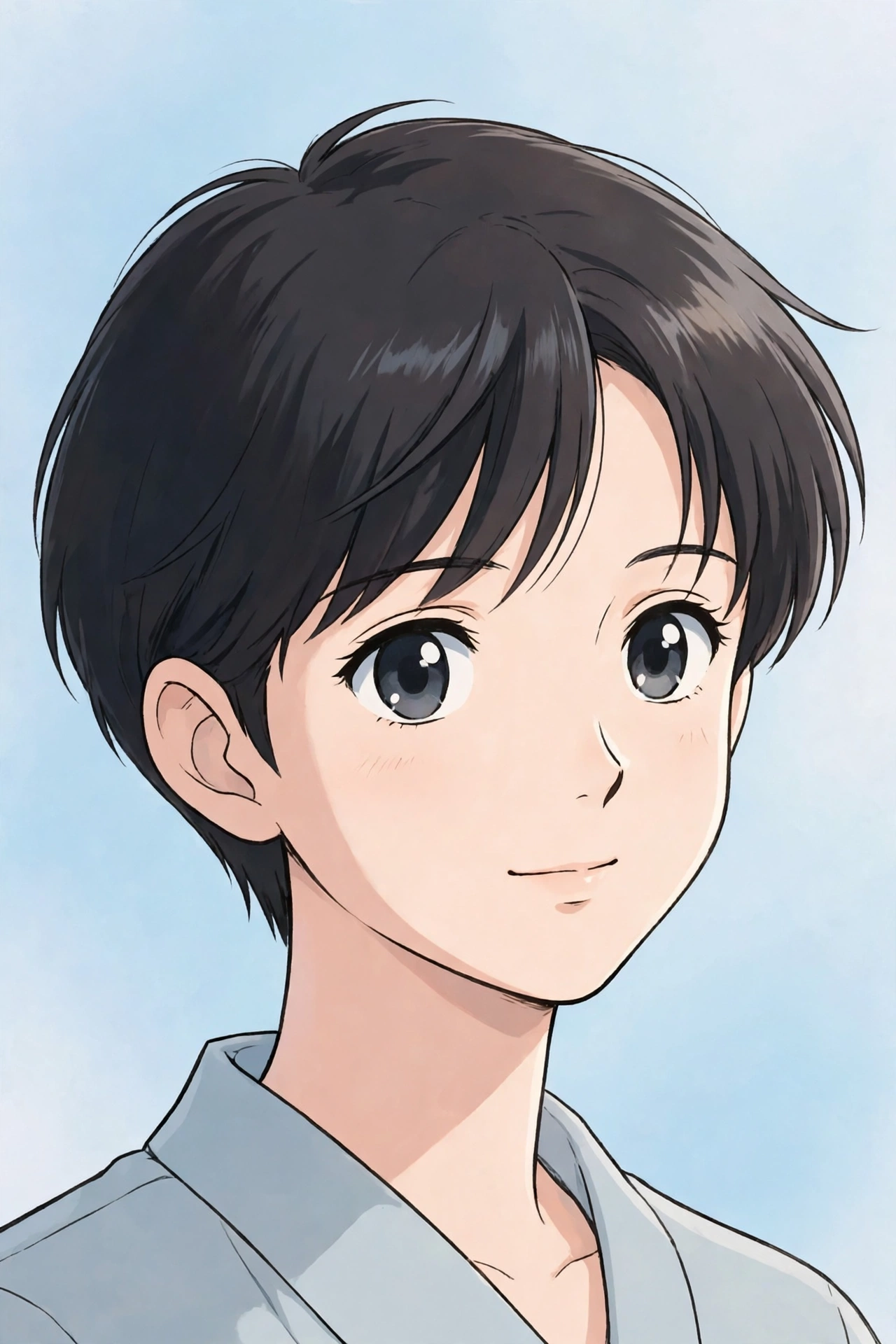
1. Classic Anime Portrait
The clean, timeless anime look, and the best starting point if you want to look like an anime character without changing your setting too much.
AI Prompt:
Edit my uploaded photo into a clean classic anime portrait. Preserve my actual face shape, facial features, hairstyle, and expression, and keep me recognizable. Redraw me with large expressive eyes, smooth cel shading, neat line art, soft skin tones, and a subtle blush. Keep my outfit and pose from the photo, and use a simple pastel background. Use a vertical 9:16 composition, polished and high detail. No text, no logo, no watermark.
Best for: Anime DP, profile pictures, and fan posts.
Customize it: Change the pastel background to sky blue or soft pink, but keep the face and linework instruction the same.
2. Ghibli-Style Hand-Painted Portrait
A soft, hand-painted animated film look with warm watercolor light, green fields, and drifting clouds. It is the most peaceful style in this list, and my personal favourite for a calm, dreamy post.
AI Prompt:
Edit my uploaded photo into a dreamy hand-painted anime portrait in a Ghibli-inspired style. Preserve my actual face shape, facial features, hairstyle, and expression, and keep me recognizable. Place me standing in a lush green meadow under a soft blue sky with fluffy clouds, a gentle breeze blowing my hair. Use warm watercolor textures, soft painted backgrounds, gentle cel shading, and pastel colors. Use a vertical 9:16 composition, magical and peaceful, high detail. No text, no logo, no watermark.
Best for: Dreamy DP, aesthetic posts, and nature photos.
Customize it: Swap the meadow for a quiet village street at sunset if you want a warmer, storybook feel.

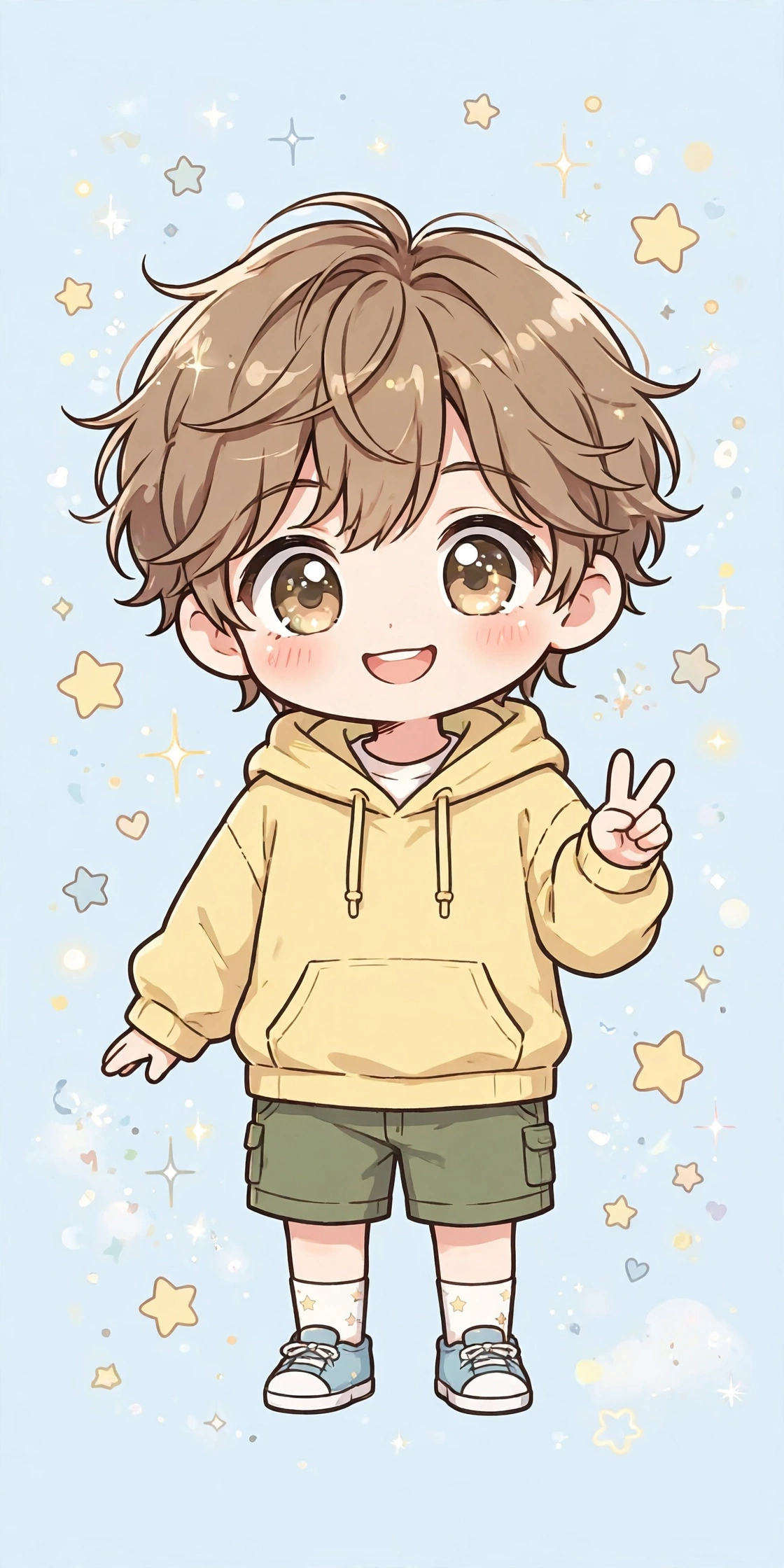
3. Chibi Anime Portrait
A small, cute chibi version of you, with a slightly oversized head, big eyes, and compact proportions. This one works well for stickers, avatars, and fun posts.
AI Prompt:
Edit my uploaded photo into a cute chibi anime portrait. Preserve my hairstyle, outfit colors, and recognizable features, and keep my expression cheerful. Redraw me as a small full-body chibi character with a slightly oversized head, big expressive eyes, compact proportions, clean linework, and soft cel shading. Place me in a bright, simple background with a few floating stars or hearts. Use a vertical 9:16 composition, playful and cute, high detail. No text, no logo, no watermark.
Best for: Cute DP, stickers, avatars, and fun posts.
Customize it: Change the floating stars to small flowers or music notes to match your mood.
4. Anime Couple Portrait
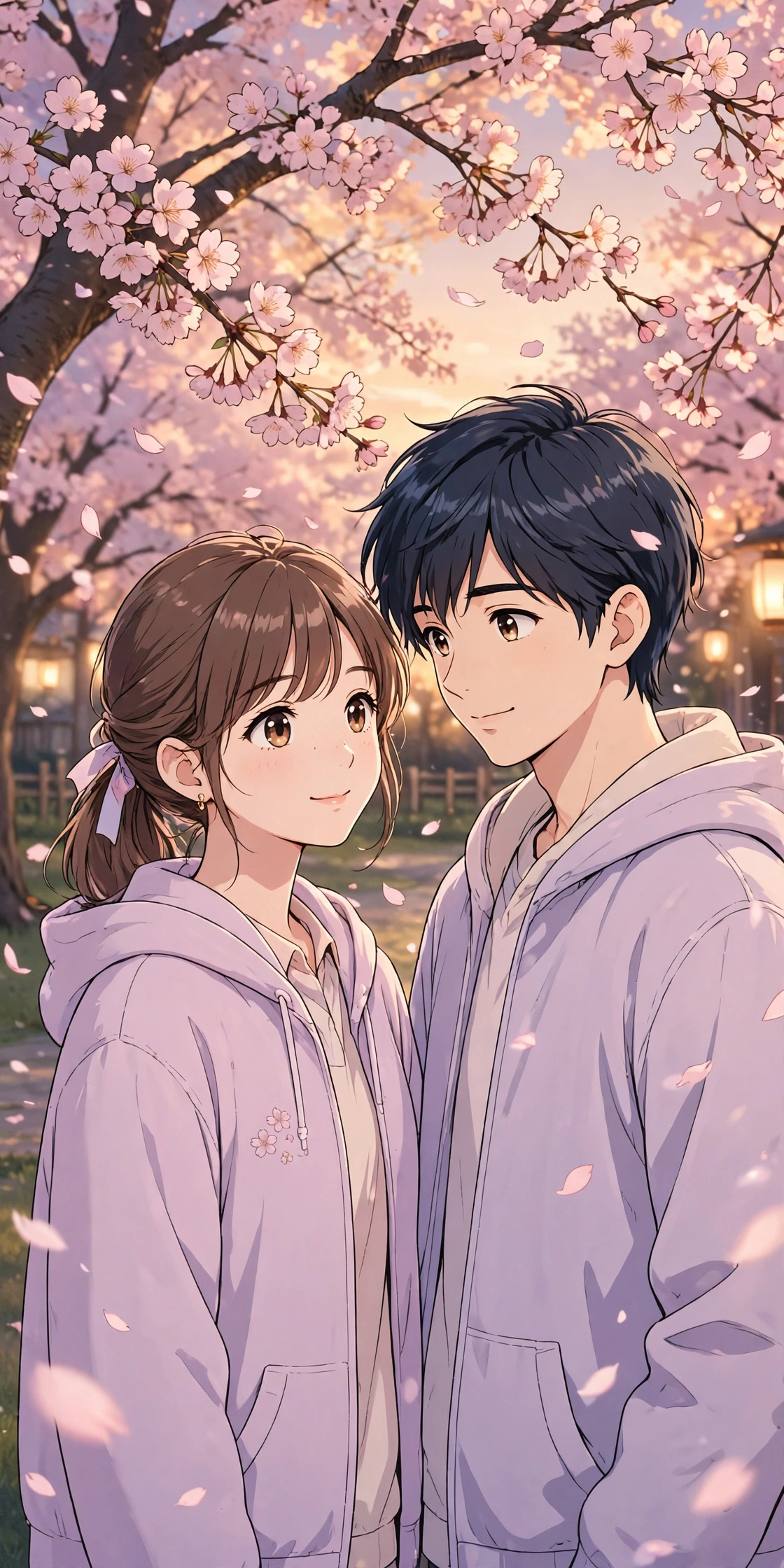
Couple photos are the hardest to get right in AI, because two faces have to stay natural. This prompt locks both faces first, then adds the anime style. Upload a photo where both faces are clearly visible and facing the camera.
AI Prompt:
Edit our uploaded couple photo into a warm anime couple portrait. Preserve both faces, facial features, hairstyles, and identities exactly, without merging or beautifying either face, and keep both people recognizable. Redraw us as clean anime characters with expressive eyes, soft cel shading, and neat linework, standing close together under cherry blossom trees with petals drifting around us. Dress us in matching soft pastel outfits. Use warm evening light, a vertical 9:16 composition, romantic and gentle, high detail. No text, no logo, no watermark.
Best for: Couple DP, anime anniversary posts, and romantic edits.
Customize it: Ask for a candid version by adding: “Make them look at each other and smile naturally, like a candid photo.”
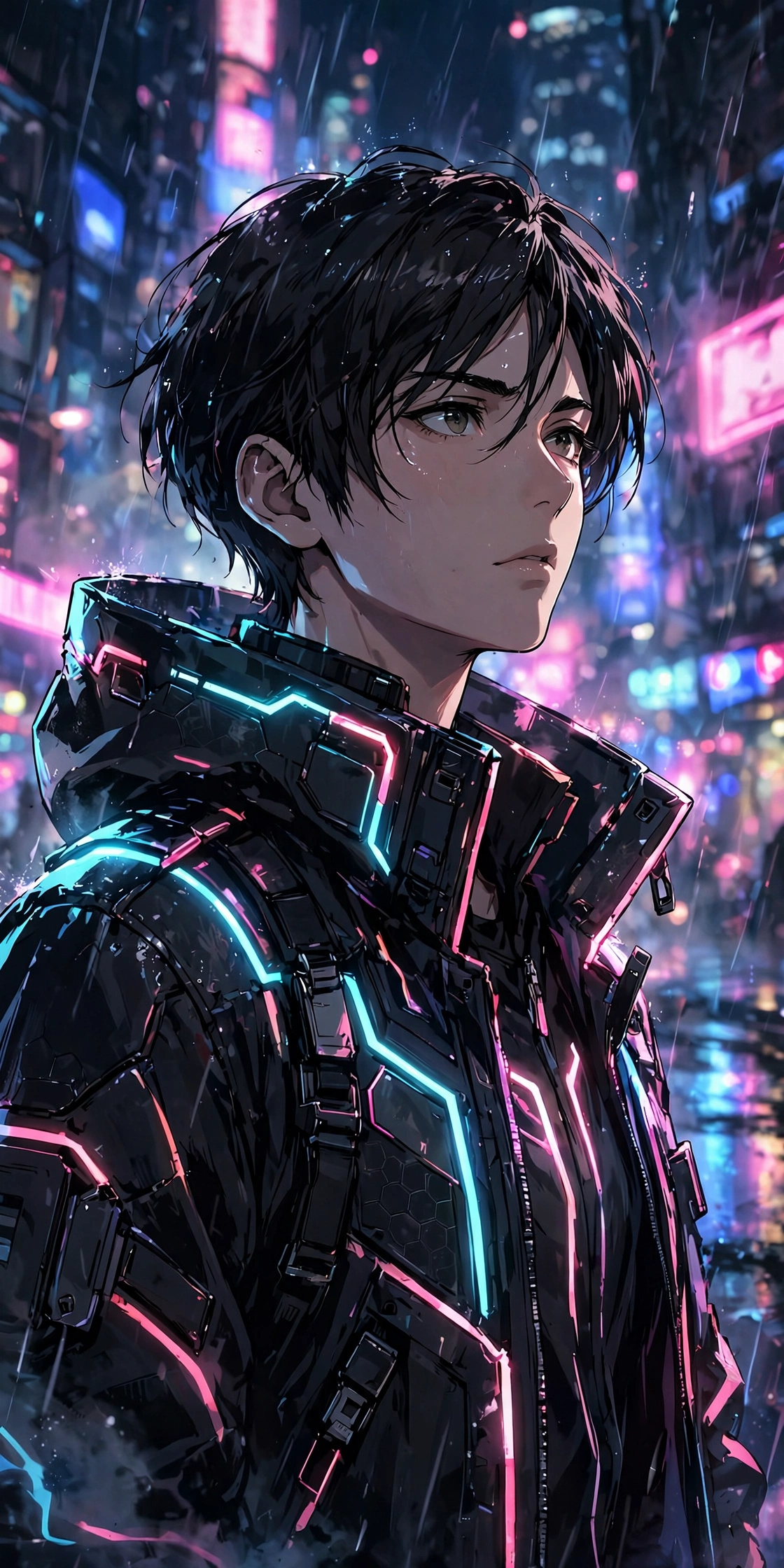
5. Cyberpunk Neon Anime Portrait
A bold, futuristic night look with neon signs, rain, and glowing city light. This is the most dramatic style in this list, and the one I pick when I want a DP that stands out.
AI Prompt:
Edit my uploaded photo into a bold cyberpunk anime portrait. Preserve my actual face shape, facial features, hairstyle, and expression, and keep me recognizable. Place me on a rainy neon-lit city street at night, with glowing pink and blue signs softly blurred behind me and light reflections on the wet ground. Dress me in a futuristic jacket with glowing neon accents. Use sharp highlights, vivid city lights, dramatic shadows, clean linework, and a vertical 9:16 composition, cinematic and futuristic, high detail. No text, no logo, no watermark.
Best for: Night DP, gaming posts, and bold profile pictures.
Customize it: Change the neon colors to purple and teal for a cooler, calmer cyberpunk look.
6. Anime School Uniform Portrait
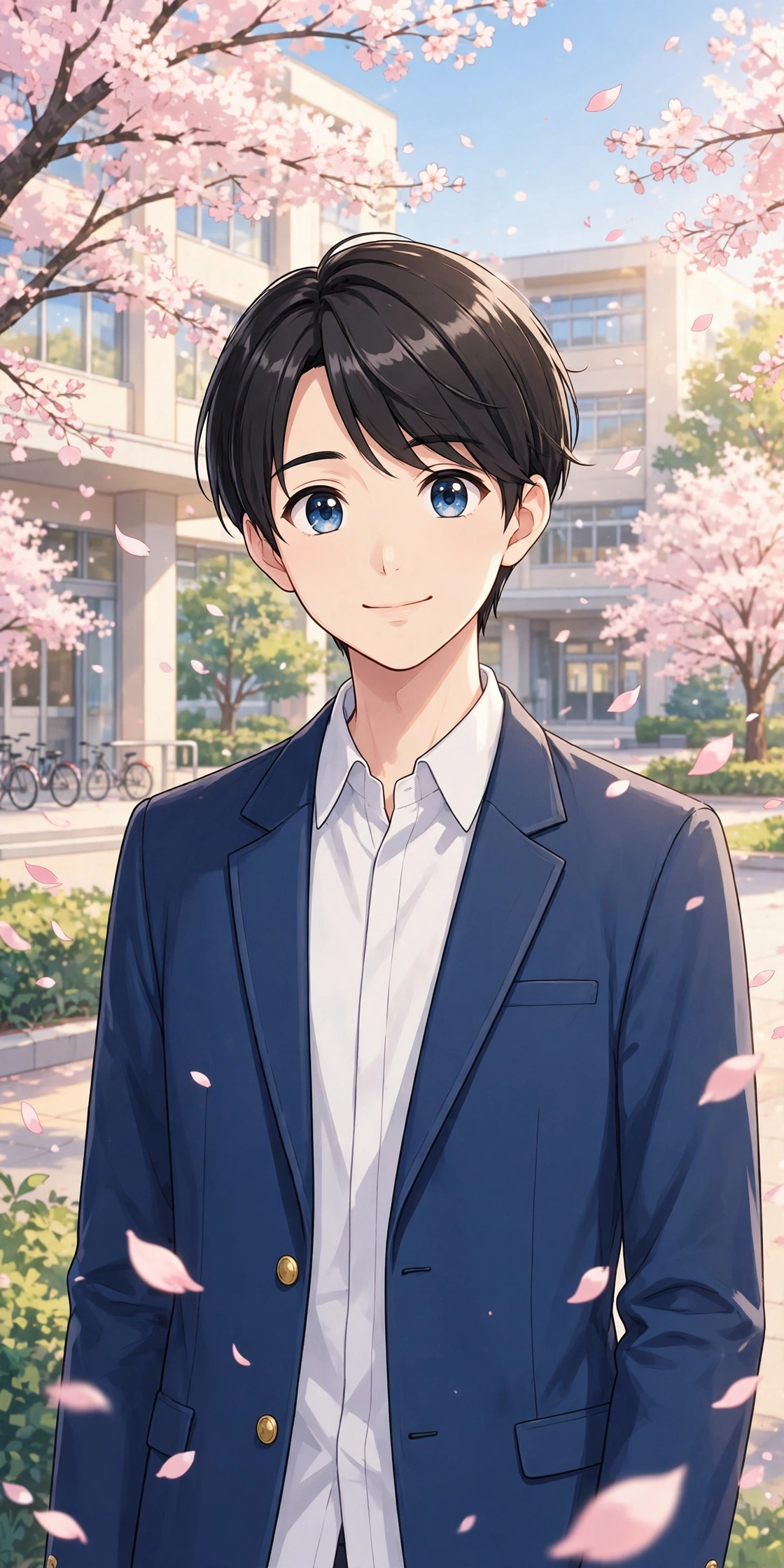
A bright, youthful school anime look with a clean campus background. It is simple, cheerful, and very shareable.
AI Prompt:
Edit my uploaded photo into a bright anime school portrait. Preserve my actual face shape, facial features, hairstyle, and expression, and keep me recognizable. Dress me in a modern Japanese school uniform with a blue blazer and a neat white shirt, and place me on a clean school campus with soft cherry blossom petals and warm daylight behind me. Use bright eyes, tidy hair, soft shading, crisp linework, a natural pose, and a vertical 9:16 composition, cheerful and clean, high detail. No text, no logo, no watermark.
Best for: Youthful DP, school-themed posts, and bright profile pictures.
Customize it: Swap the blue blazer for a dark green one if you want a different school look.
7. Anime Fantasy Adventure Portrait
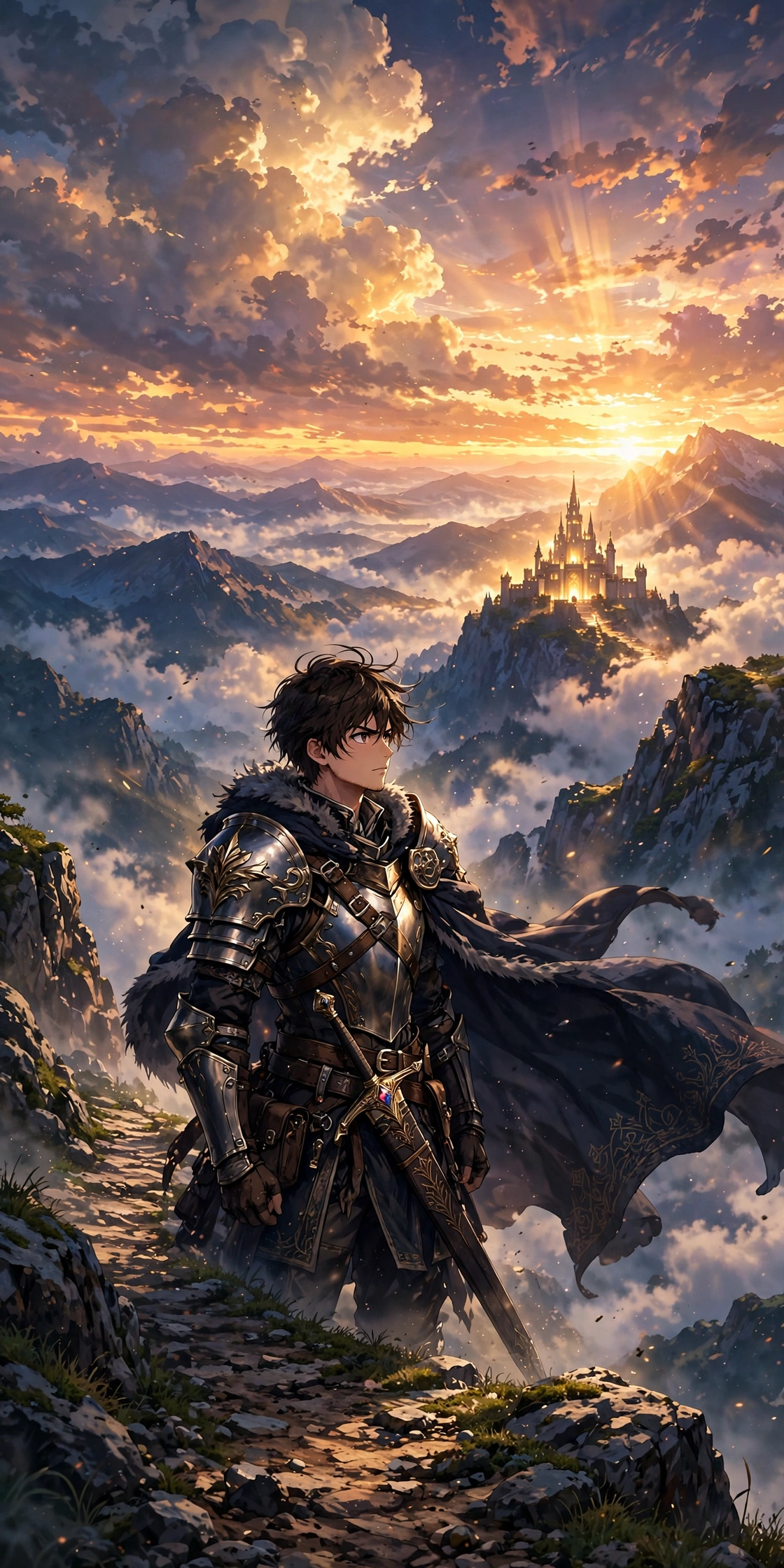
An epic fantasy look, with a sword, a cloak, and a mountain landscape. This is the best choice if you want a hero-style anime photo.
AI Prompt:
Edit my uploaded photo into an epic anime fantasy adventure portrait. Preserve my actual face shape, facial features, hairstyle, and expression, and keep me recognizable. Dress me as a brave anime adventurer in a detailed cloak and armor with a sword at my side, standing on a mountain path with a glowing castle and drifting clouds in the distance. Use golden sunset light, dramatic clouds, clean linework, rich colors, and a vertical 9:16 composition, brave and cinematic, high detail. No text, no logo, no watermark.
Best for: Epic DP, fantasy posts, and adventure edits.
Customize it: Change the castle to a floating island if you want a more magical fantasy scene.
The 7 Anime Styles in This List — What I Learned Trying Them
These 7 prompts are not just 7 backgrounds. They are 7 different anime styles, and each one treats your face differently. That is the thing I only understood after trying them all on my own photo, and it is worth knowing before you pick one.
The Classic Anime Portrait keeps your face most recognizable. The style is clean and close to a normal portrait, so your face shape, hairstyle, and expression survive almost unchanged. If recognizability matters most to you, start here. The Anime School Uniform Portrait is almost as safe: bright daylight, a clean background, and simple shading mean very little can go wrong with the face, and the uniform does most of the styling work. The Ghibli-Style Hand-Painted Portrait is also kind to your face — the soft watercolor shading smooths it a little, but it does not redraw your features. It works best on a calm, well-lit photo.
The Cyberpunk Neon Anime Portrait keeps the face well, but the neon light can overpower it. If the first result makes your face too dark, ask for softer neon light rather than rewriting the whole prompt. The Anime Fantasy Adventure Portrait has the same risk: the cloak, the armor, and the golden sunset light are strong elements, and sometimes the tool spends more effort on the scene than on the face. If the first result looks like a hero but not like you, add one line: “Keep my face shape and features exactly the same as the uploaded photo.”
The Anime Couple Portrait is the trickiest. Two faces means twice the chance of one drifting, and in my tries the second face was usually the one that changed. A clear photo where both faces are fully visible matters more here than in any other prompt in this list. The Chibi Anime Portrait is the least recognizable of the lot, and that is by design — it redraws you in compact proportions with an oversized head, so it keeps your hairstyle and outfit colors but not your exact face. Use it when you want cute, not when you want people to recognize you at a glance.
My honest order, if you are trying these for the first time: Classic first, then School Uniform, then Ghibli-style. Once those three look right, try the Couple, Cyberpunk, and Fantasy versions, and save Chibi for when you want fun rather than likeness.
How to Use These Anime Prompts in Gemini or ChatGPT
- Choose a clear photo. A front-facing, well-lit photo works best. Avoid blurry photos or photos where your face is covered. Use the original from your gallery, not a WhatsApp-forwarded copy.
- Open Gemini or ChatGPT and start a new image chat.
- Upload your photo first, then paste the full prompt in the same message.
- Keep one prompt at a time. Do not mix a classic look, a chibi look, and a cyberpunk look in one prompt.
- Generate, then refine. If the face looks slightly off, do not rewrite everything. Add one correction line, for example: “Keep my face shape and features exactly the same as the uploaded photo and make the anime style softer.”
If Your Anime Photo Looks Wrong, Fix It Like This
| Problem | Add this line |
|---|---|
| Face looks different | Keep my face shape, facial features, and hairstyle exactly the same as the uploaded photo. |
| Photo looks too cartoonish | Use cleaner linework, softer shading, and more realistic proportions. |
| Eyes look wrong | Use large expressive eyes, but keep the eye color and eye shape from the uploaded photo. |
| Background is too busy | Keep the background softly blurred and simple, and keep the focus on the person. |
| Colors look too loud | Use soft, balanced anime colors and natural color grading. |
Tips for a More Realistic Anime AI Photo
- Describe the style, not just the word anime. Classic, hand-painted, chibi, cyberpunk, and fantasy are very different looks.
- Mention the ratio. Add “vertical 9:16” for a DP or reel, and “horizontal 3:2” only if you want a wider post.
- Keep one mood per prompt. A calm meadow and a neon city do not belong in the same image.
- Do not promise a viral result. A good prompt improves the photo. Whether it goes viral also depends on timing, caption, and audience.
- Test on WhatsApp first. A photo that looks good in the AI app can look dark as a WhatsApp DP. If it does, ask for slightly brighter light before posting.
FAQs
Can I use these anime prompts in both Gemini and ChatGPT?
Yes. Both tools support photo upload and text prompts. In my experience, Gemini often keeps a single face consistent, while ChatGPT is also strong on detailed anime style. Try the same prompt in both if the first result is not right.
Will my face stay exactly the same?
Mostly, but no tool can guarantee 100% identity in every result. Anime style changes the drawing, so the goal is to stay recognizable, not identical. The Classic and School Uniform prompts keep your face closest; the Chibi prompt changes it most. Use a clear original photo and repeat the face-preservation line if the first result drifts.
Which anime prompt is best for a DP?
Prompt 1, the Classic Anime Portrait, is the safest choice for a DP, because it is clean, simple, and easy to recognize. Prompt 3, the Chibi Anime Portrait, is best if you want a cute avatar instead.
Which anime prompt is best for a couple?
Prompt 4, the Anime Couple Portrait, is made for two faces. Upload a clear photo where both faces are visible, and do not crop either face tightly.
Why does my chibi photo not look like me?
That is normal for chibi. The style redraws you in compact proportions with an oversized head, so it keeps your hairstyle and outfit colors but changes your face shape. If likeness matters, use the Classic or School Uniform prompt instead.
Can I turn my photo into a Ghibli-style image without copying a film character?
Yes, and that is what Prompt 2 does. It describes a hand-painted animated film style in general words — a meadow, soft clouds, watercolor light — and it does not name or copy any film, character, or scene. Do not add a character name to the prompt.
Can I use these anime photos as stickers on WhatsApp?
Yes. The Chibi prompt works best for stickers, because the full-body character reads clearly even at a small size. Keep the background simple so the character stays visible in a chat, and check the result at sticker size before sending it.
Is it safe to upload my photo to an AI tool?
Upload only photos you are comfortable sharing with that tool, and check the tool’s privacy settings. Do not upload photos of other people without their permission.
For Readers in India
Anime is no longer a small hobby in India. I see it everywhere now — in college groups, in Instagram reels, in the fan pages my friends run, and in WhatsApp groups where people share their favourite scenes and edits. Anime profile pictures are common here too, and many of the best edits I see start as a simple selfie turned into anime with Gemini or ChatGPT.
These prompts are written for Indian readers. They work the same way whether you are in Delhi, Mumbai, Lucknow, or a small town — upload your photo, paste the prompt, and use the style you like, from a hand-painted meadow to a neon city. You do not need drawing skills or a studio. If you are posting for friends on WhatsApp or Instagram, a simple caption in your own words works better than changing the prompt itself, and the Chibi prompt is a good pick for stickers in a group chat.
Originality and Privacy Note
These prompts were written originally for this site. They are not copied from another prompt site, and they do not copy any real celebrity’s face, any named anime character, or a movie scene. The Ghibli-style prompt describes a hand-painted animated film style in general words; it does not copy any film, character, or copyrighted image. Results vary by tool and by photo, and no prompt can guarantee a viral result. Upload only your own photo, or a photo you have permission to edit.
Final Thoughts
A good anime AI photo is not about adding every anime element at once. It is about one clear style, clean linework, and a face that is still recognizable as you. That is what I kept coming back to while writing these prompts, and it is what I would check first in my own photo. Start with the Classic Anime Portrait, then try the Ghibli-style version if you want something softer, or the cyberpunk version if you want a bolder look.
Read more: Diwali AI Photo Editing Prompts, Gemini Couple Photo Editing Prompts, 90s Look Prompts for Girls
One Comment