Diwali AI Photo Editing Prompts 2026: 7 Copy-Paste Gemini & ChatGPT Prompts
Diwali is on Sunday, 8 November 2026, and I have noticed something every year around this time. The photos people share most are not the studio ones. They are simple phone selfies, taken at home, turned into warm, diya-lit portraits with Gemini or ChatGPT. I made these prompts because I wanted that same result for my own family photos, without spending hours in an editing app or paying a studio.
In my experience, the difference between a good Diwali AI photo and a strange one is not the tool. It is the prompt. When I write “preserve my face exactly” and describe the light properly, the result looks like me at home on Diwali night. When I skip those lines, the face drifts and the photo looks like a stranger in a costume. So in this article, I am sharing the 7 Diwali prompts I actually use, for girls, boys, and couples. You upload your photo, copy one prompt, and paste it. Every prompt keeps your face recognizable and focuses on festive light, traditional clothes, and a realistic photo feel — not a cartoon filter.
Quick Pick: Which Diwali Prompt Should You Use?
| Prompt | Best for | Mood |
|---|---|---|
| 1. Diya-Lit Saree Portrait | Girls, DP and festive posts | Elegant, warm |
| 2. Festive Kurta Portrait | Boys, DP and family posts | Classic, premium |
| 3. Diwali Couple Portrait | Couples, anniversary and Diwali posts | Romantic, traditional |
| 4. Rangoli Courtyard Look | Girls, full traditional look | Colorful, festive |
| 5. Fairy-Light Balcony Look | Boys and girls, modern festive | Cozy, cinematic |
| 6. Sparkler Night Portrait | Boys and girls, Instagram reels | Fun, celebratory |
| 7. Modern Fusion Diwali Look | Boys and girls, party look | Stylish, contemporary |
Gemini or ChatGPT — Which One Should I Use for Diwali Photos?
This is the question I get most, so here is what I have found by trying the same prompt in both tools. Gemini, from Google, is usually better at keeping a single face consistent. If your main worry is “will it still look like me”, start with Gemini. ChatGPT, from OpenAI, is often stronger on festive detail — the diyas, the marigold, the texture of a saree or a kurta come out richer. If your main worry is “will the scene feel like Diwali”, try ChatGPT.
What I do in practice is simple: I generate the same prompt in Gemini first, and if the face is right but the background feels flat, I try the same prompt in ChatGPT and pick the better one. Both tools need the same thing from you — a clear original photo and the full prompt in one message. Do not upload a photo that WhatsApp already compressed. WhatsApp reduces photo quality when you forward it, and the AI then has less detail to work with. Use the original photo from your phone gallery.
One more thing I have learned: do not mix prompts. A saree look, a couple look, and a sparkler look in one message will confuse both tools. One prompt at a time, one result at a time.
7 Diwali AI Photo Editing Prompts
1. Diya-Lit Saree Portrait
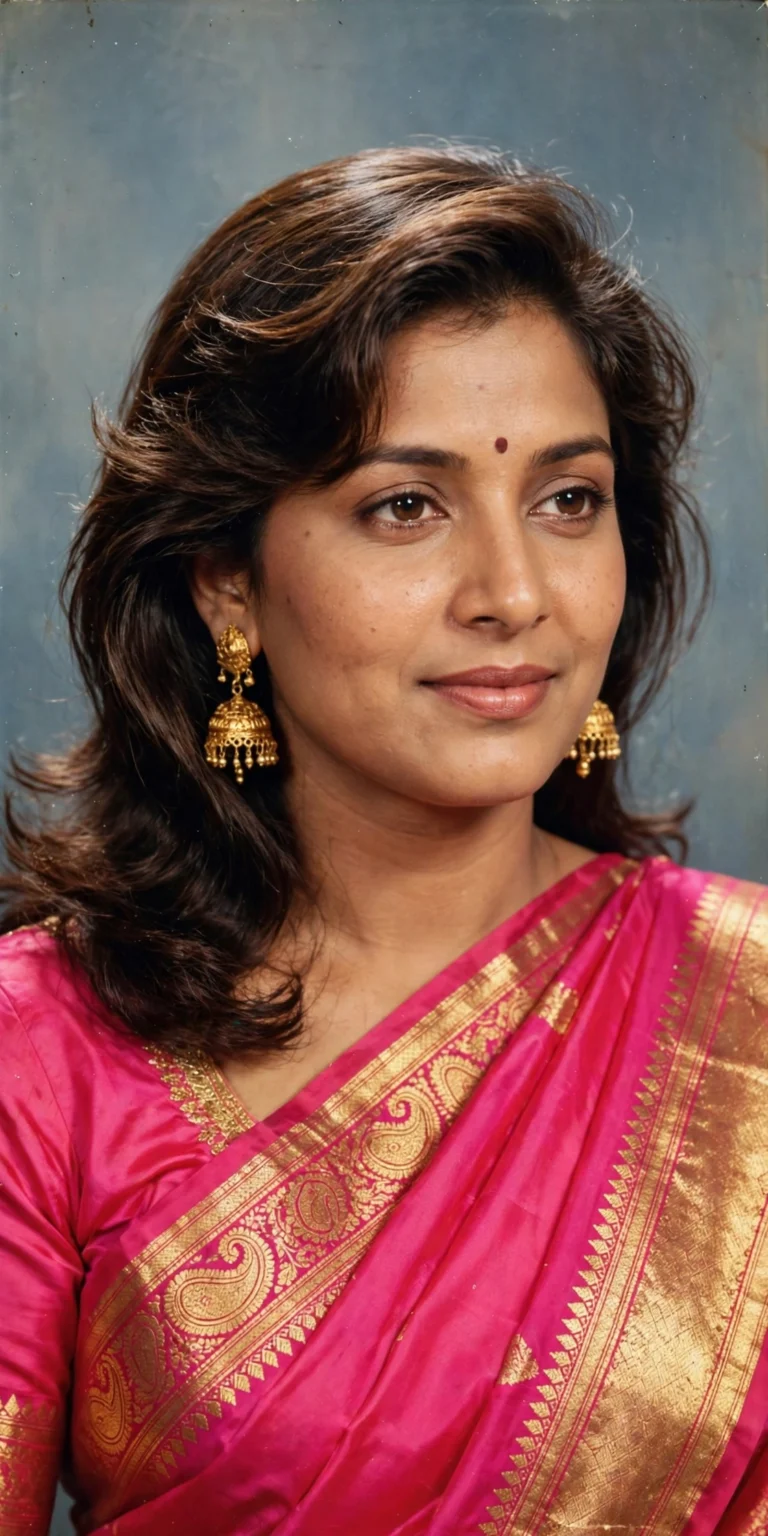
A soft, elegant festive portrait for girls who want a classic Diwali look without a heavy studio setup. This is the prompt I recommend first, because the diya light does most of the work — it warms the face naturally, so the photo needs very little else.
AI Prompt:
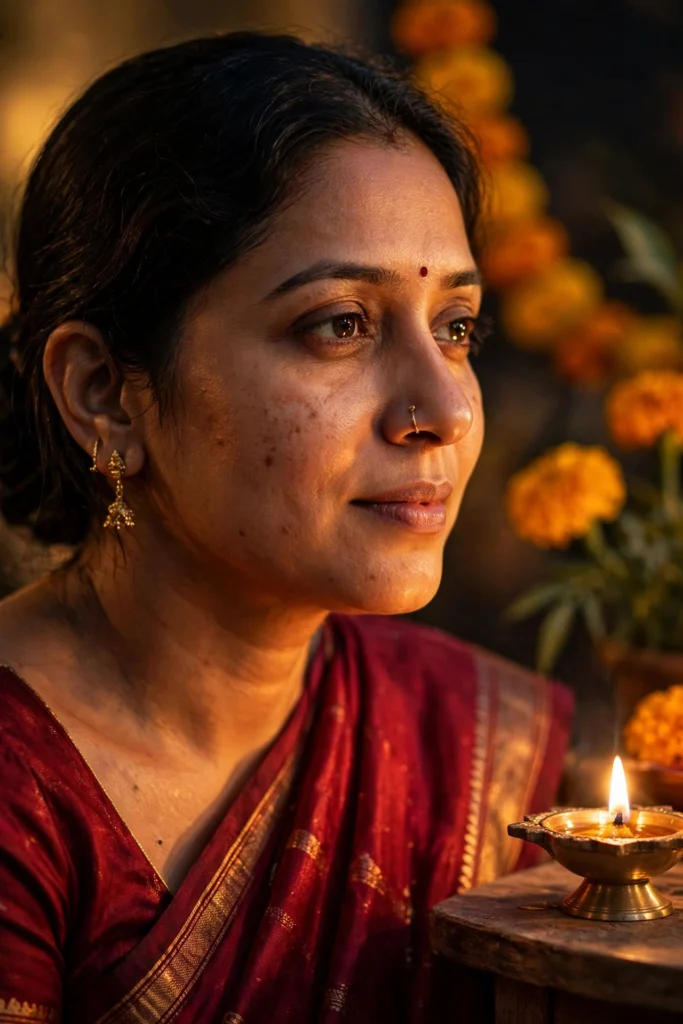
Edit my uploaded photo into a realistic Diwali portrait. Preserve my actual face, facial features, natural skin tone, and identity exactly. Dress me in a deep red silk saree with a thin gold border, a matching blouse, small gold jhumkas, and a low bun with fresh jasmine flowers. Place me near a brass diya on a low table, with warm diya light on one side of my face and softly blurred marigold flowers behind me. Use cinematic warm lighting, realistic skin texture, natural shadows, and a vertical 9:16 composition. Make it look like a professional festive photograph, not an illustration. No text, no logo, no watermark.
Best for: Instagram DP, WhatsApp DP, and festive posts.
Customize it: Change the saree color to teal, emerald, or maroon, but keep the diya light and face instruction the same.
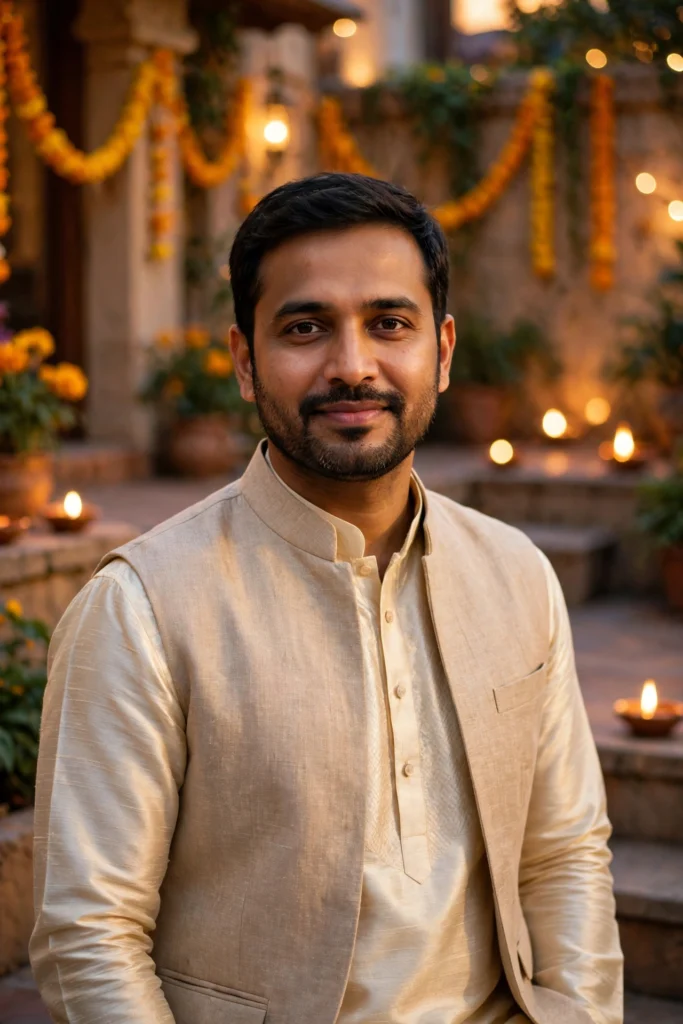
2. Festive Kurta Portrait for Boys
A clean, premium Diwali look for boys — traditional, but not over-styled. I included this one because most Diwali prompt lists only cover girls, and the boys in my family kept asking for one that did not make them look like they were at a wedding shoot.
AI Prompt:
Edit my uploaded photo into a realistic festive Diwali portrait of an Indian man. Preserve my actual face, beard, hairstyle, skin tone, and identity. Dress me in a cream silk kurta with a subtle gold-button detail and a light beige Nehru jacket. Place me in a warmly lit home courtyard with diyas and marigold garlands softly blurred in the background. Use soft golden evening light, realistic fabric texture, natural skin texture, and a vertical 9:16 composition. Make it look like a professional festive portrait. No text, no logo, no watermark.
Best for: Diwali DP, family group posts, and festive profile photos.
Customize it: Swap cream for deep maroon or dark green if you want a richer festive tone.
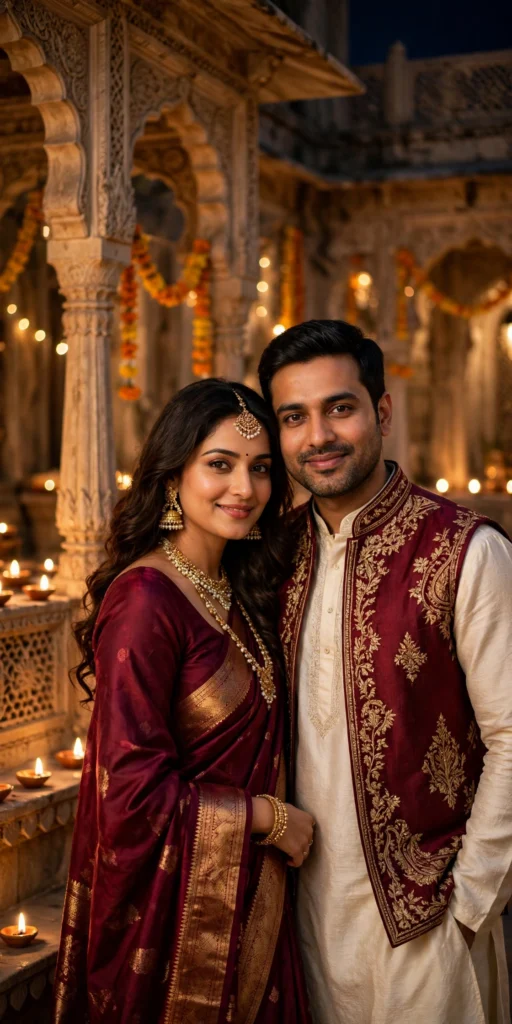
3. Diwali Couple Portrait
Couple photos are the hardest to get right in AI, because two faces have to stay natural. This prompt locks both faces first. In my experience, couple photos fail most often when one face is cropped tight or turned away, so upload a photo where both faces are clearly visible and facing the camera.
AI Prompt:
Edit our uploaded couple photo into a realistic Diwali portrait. Preserve both faces, facial features, natural skin tones, and identities exactly, without merging or beautifying either face. Dress the woman in a maroon silk saree with gold jewellery and the man in a matching cream kurta with a maroon Nehru jacket. Place them together in a festive courtyard with glowing diyas, marigold garlands, and warm fairy lights softly blurred behind them. They stand close, smiling gently at the camera. Use warm cinematic lighting, realistic skin texture, natural hand positions, and a vertical 9:16 composition. No text, no logo, no watermark.
Best for: Couple DP, Diwali wishes posts, and anniversary photos.
Customize it: Ask for a candid version by adding: “Make them look at each other and smile naturally, like a candid photo.”
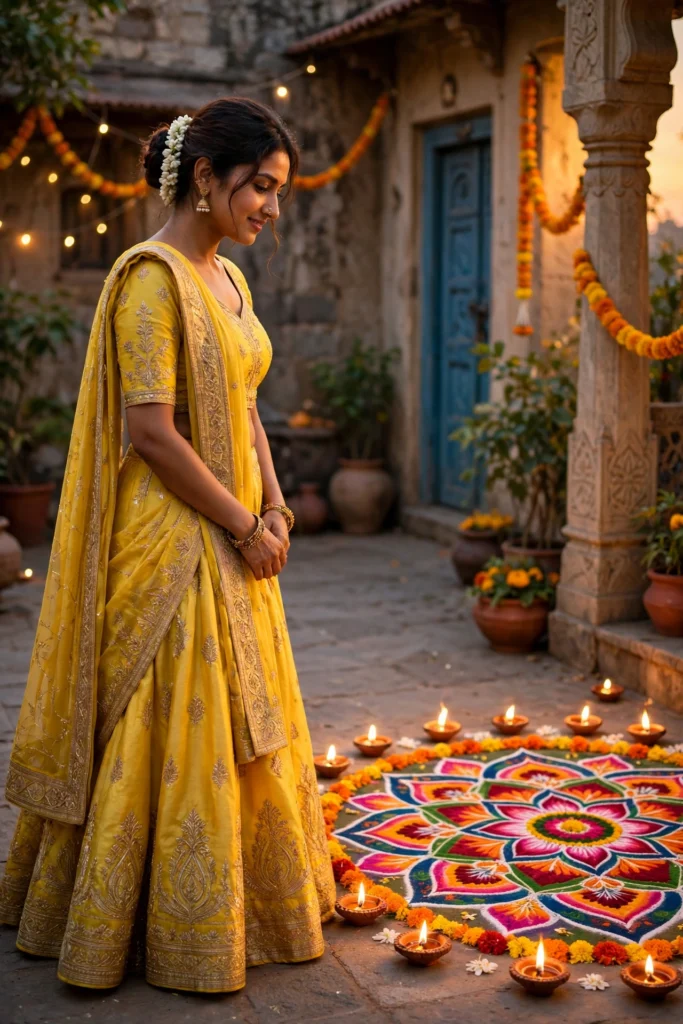
4. Rangoli Courtyard Look
If you want color and tradition in one frame, this is the most festive option in the list. I like this one for family group posts, because the rangoli and diyas around it tell the whole Diwali story without any caption.
AI Prompt:
Edit my uploaded photo into a realistic festive portrait. Preserve my actual face, skin tone, and identity. Dress me in a bright yellow lehenga with light gold embroidery, small gold earrings, and soft festive makeup. Place me standing beside a colorful rangoli in a traditional Indian courtyard, with diyas placed around the rangoli and warm evening light from one side. Use realistic fabric detail, natural skin texture, soft background blur, and a vertical 9:16 composition. Make it look like a real festive photograph. No text, no logo, no watermark.
Best for: Full festive look, reels covers, and family celebration posts.
5. Fairy-Light Balcony Look
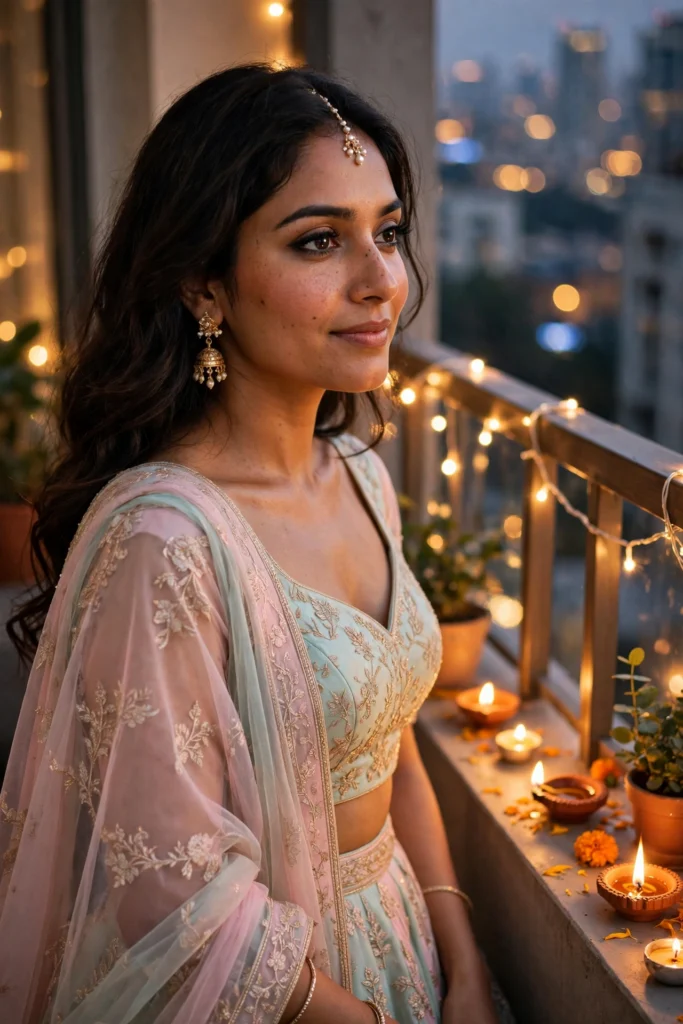
A modern Diwali look that works well for both boys and girls and feels less formal. This is my pick when the photo is for a flat or apartment — most of us celebrate on a balcony, not in a big courtyard, and the fairy lights do the festive work.
AI Prompt:
Edit my uploaded photo into a realistic modern Diwali portrait. Preserve my actual face, hairstyle, skin tone, and identity. Dress me in a smart festive outfit — a dark festive shirt with dark trousers for a man, or an elegant pastel lehenga or saree for a woman — and place me on a balcony decorated with warm fairy lights and small diyas. The city lights are softly blurred behind me. Use soft warm evening lighting, realistic skin texture, natural shadows, and a vertical 9:16 composition. Make it look like a candid festive photo taken on a phone camera. No text, no logo, no watermark.
Best for: Evening Diwali posts and modern festive DPs.
Customize it: Add “light rain on the balcony railing” only if you want a moodier version — do not add too many effects at once.
6. Sparkler Night Portrait
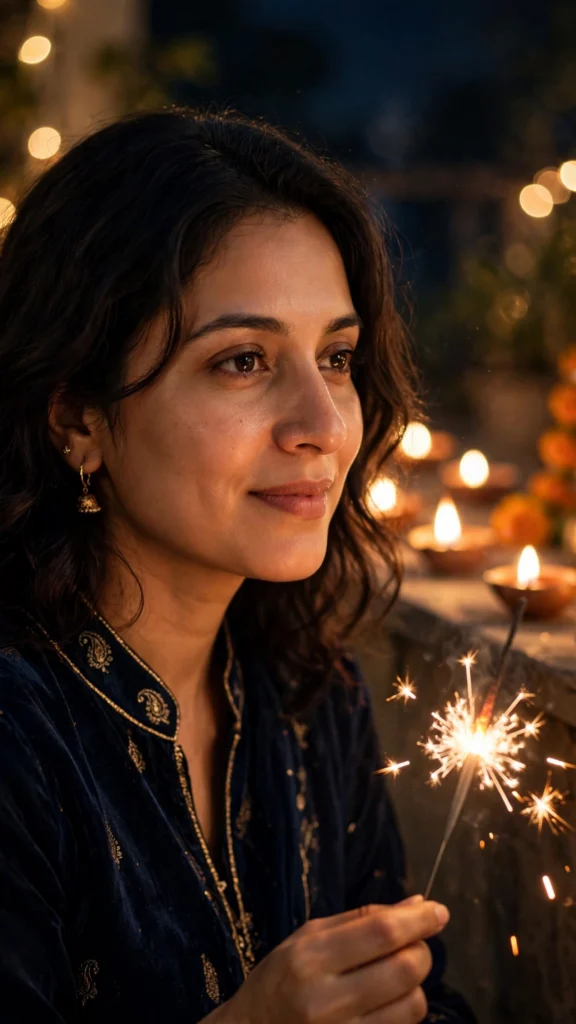
A fun, celebratory night photo. Keep the sparkler small and in the background so your face stays the focus. This is the prompt people use most for reels thumbnails, and the mistake I see most is a big sparkler covering the face — the prompt below keeps it low and away from the face for exactly that reason.
AI Prompt:
Edit my uploaded photo into a realistic Diwali night portrait. Preserve my actual face, skin tone, and identity. Dress me in a festive dark outfit with subtle gold detail. Place me outdoors at night holding a small lit sparkler low and away from my face, with warm bokeh lights and diyas softly blurred behind me. Light my face mainly with soft warm light, not harsh flash. Use realistic skin texture, natural hand shape, accurate sparkler glow, and a vertical 9:16 composition. Make it look like a real night photograph. No text, no logo, no watermark.
Best for: Diwali night posts and reels thumbnails.
Safety note: Use sparklers only in real life where they are allowed and safe. In the AI photo, keep the sparkler away from the face for a cleaner result.
7. Modern Fusion Diwali Look
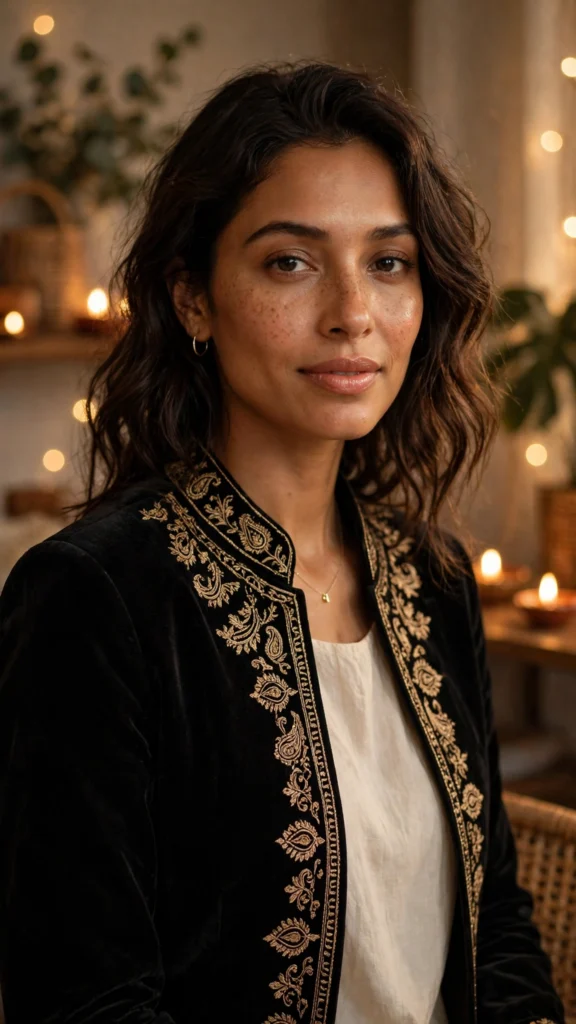
For those who want festive, but not fully traditional. I added this one for office parties and Diwali get-togethers with friends, where a full saree or kurta would feel overdressed but a plain photo would feel too plain.
AI Prompt:
Edit my uploaded photo into a realistic modern fusion Diwali portrait. Preserve my actual face, hairstyle, skin tone, and identity. Dress me in a contemporary festive outfit — an embroidered jacket over a plain kurta or a modern Indo-western dress — with minimal jewellery. Place me in a stylish, warmly lit indoor setting with diyas and fairy lights softly blurred in the background. Use soft directional lighting, realistic fabric texture, natural skin texture, and a vertical 9:16 composition. Make it look like a premium editorial festive photo. No text, no logo, no watermark.
Best for: Party looks, modern festive DPs, and fashion-style posts.
How to Use These Diwali Prompts in Gemini or ChatGPT
- Choose a clear photo. A front-facing, well-lit photo works best. Avoid blurry photos or photos where your face is covered.
- Open Gemini or ChatGPT and start a new image chat.
- Upload your photo first, then paste the full prompt in the same message.
- Keep one prompt at a time. Do not mix a saree look, a couple look, and a sparkler look in one prompt.
- Generate, then refine. If the face looks slightly off, do not rewrite everything. Add one correction line, for example: “Keep my face exactly the same as the uploaded photo and make the lighting softer.”
If Your Diwali Photo Looks Wrong, Fix It Like This
| Problem | Add this line |
|---|---|
| Face looks different | Keep my face, facial structure, and skin tone exactly the same as the uploaded photo. |
| Photo looks too artificial | Use realistic skin texture, natural shadows, and soft light. Avoid plastic skin and over-smoothing. |
| Hands look wrong | Use natural hand positions with correct fingers and realistic proportions. |
| Background is too busy | Keep the background softly blurred and keep the focus on the person. |
| Colors look too loud | Use warm, balanced festive colors and natural color grading. |
Tips for a More Realistic Diwali AI Photo
- Describe light, not just clothes. Diya light, fairy lights, and golden evening light change the whole photo.
- Mention the ratio. Add “vertical 9:16” for a DP or reel, and “horizontal 3:2” only if you want a wider post.
- Keep jewellery simple in the prompt. One or two items read better than a long list.
- Do not promise a viral result. A good prompt improves the photo. Whether it goes viral also depends on timing, caption, and audience.
- Test on WhatsApp first. A photo that looks good in the AI app can look dark as a WhatsApp DP. If it does, ask for slightly brighter warm light before posting.
FAQs
When is Diwali in 2026?
Diwali falls on Sunday, 8 November 2026. These prompts are made for this year’s Diwali photos — DPs, family posts, and reels around that weekend.
Can I use these Diwali prompts in both Gemini and ChatGPT?
Yes. Both tools support photo upload and text prompts. In my experience, Gemini often keeps a single face consistent, while ChatGPT is also strong on festive detail. Try the same prompt in both if the first result is not right.
Will my face stay exactly the same?
Mostly, but no tool can guarantee 100% identity in every result. Use a clear original photo and repeat the face-preservation line if the first result drifts.
Which Diwali prompt is best for a couple?
Prompt 3, the Diwali Couple Portrait, is made for two faces. Upload a clear photo where both faces are visible, and do not crop either face tightly.
Can I change the saree or kurta color?
Yes. Change only the color or outfit line and keep the rest of the prompt the same. Changing too much at once usually makes the result less predictable.
Can I use these photos as my WhatsApp DP?
Yes, that is what most people use them for. The 9:16 vertical ratio in every prompt is made for DPs and reels. Check the result as a small DP before posting — if the face looks dark at small size, regenerate with slightly brighter light.
Is it safe to upload my photo to an AI tool?
Upload only photos you are comfortable sharing with that tool, and check the tool’s privacy settings. Do not upload photos of other people without their permission.
For Readers in India
Diwali is India’s biggest festival, and most of us celebrate it at home — with family, diyas, rangoli, and a lot of photos. These prompts are written for that setting: home courtyards, balconies, fairy lights, and marigold garlands, not a studio. They work the same way whether you are in Delhi, Mumbai, Lucknow, or a small town — upload your photo, paste the prompt, and use a home setting with diyas and fairy lights. If you are posting for family on WhatsApp, a simple caption like “Diwali at home” works better than changing the prompt itself. And if your photo is for a family group, use Prompt 3 or Prompt 4 — they are the ones that look best when everyone is together.
Originality and Privacy Note
These prompts were written originally for this site. They are not copied from another prompt site, and they do not copy any celebrity’s face or a movie scene. Results vary by tool and by photo, and no prompt can guarantee a viral result. Upload only your own photo, or a photo you have permission to edit.
Final Thoughts
A good Diwali AI photo is not about adding every festive element at once. It is about one clear look, warm light, and a face that still looks like you. That is what I kept coming back to while writing these prompts, and it is what I would check first in my own photo. Start with the Diya-Lit Saree Portrait or the Festive Kurta Portrait, then try the couple version if you are posting together. Small changes — a different color, softer light, or a simpler background — usually give a better result than a completely new prompt.
Read more: Gemini Couple Photo Editing Prompts, 90s Look Prompts for Girls, Christmas AI Photo Editing Prompts
7 Comments