
Christmas AI Photo Editing Prompts 2026: 7 Copy-Paste Gemini & ChatGPT Prompts
Christmas is on Friday, 25 December 2026, and I have noticed something every year around this time. The photos people share most are not the studio ones. They are simple phone selfies, taken at home in front of the tree, turned into warm, fairy-lit portraits with Gemini or ChatGPT. I made these prompts because I wanted that same result for my own family photos, without spending hours in an editing app or paying a studio.
In my experience, the difference between a good Christmas AI photo and a strange one is not the tool. It is the prompt. When I write “preserve my face exactly” and describe the light properly, the result looks like me at home on Christmas evening. When I skip those lines, the face drifts and the photo looks like a stranger in a red sweater. So in this article, I am sharing the 7 Christmas prompts I actually use, for solo portraits, family cards, and couples. You upload your photo, copy one prompt, and paste it. Every prompt keeps your face recognizable and focuses on warm tree lights, cozy winter clothes, and a realistic photo feel — not a cartoon filter.
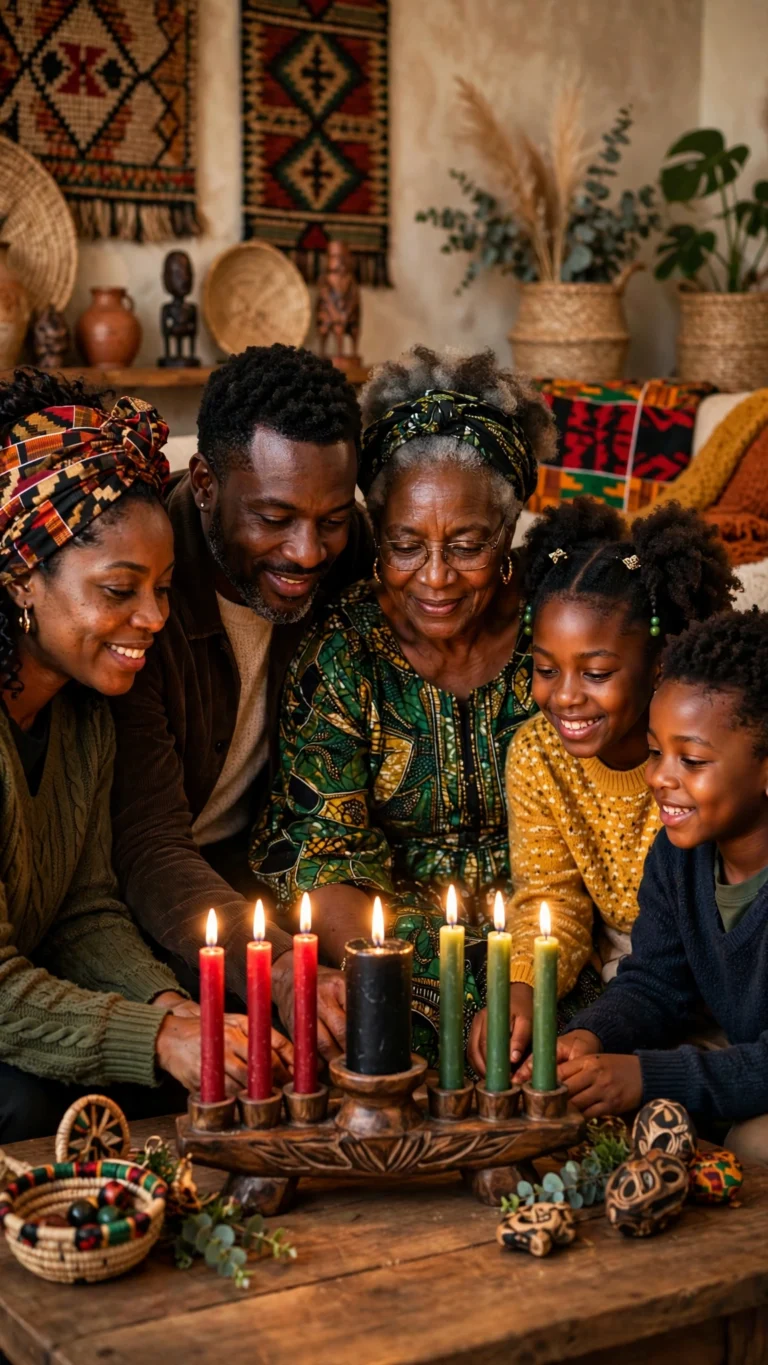
Quick Pick: Which Christmas Prompt Should You Use?
| Prompt | Best for | Mood |
|---|---|---|
| 1. By the Christmas Tree | Solo DP and profile picture | Classic, warm |
| 2. Cozy Sweater Fireside | Solo Instagram post | Soft, at home |
| 3. Christmas Family Card | Family card and group posts | Warm, together |
| 4. Christmas Couple by the Tree | Couples, holiday posts | Gentle, festive |
| 5. Snowy Outdoor Portrait | Winter-style post, Reels cover | Crisp, wintry |
| 6. Christmas Market Evening | Travel-style post, carousel | Cinematic, festive |
| 7. Christmas Morning Pajama | Christmas Day post, family groups | Casual, personal |
Gemini or ChatGPT — Which One Should I Use for Christmas Photos?
This is the question I get most, so here is what I have found by trying the same prompt in both tools. Gemini, from Google, is usually better at keeping a single face consistent. If your main worry is “will it still look like me”, start with Gemini. ChatGPT, from OpenAI, is often stronger on festive detail — the fairy lights, the ornaments, the knit texture of a sweater come out richer. If your main worry is “will the scene feel like Christmas”, try ChatGPT.
What I do in practice is simple: I generate the same prompt in Gemini first, and if the face is right but the background feels flat, I try the same prompt in ChatGPT and pick the better one. Both tools need the same thing from you — a clear original photo and the full prompt in one message. Do not upload a photo that WhatsApp already compressed. WhatsApp reduces photo quality when you forward it, and the AI then has less detail to work with. Use the original photo from your phone gallery.
One more thing I have learned: do not mix prompts. A tree portrait, a couple look, and a market walk in one message will confuse both tools. One prompt at a time, one result at a time.
7 Christmas AI Photo Editing Prompts
1. By the Christmas Tree Portrait
This is the classic Christmas portrait, and it is the one I recommend first. It works best as a profile picture because the tree lights add warmth without hiding your face. I use it when I want a quick DP that still looks like a real photo, not a filter.
AI Prompt:
Edit my uploaded photo into a realistic Christmas portrait beside a decorated Christmas tree. Preserve my actual face, facial features, natural skin tone, and identity exactly. Dress me in a deep red knit sweater, and place me seated beside a large tree decorated with warm fairy lights, red ornaments, and a star topper, with the lights thrown into soft bokeh behind me. Use warm evening lighting, realistic knit texture, natural skin texture, and a vertical 9:16 composition. Make it look like a professional holiday photograph, not an illustration. No text, no logo, no watermark.
Best for: Profile picture, WhatsApp DP, and Instagram post.
Customize it: Change “deep red knit sweater” to “forest green sweater” or “cream turtleneck” to match your style.
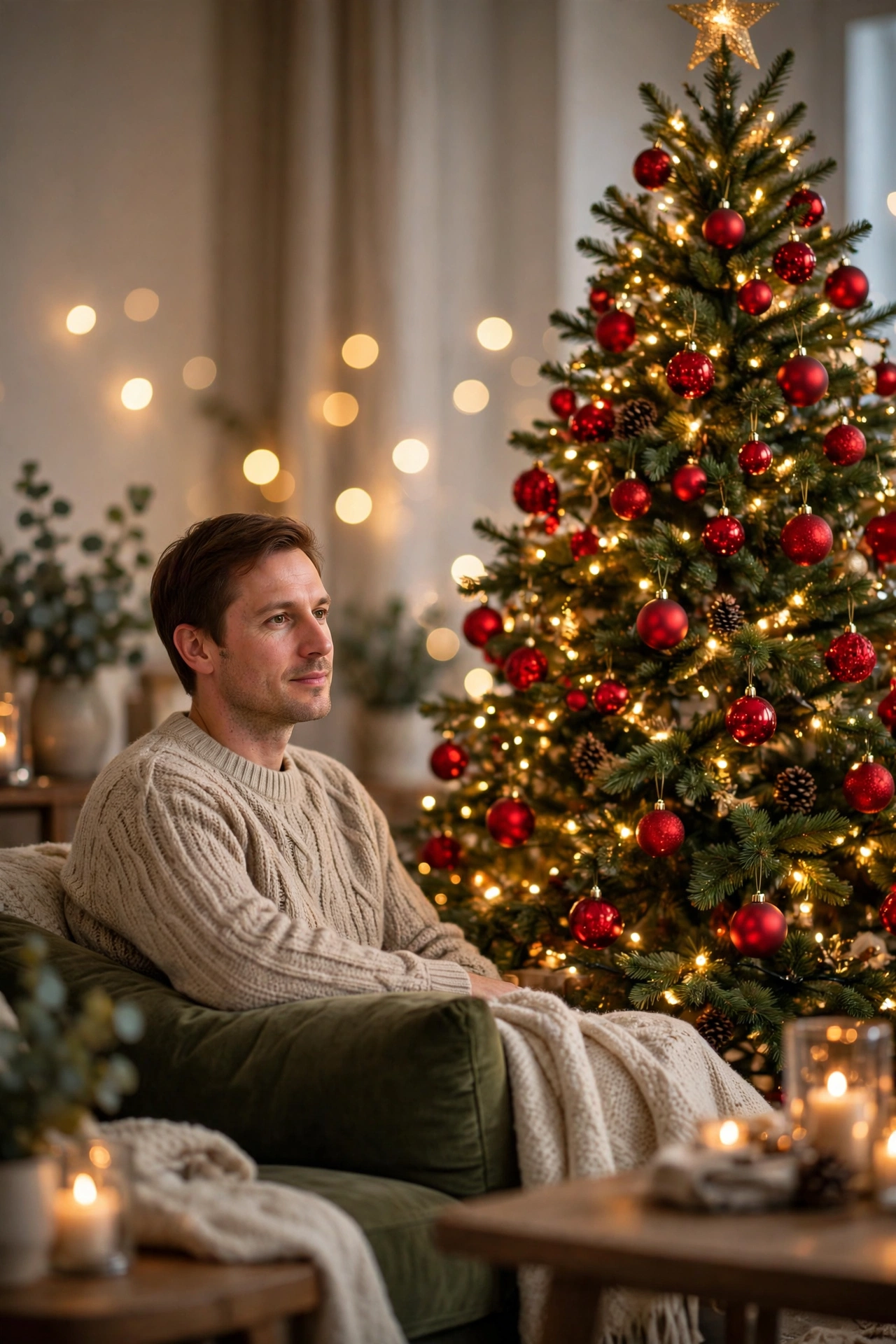
2. Cozy Sweater Fireside Look
If you want a soft, warm, at-home Christmas photo, use this fireside prompt. It is perfect for a relaxed Instagram post. I like this one for evenings at home, when the photo is meant to feel cozy rather than dressed up.
AI Prompt:
Edit my uploaded photo into a realistic cozy Christmas portrait by a fireplace. Preserve my actual face, facial features, skin tone, and identity exactly. Dress me in a chunky cream knit sweater and place me in a warm living room with a softly glowing fireplace, a decorated tree blurred in the background, and a mug of hot cocoa with marshmallows in my hands. Use soft firelight on one side of my face, realistic knit texture, natural skin texture, and a vertical 9:16 composition. Make it look like a candid home photograph. No text, no logo, no watermark.
Best for: Instagram feed, Facebook post, and holiday greeting story.
Customize it: Replace the hot cocoa with a book or a pet sitting nearby for a more personal version.
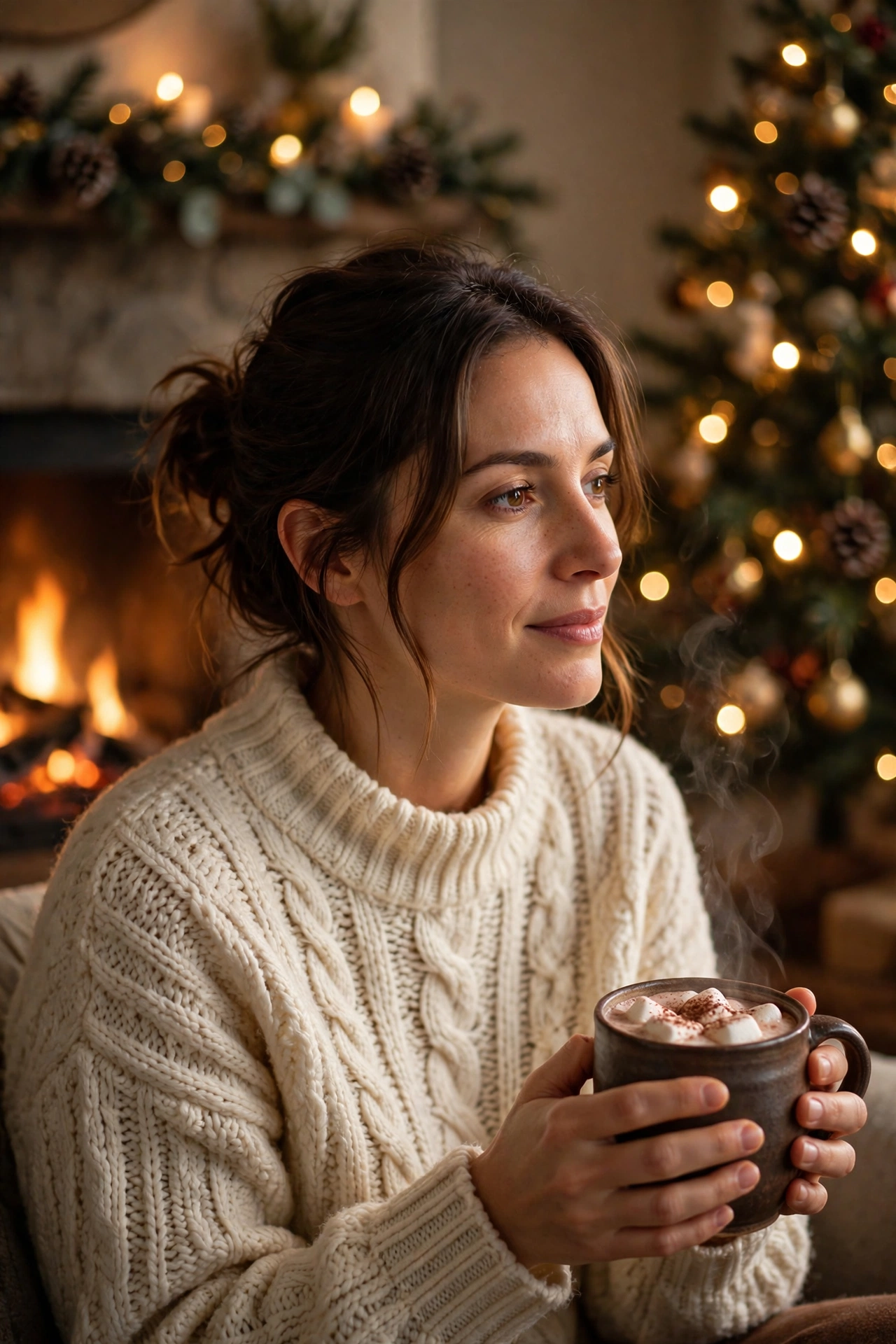
3. Christmas Family Card Photo
A family card needs everyone to look natural, not stiff. This prompt leaves space at the top for a greeting, so you can add your own text later. In my experience, family photos fail most often when someone is cropped tight or turned away, so upload a photo where every face is clearly visible and facing the camera.
AI Prompt:
Edit my uploaded photo into a realistic Christmas family card photo. Preserve my actual face, facial features, skin tone, and identity exactly. Place me with my family in matching cozy sweaters beside a decorated Christmas tree, with warm fairy lights, wrapped gifts, and a fireplace softly visible behind us, leaving clear space at the top of the frame for a greeting. Use warm indoor evening light, realistic skin texture, natural expressions, and a horizontal 3:2 composition for a card. Make it look like a professional family holiday photograph. No text, no logo, no watermark.
Best for: Printed Christmas cards, family WhatsApp groups, and Facebook cover photos.
Customize it: Change “matching cozy sweaters” to “matching pajamas” for a fun family version.
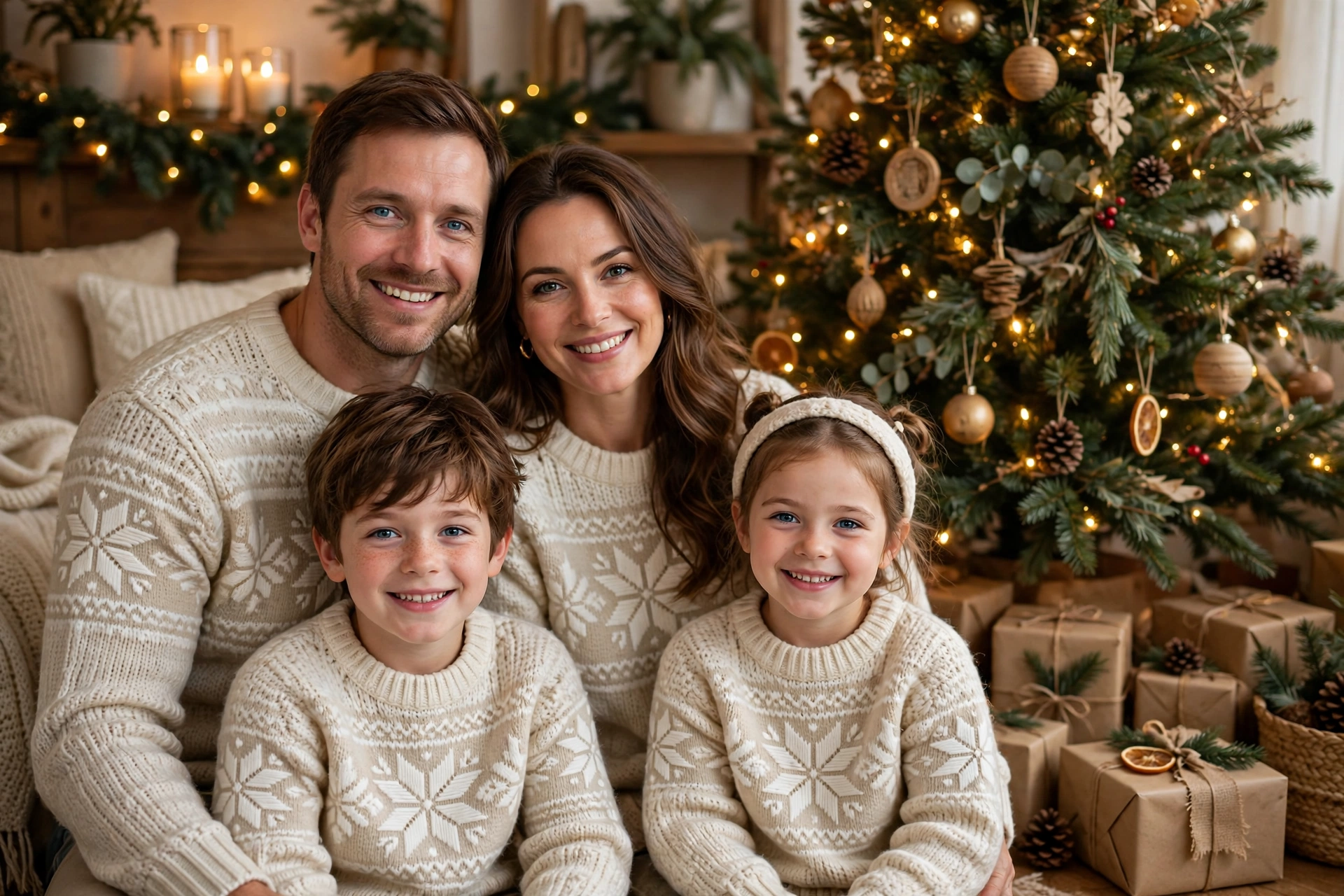
4. Christmas Couple by the Tree
Couple photos are the hardest to get right in AI, because two faces have to stay natural. This prompt asks for both faces to stay separate and real. I included it because my own couple photos kept coming out with one face looking fine and the other looking like a different person — the face-preservation lines in this prompt are written for both faces, not one.
AI Prompt:
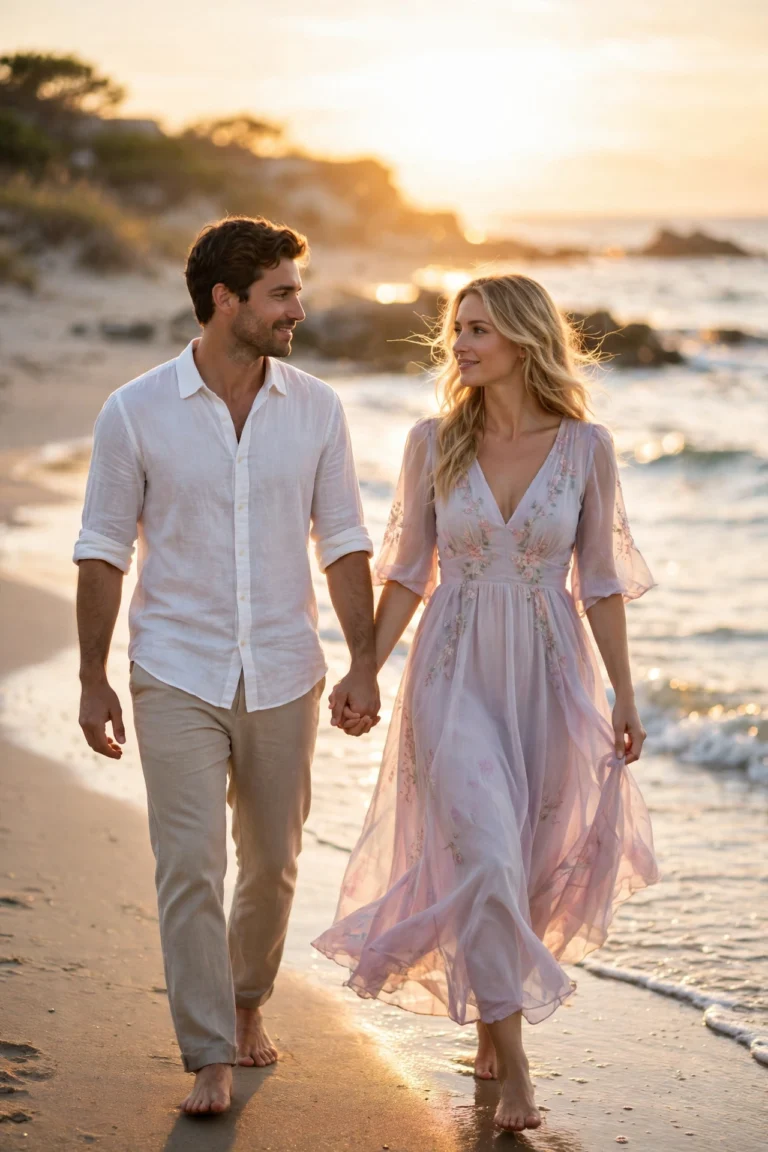
Edit our uploaded couple photo into a realistic Christmas portrait by a decorated tree. Preserve both faces, facial features, natural skin tones, and identities exactly, without merging or beautifying either face. Dress the woman in a red knit dress and the man in a dark green Christmas sweater, and place them standing close beside a tree with warm fairy lights and wrapped gifts softly blurred behind them. They smile gently at the camera. Use warm cinematic lighting, realistic skin texture, natural hand positions, and a vertical 9:16 composition. No text, no logo, no watermark.
Best for: Couple Instagram posts, anniversary-style holiday photos, and WhatsApp status.
Customize it: Ask for a candid version by adding: “Make them look at each other and laugh naturally, like a candid photo.”
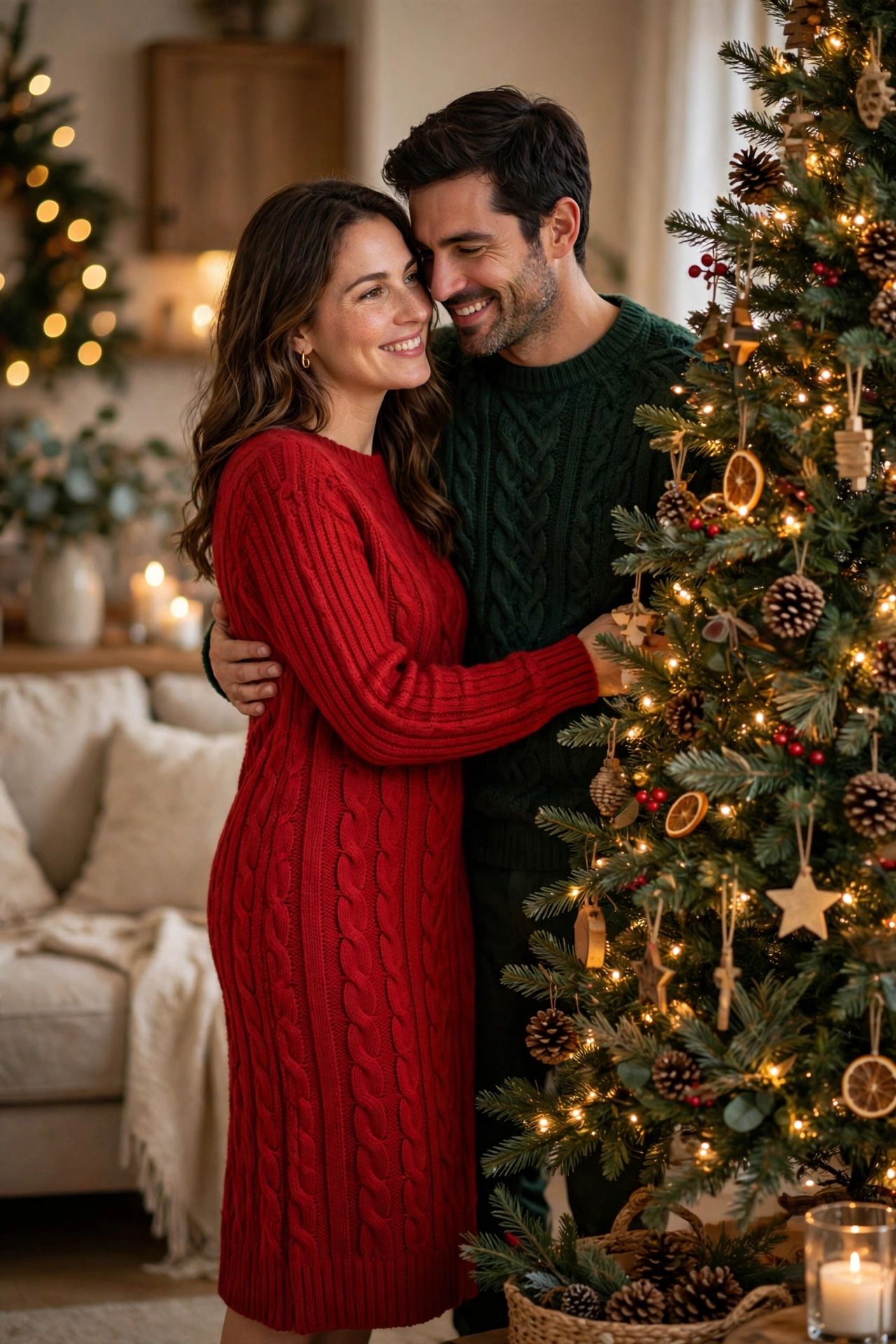
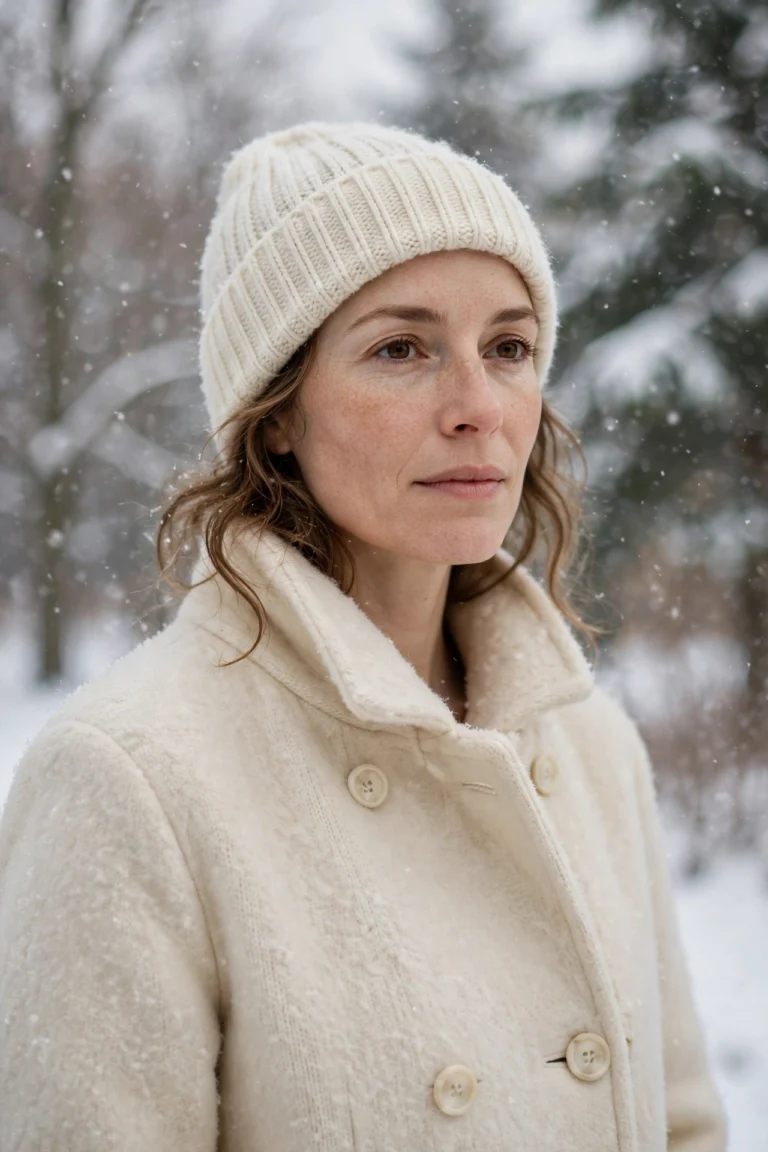
5. Snowy Outdoor Christmas Portrait
For a winter wonderland feel, try this outdoor snow prompt. It works best if your uploaded photo is already outdoors or has a simple background.
AI Prompt:
Edit my uploaded photo into a realistic snowy Christmas portrait outdoors. Preserve my actual face, hairstyle, skin tone, and identity exactly. Dress me in a warm wool coat, a knit beanie, and a scarf, and place me outside in gently falling snow with snow-covered trees and warm window light from a cabin softly blurred behind me. Use soft winter daylight, realistic snowflakes on my coat, natural skin texture, and a vertical 9:16 composition. Make it look like a real winter photograph. No text, no logo, no watermark.
Best for: Instagram Reels cover, winter profile picture, and holiday story.
Customize it: Add “holding a warm cup with both hands” for a cozier version.

6. Christmas Market Evening Walk
This prompt gives you a travel-style photo, even if you are at home. The market lights and snow make it feel festive and cinematic.
AI Prompt:
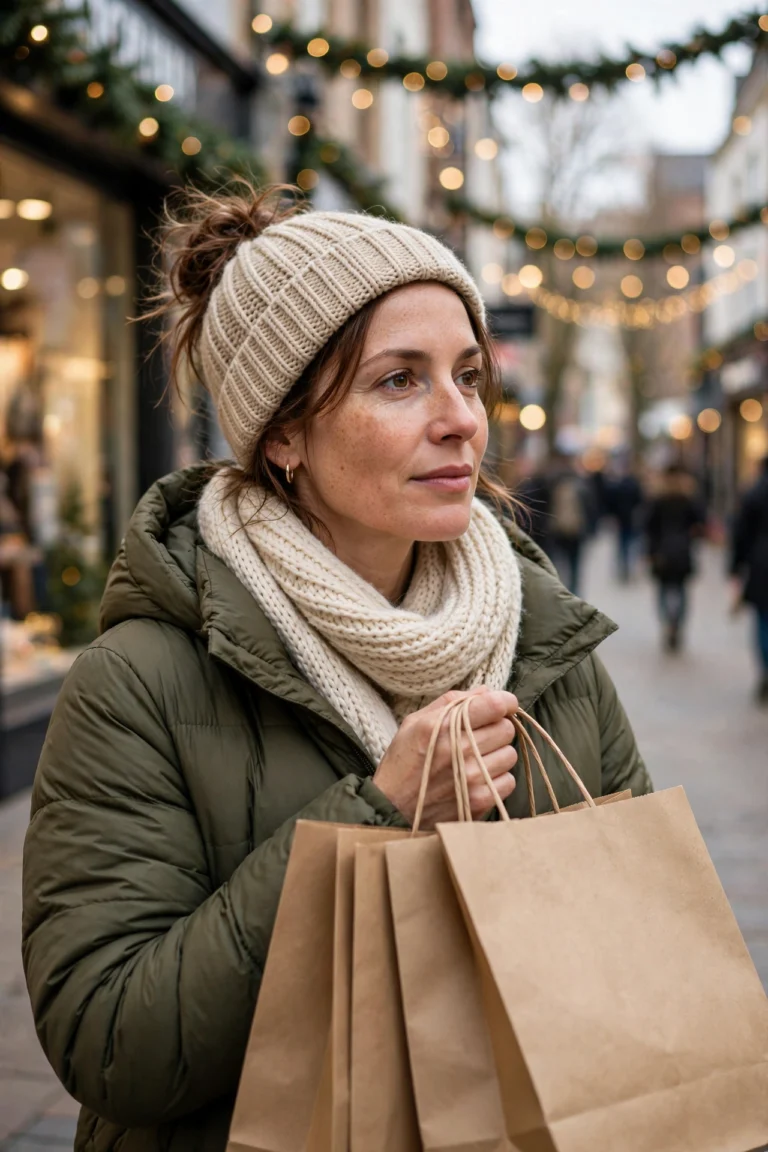
Edit my uploaded photo into a realistic Christmas market evening portrait. Preserve my actual face, hairstyle, skin tone, and identity exactly. Dress me in a warm winter coat with a scarf and gloves, and place me walking through an evening Christmas market with garlands of lights, wooden stalls, light snow falling, and warm steam rising from a cup in my hands. Use warm market lighting, realistic fabric texture, natural skin texture, and a vertical 9:16 composition. Make it look like a candid travel photograph. No text, no logo, no watermark.
Best for: Instagram carousel, travel-style holiday post, and Pinterest pin.
Customize it: Change the cup to a “paper cup of hot chocolate” if you want a cozier market feel.

7. Christmas Morning Pajama Photo
Christmas morning photos feel the most personal. This prompt is simple, warm, and perfect for a relaxed family post. I use it for the photo I send to my family group on Christmas morning — it looks like a real moment at home, not a posed shoot.
AI Prompt:
Edit my uploaded photo into a realistic Christmas morning portrait. Preserve my actual face, hairstyle, skin tone, and identity exactly. Dress me in red and white plaid Christmas pajamas with fluffy socks, and place me in a cozy living room on Christmas morning with a decorated tree, wrapped gifts, and soft morning light through the window behind me. Use natural morning light, realistic fabric texture, natural skin texture, and a vertical 9:16 composition. Make it look like a real morning photograph. No text, no logo, no watermark.
Best for: Christmas Day post, family group photo, and casual Instagram story.
Customize it: Add “sitting on the floor opening a gift” to make it more story-like.

How to Use These Christmas Prompts in Gemini or ChatGPT
- Choose a clear photo. A front-facing, well-lit photo works best. Avoid blurry photos or photos where your face is covered. Use the original from your gallery, not a WhatsApp-forwarded copy.
- Open Gemini or ChatGPT and start a new image chat.
- Upload your photo first, then paste the full prompt in the same message.
- Keep one prompt at a time. Do not mix a tree portrait, a couple look, and a market walk in one prompt.
- Generate, then refine. If the face looks slightly off, do not rewrite everything. Add one correction line, for example: “Keep my face exactly the same as the uploaded photo and make the lighting softer.”
If Your Christmas Photo Looks Wrong, Fix It Like This
| Problem | Add this line |
|---|---|
| Face looks different | Keep my face, facial structure, and skin tone exactly the same as the uploaded photo. |
| Photo looks too artificial | Use realistic skin texture, natural shadows, and soft light. Avoid plastic skin and over-smoothing. |
| Hands look wrong | Use natural hand positions with correct fingers and realistic proportions. |
| Background is too busy | Keep the background softly blurred and keep the focus on the person. |
| Colors look too loud | Use warm, balanced festive colors and natural color grading. |
Tips for a More Realistic Christmas AI Photo
- Describe light, not just clothes. Fairy lights, firelight, and warm evening light change the whole photo.
- Mention the ratio. Add “vertical 9:16” for a DP or reel, and “horizontal 3:2” only if you want a wider post like a family card.
- Keep the scene simple in the prompt. One tree, one fireplace, or one market street reads better than all three at once.
- Do not promise a viral result. A good prompt improves the photo. Whether it goes viral also depends on timing, caption, and audience.
- Test on WhatsApp first. A photo that looks good in the AI app can look dark as a WhatsApp DP. If it does, ask for slightly brighter warm light before posting.
Christmas in India — Midnight Mass, Plum Cake and Family Photos
Christmas in India does not look like the snow-covered Christmas in the prompts above, and I think that is worth saying honestly. Most of us celebrate in warm December weather, not snow. The prompts still work — the tree, the fairy lights, and the sweaters are all part of how many Indian families decorate at home — but the day itself has its own shape here, and the photos that matter most are the ones taken around it.
In Goa, Christmas is a big family festival. Houses are decorated with stars and lights, and many families put up a crib — a small model of the nativity scene — next to the tree. The evening of 24 December usually means midnight mass at the local church, and the photos I see most from Goa are taken after mass: the family outside the church, dressed up, with the lights behind them.
In Mumbai, the Bandra area comes alive in December, with decorated streets, stars in windows, and churches full for midnight mass. The photos that work best here are the ones taken in the evening, with real lights behind you. Prompt 6, the market evening walk, suits that mood — the garlands of lights and the warm evening feel match a walk through a decorated street, even without snow.
In Kolkata, Christmas means Park Street — the lights, the crowds, and the cakes from the old bakeries. Families walk down Park Street on Christmas evening, and the photos are usually candid: walking, laughing, holding a bag of cake. Prompt 6 works here too, for the same reason. And the cake matters: plum cake is the Christmas cake most Indian families know, bought from a bakery or baked at home, cut after midnight mass or on Christmas morning with the family.
Whatever city you are in, my advice is the same. Take your family photo after midnight mass or on Christmas morning, when everyone is together and dressed up. Use Prompt 3 for the group card, because the horizontal 3:2 layout and the space at the top are made for a printed card or a family group DP.
FAQs About Christmas AI Photo Editing Prompts
When is Christmas in 2026?
Christmas falls on Friday, 25 December 2026. These prompts are made for this year’s Christmas photos — DPs, family cards, and posts around Christmas Eve and Christmas Day.
Can I use these prompts in both Gemini and ChatGPT?
Yes. Both tools support photo upload and text prompts. In my experience, Gemini often keeps a single face consistent, while ChatGPT is also strong on festive indoor detail. Try the same prompt in both if the first result is not right.
Will the AI keep my face exactly the same?
It will be close if you use a clear photo and keep the face-preservation lines in the prompt. Small changes can still happen. If the face changes too much, upload a better photo and regenerate.
Do I need a paid plan for these prompts?
No. You can start with the free versions of Gemini and ChatGPT. Paid plans may give faster results and higher limits, but they are not required for these prompts.
Which prompt is best for a family Christmas card?
Use Prompt 3, Christmas Family Card Photo. It uses a horizontal 3:2 layout and leaves space at the top for a greeting.
Can I use these prompts for a couple photo?
Yes. Use Prompt 4, Christmas Couple by the Tree. Upload a clear couple photo where both faces are visible.
Can I make a Christmas photo without snow?
Yes. Most of these prompts are indoor — the tree portrait, the fireside look, the family card, and the Christmas morning photo have no snow at all. Only Prompts 5 and 6 include snow, and you can ask the tool to leave the snow out if you want a photo that looks like Christmas in India.
Can I use a photo taken after midnight mass?
Yes, that is a good starting photo. A clear photo of you dressed up outside the church or at home after mass works well with Prompt 1 or Prompt 4. Just make sure your face is well lit and facing the camera.
Can I add plum cake or a crib to my photo?
You can mention it in the prompt, but keep it simple. Add one line like “a slice of plum cake on a plate beside me” or “a small crib with soft lights in the background” and keep the rest of the prompt unchanged. Adding too many items at once usually makes the result less predictable.
For Readers in India
These prompts are written for readers in India. Christmas here is celebrated at home and at church — midnight mass on Christmas Eve, plum cake with family, the tree and the crib in the living room, and photos shared on WhatsApp the same night. They work the same way whether you are in Goa, Mumbai, Kolkata, Delhi, or a small town — upload your photo, paste the prompt, and use a home setting with a tree and fairy lights. If you are posting for family on WhatsApp, a simple caption like “Merry Christmas from our home” works better than changing the prompt itself. And if your photo is for a family group, use Prompt 3 or Prompt 7 — they are the ones that look best when everyone is together.
Originality and Privacy Note
These prompts were written originally for this site. They are not copied from another prompt site, and they do not copy any celebrity’s face or a movie scene. Results vary by tool and by photo, and no prompt can guarantee a viral result. Upload only your own photo, or a photo you have permission to edit.
Final Thoughts
A good Christmas AI photo is not about adding every festive element at once. It is about one clear look, warm light, and a face that still looks like you. That is what I kept coming back to while writing these prompts, and it is what I would check first in my own photo. Start with the tree portrait if you want a quick profile picture. Use the family card prompt if you want a printed card or a photo for your family group after midnight mass. Try the market evening or snowy outdoor prompt if you want a more creative post. Copy one prompt today, upload your photo, and create your Christmas portrait.
Read more: Thanksgiving AI Photo Editing Prompts, Diwali AI Photo Editing Prompts, Gemini Couple Photo Editing Prompts
6 Comments