
Black Friday AI Photo Editing Prompts: 7 Copy-Paste Gemini & ChatGPT Prompts
Black Friday is on Friday, 27 November 2026. It is the day after Thanksgiving in the USA, and it is the biggest shopping day of the year there — shops open early, people queue up before sunrise, and the whole day is about gift shopping, sale hauls, and the start of the holiday season. I will be honest with you: Black Friday is not an Indian festival. We do not celebrate it at home the way we celebrate Diwali. But if you shop online in India, you have definitely seen it. Around the last week of November, Amazon, Flipkart, and many brand websites run Black Friday sales with big discounts, and suddenly your feed is full of sale posts, haul photos, and “what I bought” reels.
That is why I made these prompts. I wanted a Black Friday photo that feels like a real shopping day — a street photo with bags, a cozy gift haul at home, a friends day out — without it looking like a store advertisement. In this article, I am sharing the 7 Black Friday prompts I actually use. You upload your photo, copy one prompt, and paste it into Gemini or ChatGPT. Every prompt keeps your face recognizable and focuses on realistic bags, gifts, and natural light — not a cartoon filter.
In my experience, the difference between a good Black Friday AI photo and a strange one is not the tool. It is the prompt. When I write “preserve my face exactly” and describe the light properly, the result looks like me on a shopping day. When I skip those lines, the face drifts and the bags start looking like plastic toys. So keep the face line in every prompt, and keep the scene simple.
Quick Pick: Which Black Friday Prompt Should You Use?
| Prompt | Best for | Mood |
|---|---|---|
| 1. Shopping Day Street Portrait | Solo, DP and posts | Bright, energetic |
| 2. Cozy Gift Haul Portrait | Solo, haul posts | Warm, cheerful |
| 3. Friends Shopping Day Portrait | Friends, group posts | Joyful, fun |
| 4. Gift Wrapping at Home Portrait | Solo, cozy posts | Warm, relaxed |
| 5. Golden Hour Holiday Window Portrait | Solo, outdoor posts | Soft, festive |
| 6. Family Gift Shopping Portrait | Family, greeting posts | Warm, together |
| 7. Early Morning Coffee Run Portrait | Solo, candid posts | Cozy, candid |
Gemini or ChatGPT — Which One Should I Use for Black Friday Photos?
This is the question I get most, so here is what I have found by trying the same prompt in both tools. Gemini, from Google, is usually better at keeping a single face consistent. If your main worry is “will it still look like me”, start with Gemini. ChatGPT, from OpenAI, is often stronger on indoor and home detail — the wrapping paper, the gifts on the table, the warm lamp light in a home photo come out richer.
What I do in practice is simple: I generate the same prompt in Gemini first, and if the face is right but the background feels flat, I try the same prompt in ChatGPT and pick the better one. Both tools need the same thing from you — a clear original photo and the full prompt in one message. Do not upload a photo that WhatsApp already compressed, because WhatsApp reduces photo quality when you forward it. Use the original photo from your phone gallery.
7 Black Friday AI Photo Editing Prompts
1. Shopping Day Street Portrait
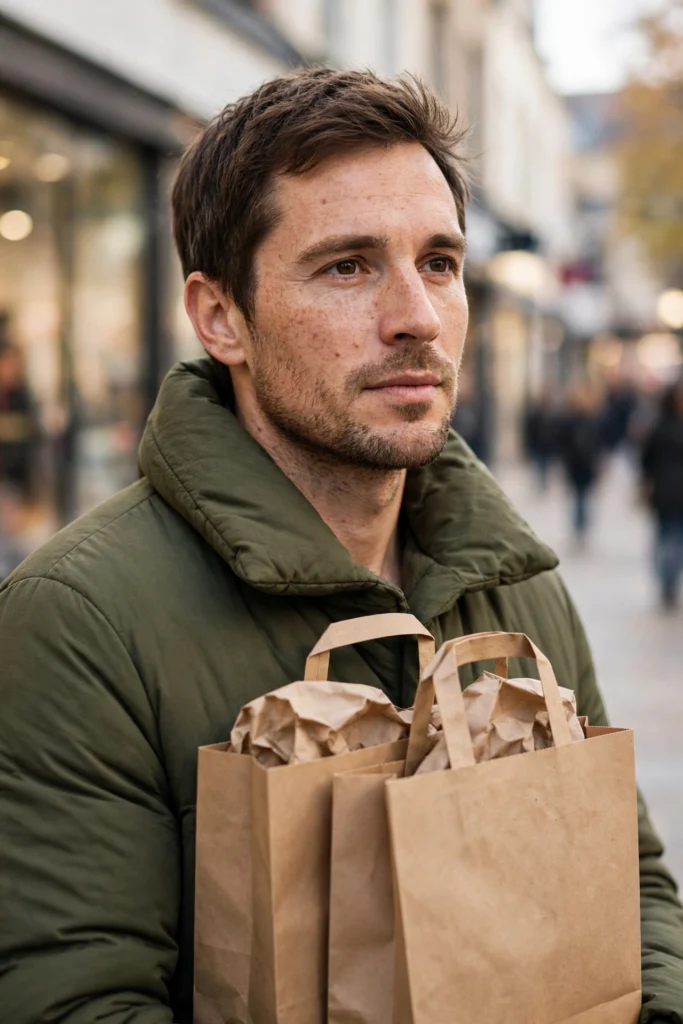
The classic Black Friday photo: you on a shopping street with bags, a cozy outfit, and bright daylight. This is the prompt I recommend first, because it reads as Black Friday in one glance — bags, daylight, and a street behind you.
AI Prompt:
Edit my uploaded photo into a realistic Black Friday shopping day street portrait. Preserve my actual face, facial features, natural skin tone, and identity exactly. Dress me in a cozy shopping outfit with a warm coat and comfortable shoes, and place me on a bright shopping street holding a few simple shopping bags, with softly blurred storefronts and holiday lights behind me. Use natural daylight, realistic bag and fabric texture, natural skin texture, and a vertical 9:16 composition. Make it look like a candid street photograph, not an illustration. No text, no logo, no watermark.
Best for: Black Friday DP, shopping-day posts, and profile pictures.
Customize it: Keep the bags simple and unbranded; too many logos distract from your face and can look like an advertisement.
2. Cozy Gift Haul Portrait
A warm indoor photo with gifts around you and soft light, after a shopping trip. I like this one for haul posts.
AI Prompt:
Edit my uploaded photo into a realistic cozy Black Friday gift haul portrait. Preserve my actual face, facial features, skin tone, and identity exactly. Dress me in a comfortable cozy outfit and place me indoors near a table with a few neatly wrapped gifts and simple shopping bags, warm soft light, and a simple uncluttered background. Use soft warm indoor light, realistic wrapping paper texture, natural skin texture, and a vertical 9:16 composition. Make it look like a candid home photograph. No text, no logo, no watermark.
Best for: Haul posts, gift posts, and cozy indoor photos.

3. Friends Shopping Day Portrait
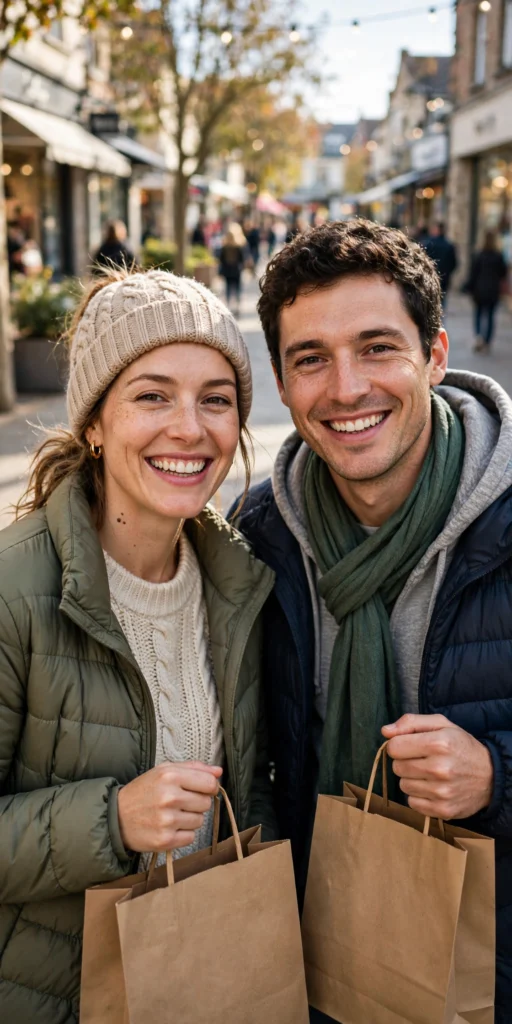
A joyful group photo for friends shopping together, with laughter, bags, and a bright, busy street or mall feeling. Group photos are the hardest to get right in AI, because every face has to stay natural, so upload a photo where every face is clear and well lit.
AI Prompt:
Edit our uploaded group photo into a realistic Black Friday friends shopping day portrait. Preserve every face, facial feature, natural skin tone, and identity exactly, without merging faces. Dress everyone in cozy shopping outfits and place them together on a bright shopping street holding simple shopping bags, all smiling and walking naturally. Use natural daylight, realistic skin texture, natural poses, and a vertical 9:16 composition. No text, no logo, no watermark.
Best for: Friends posts, group DP, and shopping-day greetings.
Customize it: Upload a group photo where every face is clear and well lit; crowded or blurry group photos are the most common reason a group edit looks wrong.
4. Gift Wrapping at Home Portrait
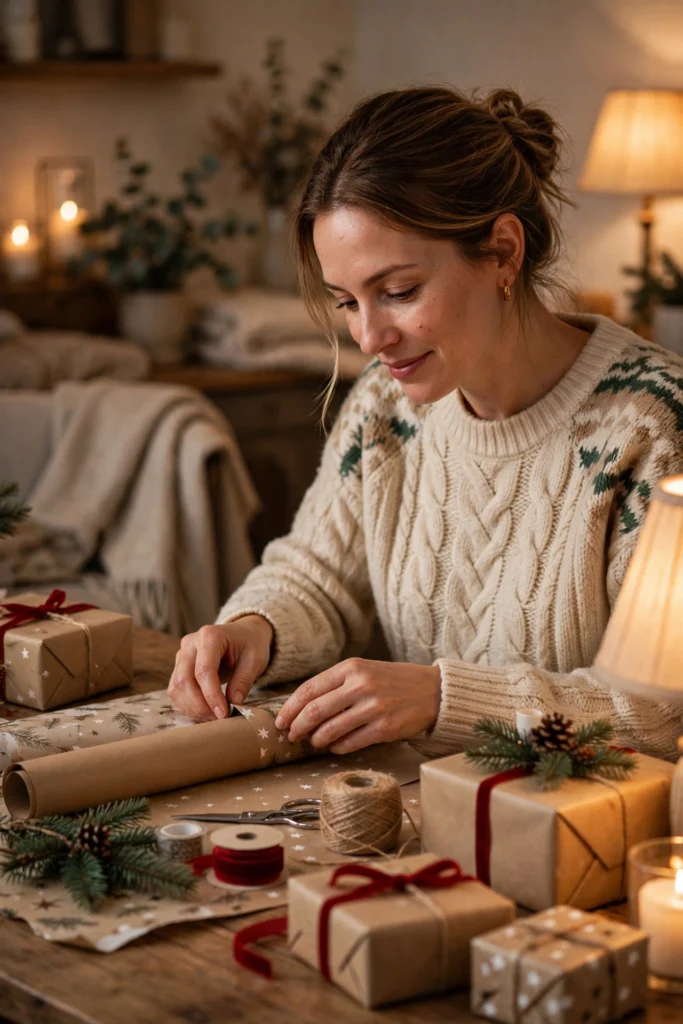
For a quiet Black Friday evening: wrapping gifts at home, warm light, and a relaxed, happy feeling. This is my pick when the photo is for a home album rather than a post, because it feels calm instead of busy.
AI Prompt:
Edit my uploaded photo into a realistic cozy Black Friday gift wrapping portrait at home. Preserve my actual face, facial features, skin tone, and identity exactly. Dress me in a comfortable festive outfit and place me in a warmly lit home near a table with wrapping paper, ribbon, and a few gifts, soft warm light from a nearby lamp or window. Use soft warm light, realistic paper and ribbon texture, natural skin texture, and a vertical 9:16 composition. Make it look like a candid home photograph. No text, no logo, no watermark.
Best for: Relaxed posts, home gift photos, and quiet holiday albums.
5. Golden Hour Holiday Window Portrait
A soft, festive outdoor photo at golden hour, with holiday window displays softly blurred behind you. I reach for this one when I want a festive photo that does not scream “shopping”.
AI Prompt:
Edit my uploaded photo into a realistic golden hour Black Friday holiday window portrait. Preserve my actual face, hairstyle, skin tone, and identity exactly. Dress me in a warm coat and cozy outfit and place me outdoors at golden hour in front of softly blurred holiday window displays, low warm sunlight, and a relaxed smile. Use low golden-hour light, realistic outdoor texture, natural skin texture, and a vertical 9:16 composition. Make it look like a real outdoor photograph. No text, no logo, no watermark.
Best for: Outdoor posts, festive photos, and seasonal albums.

6. Family Gift Shopping Portrait
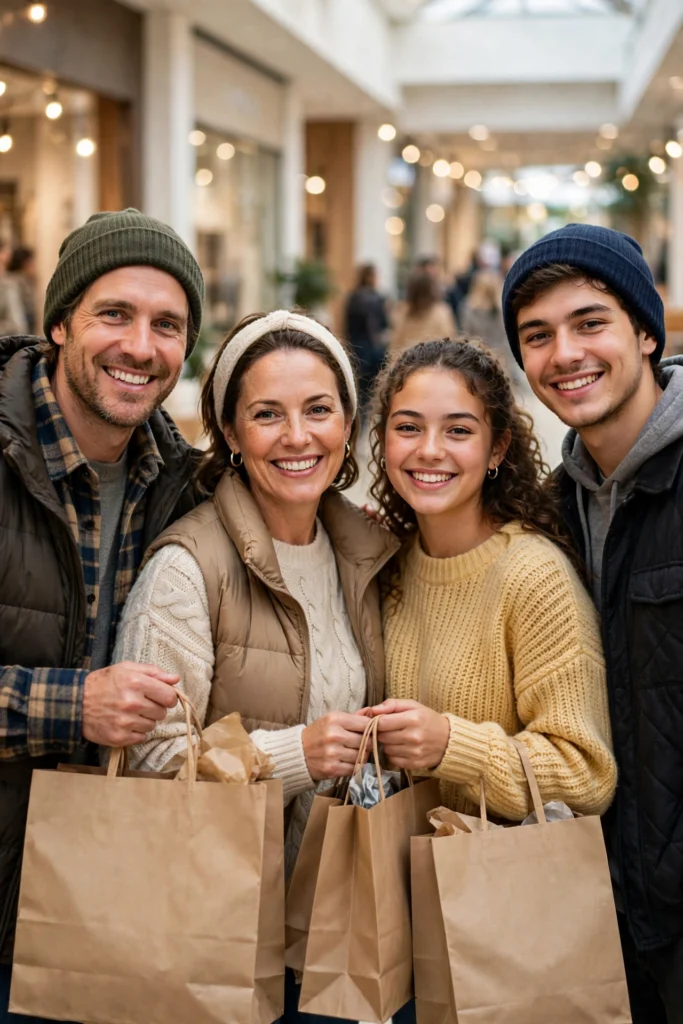
A warm family photo for a shopping day, with everyone together, simple bags, and a bright, cheerful setting. The bags and the setting stay simple on purpose, so the family stays the focus.
AI Prompt:
Edit our uploaded family photo into a realistic warm Black Friday family gift shopping portrait. Preserve every face, facial feature, natural skin tone, and identity exactly, without merging faces. Dress everyone in cozy shopping outfits and place them together in a bright shopping setting with a few simple shopping bags, the family standing naturally and smiling at the camera. Use soft bright light, realistic skin texture, natural poses, and a vertical 9:16 composition. No text, no logo, no watermark.
Best for: Family posts, holiday greetings, and keepsake photos.
7. Early Morning Coffee Run Portrait
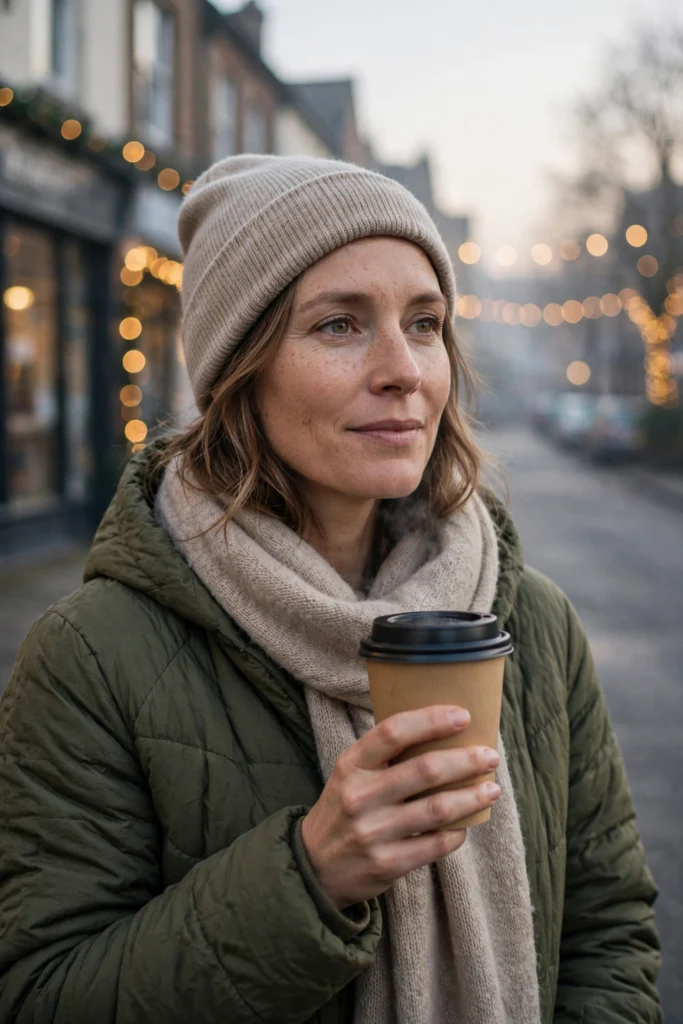
A candid photo for an early Black Friday morning: a warm drink, a cozy coat, and soft morning light before the shops get busy. This is the most relaxed prompt in the list.
AI Prompt:
Edit my uploaded photo into a realistic early morning Black Friday coffee run portrait. Preserve my actual face, facial features, skin tone, and identity exactly. Dress me in a cozy coat and comfortable outfit and place me outdoors in soft early morning light holding a warm takeaway drink, with a quiet street and soft holiday lights in the background. Use soft morning light, realistic skin texture, and a vertical 9:16 composition. Make it look like a candid morning photograph. No text, no logo, no watermark.
Best for: Candid posts, morning stories, and cozy Black Friday photos.
Customize it: If you want a shop name or a price shown, add it in your own photo editor afterward rather than relying on AI-rendered text, which is often imperfect. Check any text carefully before sharing.
How I Use Black Friday Sale Photos for My Shopping Posts
Here is how I actually use these photos, because a Black Friday photo has a different job from a Diwali or birthday photo. A festival photo is a memory. A Black Friday photo is usually a post about shopping — a haul, a deal I found, or a “what I bought in the sale” reel. The photo has to look like a real person who went shopping, not like a store poster.
When I post a haul, I use Prompt 2, the Cozy Gift Haul Portrait, and I keep the gifts to three or four items. If the AI adds too many boxes, the photo starts looking like an advertisement, and people scroll past it. When I post a day-out photo with friends, I use Prompt 3, and I pick a photo where we are walking, not posing stiffly.
For deal-hunting posts, my rule is simple: the photo shows the shopping, the caption shows the deal. I never ask the AI to write a price, a discount, or a store name into the image. AI-rendered text is often wrong — a “50% off” can come out with a crooked letter, or a price can turn into a random number. A wrong price in your photo is worse than no price at all, because someone might screenshot it and share it. So I generate a clean photo with no text, and then I add the price or the offer myself in my phone’s photo editor, where I can check it before posting.
The other thing I watch out for is the bags. In my experience, shopping-day AI photos go wrong in three ways: the bags look like shiny plastic, the hands holding them have the wrong number of fingers, or there are so many bags that you cannot see the person. If your first result looks off, do not rewrite the whole prompt. Just add one line: “Use realistic shopping bags with natural folds and simple, unbranded design.” That one line has fixed more of my bad results than anything else.
One last thing: I do not use a Black Friday photo to pretend I went shopping somewhere I did not. If I bought things online from home in India, I use the home prompts — the haul or the gift-wrapping one — because that is honest, and it looks natural.
How to Use These Black Friday Prompts in Gemini or ChatGPT
- Choose a clear photo. A front-facing, well-lit photo works best. Avoid blurry photos or photos where your face is covered. Use the original from your gallery, not a WhatsApp-forwarded copy.
- Open Gemini or ChatGPT and start a new image chat.
- Upload your photo first, then paste the full prompt in the same message.
- Keep one prompt at a time. Do not mix a street look, a home look, and a group look in one prompt.
- Generate, then refine. If the face looks slightly off, do not rewrite everything. Add one correction line, for example: “Keep my face exactly the same as the uploaded photo and make the lighting softer.”
If Your Black Friday Photo Looks Wrong, Fix It Like This
| Problem | Add this line |
|---|---|
| Face looks different | Keep my face, facial structure, and skin tone exactly the same as the uploaded photo. |
| Bags look fake | Use realistic shopping bags with natural folds and simple, unbranded design. |
| Photo looks too artificial | Use realistic skin texture, natural shadows, and soft light. Avoid plastic skin and over-smoothing. |
| Hands look wrong | Use natural hand positions with correct fingers and realistic proportions. |
| Background is too busy | Keep the background softly blurred and keep the focus on the person. |
| Text or prices look wrong | Remove all text, logos, and prices from the image. |
Tips for a More Realistic Black Friday AI Photo
- Describe light, not just clothes. Soft morning light, golden hour, and warm indoor light change the whole photo.
- Mention the ratio. Add “vertical 9:16” for a DP or reel, and a wider ratio only if you want a landscape card.
- Keep the shopping simple. A few bags, a few gifts, and soft light read as Black Friday faster than a crowded scene, and they keep your face visible.
- Do not promise a deal. A good prompt improves the photo. Prices, discounts, and store offers should come from the store itself, not from an AI image.
FAQs
When is Black Friday in 2026?
Black Friday falls on Friday, 27 November 2026, the day after Thanksgiving in the USA. These prompts are made for photos around that weekend — shopping-day posts, haul photos, and holiday season pictures.
Is Black Friday celebrated in India?
Not as a festival, no. Black Friday is a US shopping event, but online shopping sites in India run Black Friday sales around the same dates, with discounts on phones, clothes, and home items. That is why you see Black Friday posts in India — it is a sale season here, not a holiday.
Can I use these prompts for a sale or haul post?
Yes, that is what they are made for. Use Prompt 2 for a haul photo or Prompt 1 for a shopping-day post. Just do not let the AI write the price or discount into the image — add that text yourself in your photo editor.
Can I use these Black Friday prompts in both Gemini and ChatGPT?
Yes. Both tools support photo upload and text prompts. In my experience, Gemini often keeps a single face consistent, while ChatGPT is also strong on indoor and home detail. Try the same prompt in both if the first result is not right.
Will my face stay exactly the same?
Mostly, but no tool can guarantee 100% identity in every result. Use a clear original photo and repeat the face-preservation line if the first result drifts.
Which Black Friday prompt is best for friends?
Prompt 3, the Friends Shopping Day Portrait, is made for a group. Upload a clear photo where every face is visible, and do not crop anyone tightly.
Which Black Friday prompt is best for a cozy photo?
Prompt 4, the Gift Wrapping at Home Portrait, is made for a quiet evening at home. Keep it warm and simple, and add any text in your own editor if you want it shown.
Why do the shopping bags in my AI photo look fake?
That is the most common problem with shopping-day photos. The AI often makes bags too shiny or too stiff. Add this line: “Use realistic shopping bags with natural folds and simple, unbranded design.” Fewer bags also help — two or three simple bags look more real than ten.
Is it safe to upload my photo to an AI tool?
Upload only photos you are comfortable sharing with that tool, and check the tool’s privacy settings. Do not upload photos of other people without their permission.
For Readers in India
Black Friday is not our festival, and I do not want to pretend it is. In India, it reaches us as a sale season. Around the last week of November, online shopping apps run Black Friday deals, and many of us buy gifts, clothes, or a phone we had been waiting to buy. These prompts are written for that Indian setting: a haul photo at home, a friends day out at a mall, a family gift photo, or a quiet evening wrapping gifts — not a queue outside a US store at 4 in the morning.
They work the same way whether you are in Delhi, Mumbai, Lucknow, or a small town — upload your photo, paste the prompt, and use a home or mall setting that looks like your own life. If you are posting a haul for friends on WhatsApp, a simple caption like “Black Friday sale haul” works better than changing the prompt itself.
Originality and Privacy Note
These prompts were written originally for this site. They are not copied from another prompt site, and they do not copy any store’s branding, advertisement, or celebrity’s face. Results vary by tool and by photo, and no prompt can guarantee a viral result. Upload only your own photo, or a photo you have permission to edit.
Final Thoughts
A good Black Friday AI photo is not about adding every shopping element at once. It is about one clear look, soft light, and a face that still looks like you. That is what I kept coming back to while writing these prompts, and it is what I would check first in my own photo. Start with the Shopping Day Street Portrait or the Cozy Gift Haul Portrait, then try the friends or family version if you are posting for more than one person.
Read more: Gemini Couple Photo Editing Prompts, Winter AI Photo Editing Prompts, Christmas AI Photo Editing Prompts, and New Year AI Photo Editing Prompts.



2 Comments