Veterans Day AI Photo Editing Prompts: 7 Copy-Paste Gemini & ChatGPT Prompts
Veterans Day is on Wednesday, 11 November 2026, and I want to be honest about what it is before I share a single prompt. It is a US observance, a day to thank the people who served in the United States Armed Forces, in wartime or in peacetime, living or deceased. It is not a party theme and it is not a festival look. I wrote these prompts for tribute photos — quiet, respectful portraits where the person matters more than the effect around them.
The date comes from the armistice that ended the fighting of World War I at the eleventh hour of the eleventh day of the eleventh month in 1918. The holiday was first known as Armistice Day and was renamed Veterans Day in 1954 to honour veterans of all wars. It is different from Memorial Day, which honours those who died while serving. That difference matters when I choose a photo and a caption, because a Veterans Day post thanks someone who served, while a Memorial Day post remembers someone who did not come home.
In my experience, the difference between a good Veterans Day AI photo and an awkward one is restraint. When I keep the prompt simple — one flag, soft light, a calm expression, and a clear instruction to keep the face exactly as it is — the result looks like a real portrait. When I add too many patriotic elements at once, the photo starts to look like a poster, and the person in it gets lost. So in this article, I am sharing the 7 Veterans Day prompts I use, for solo portraits, family tributes, and restored old photographs. You upload your photo, copy one prompt, and paste it into Gemini or ChatGPT. Every prompt keeps faces recognizable and keeps the setting dignified — a flag, soft light, and a simple background, not a cartoon filter.
Quick Pick: Which Veterans Day Prompt Should You Use?
| Prompt | Best for | Mood |
|---|---|---|
| 1. Classic Flag Portrait | Solo, DP and posts | Respectful, proud |
| 2. Family Tribute Portrait | Veteran and family | Warm, together |
| 3. Restored Old Photograph Tribute | Family history | Gentle, timeless |
| 4. Quiet Memorial Garden Portrait | Reflection, keepsakes | Calm, solemn |
| 5. Community Ceremony Portrait | Attending an event | Dignified, public |
| 6. Golden Hour Flag Portrait | Solo, outdoor posts | Soft, hopeful |
| 7. Thank You Portrait at Home | Simple greetings | Warm, personal |
Gemini or ChatGPT — Which One Should I Use for a Tribute Photo?
This is the question I get most, so here is what I have found by trying the same prompt in both tools. Gemini, from Google, is usually better at keeping a single face consistent. If your main worry is “will it still look like the person I am honouring”, start with Gemini. ChatGPT, from OpenAI, is often stronger on scene detail — the fabric of a flag, the light in a garden, the texture of an outdoor setting come out richer. If your main worry is “will the setting feel calm and real”, try ChatGPT.
What I do in practice is simple: I generate the same prompt in Gemini first, and if the face is right but the background feels flat, I try the same prompt in ChatGPT and pick the better one. Both tools need the same thing from you — a clear original photo and the full prompt in one message. Do not upload a photo that WhatsApp already compressed. WhatsApp reduces photo quality when you forward it, and the AI then has less detail to work with. Use the original photo from your phone gallery.
One more thing I have learned, and it matters more here than in a festive article: do not mix prompts. A flag portrait, a garden look, and a group look in one message will confuse both tools. One prompt at a time, one result at a time. And always check the flag before you share. AI tools sometimes get small details wrong, such as the number of stars, the stripes, or the folds of fabric, and a wrong flag in a tribute photo is the one mistake people notice first.
7 Veterans Day AI Photo Editing Prompts
1. Classic Flag Portrait
The simplest respectful tribute: you in smart civilian or formal attire, with a softly blurred American flag behind you and calm, even light. I recommend this one first, because it works for almost any Veterans Day post and it leaves nothing to argue with — just the person, the flag, and a steady expression.
AI Prompt:
Edit my uploaded photo into a realistic respectful Veterans Day portrait. Preserve my actual face, facial features, natural skin tone, and identity exactly. Dress me in smart formal attire and place me in front of a softly blurred American flag with calm, even lighting and a simple uncluttered background. Use natural skin texture, realistic flag fabric, and a vertical 9:16 composition. Make it look like a professional portrait photograph, not an illustration. Do not add a uniform, rank, medal, or insignia. No text, no logo, no watermark.
Best for: Veterans Day DP, tribute posts, and profile pictures.
Customize it: Change the outfit color, but keep the flag soft in the background so your face stays the focus.

2. Family Tribute Portrait
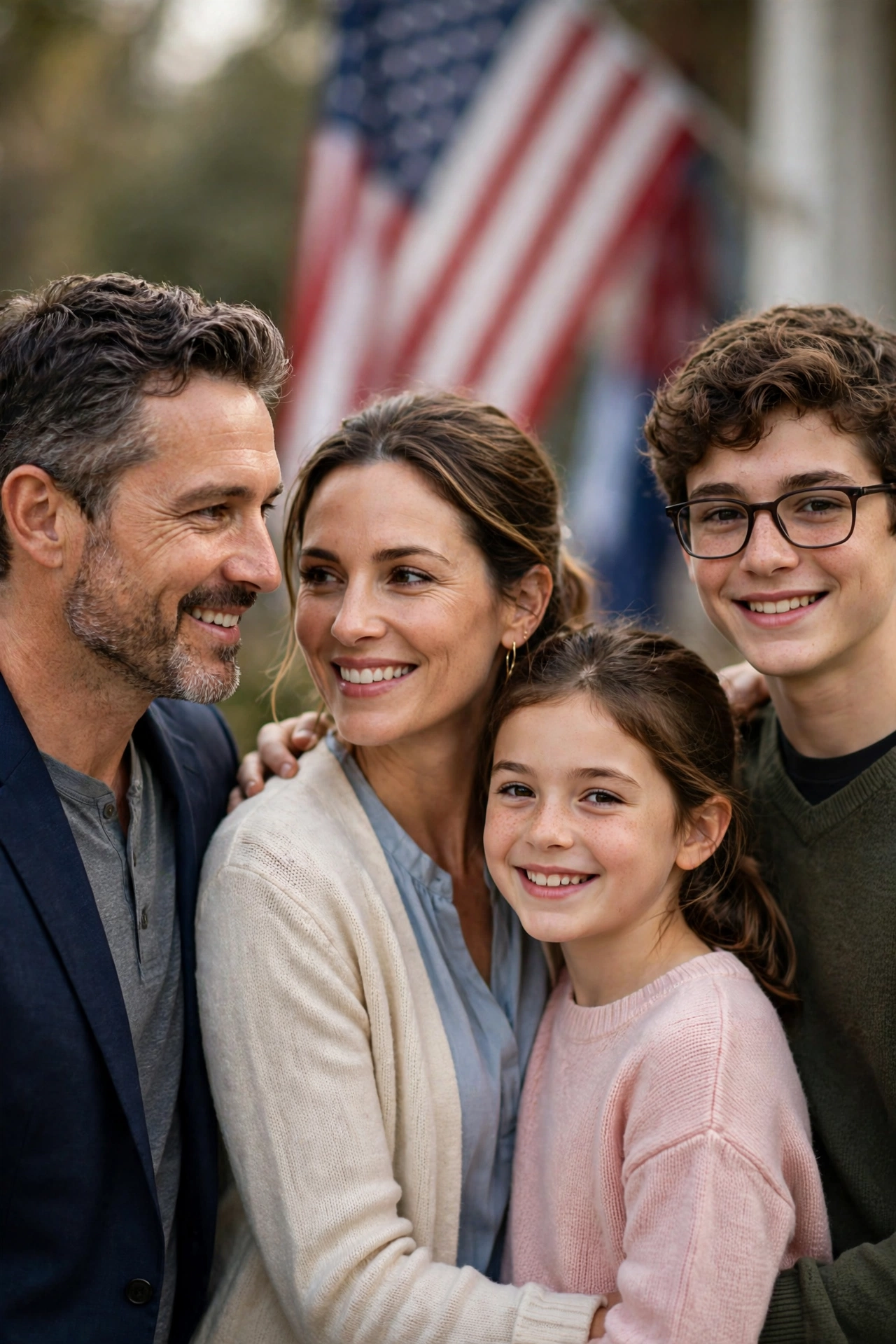
A warm photo of a veteran with family members, standing together with a flag in the background and natural, relaxed expressions. I like this one for family posts because a tribute lands better when the veteran is shown with the people who are thanking them, not alone in a frame.
AI Prompt:
Edit our uploaded family photo into a realistic warm Veterans Day family tribute portrait. Preserve every face, facial feature, natural skin tone, and identity exactly, without merging faces. Dress everyone in smart, respectful outfits and place them together in a softly lit setting with a gently blurred American flag in the background, all standing naturally and looking at the camera. Use soft natural light, realistic skin texture, natural poses, and a vertical 9:16 composition. Do not add a uniform, rank, medal, or insignia to anyone. No text, no logo, no watermark.
Best for: Family posts, Veterans Day greetings, and keepsake photos.
Customize it: Upload a photo where every face is clear and well lit; crowded or blurry group photos are the most common reason a group edit looks wrong.
3. Restored Old Photograph Tribute
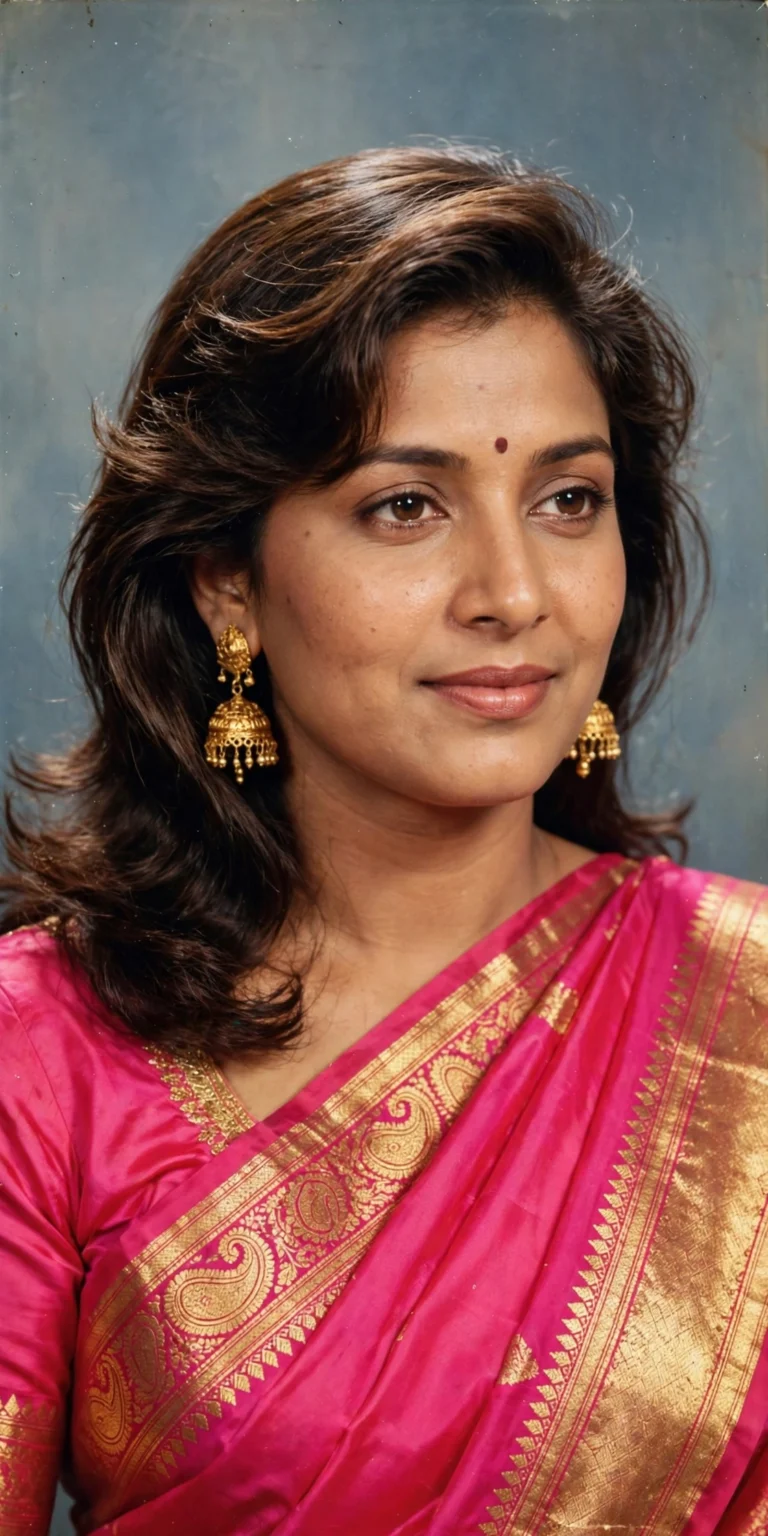
For an old family photograph: clean up damage, keep the person exactly as they were, and keep the original feeling of the photo. This is the prompt I care about most in this list, because an old photo of a relative who served is often the only photo a family has, and the worst thing an AI edit can do is invent a face that was never there.
AI Prompt:
Restore my uploaded old family photograph for Veterans Day. Remove scratches, dust, fading, and small damage, and gently improve clarity, while keeping every face, expression, hairstyle, clothing, and background exactly as they are. Do not beautify faces, change expressions, add people, or invent details that are not visible in the original photo. Keep the original black-and-white or color look, with natural film texture, and a vertical 9:16 composition. Make it look like a carefully restored photograph, not a new illustration. No text, no logo, no watermark.
Best for: Family history posts, tributes to a relative who served, and keepsake albums.
Customize it: If the original is badly damaged, restore it in one step at a time — damage first, then light — and compare each result with the original.

4. Quiet Memorial Garden Portrait
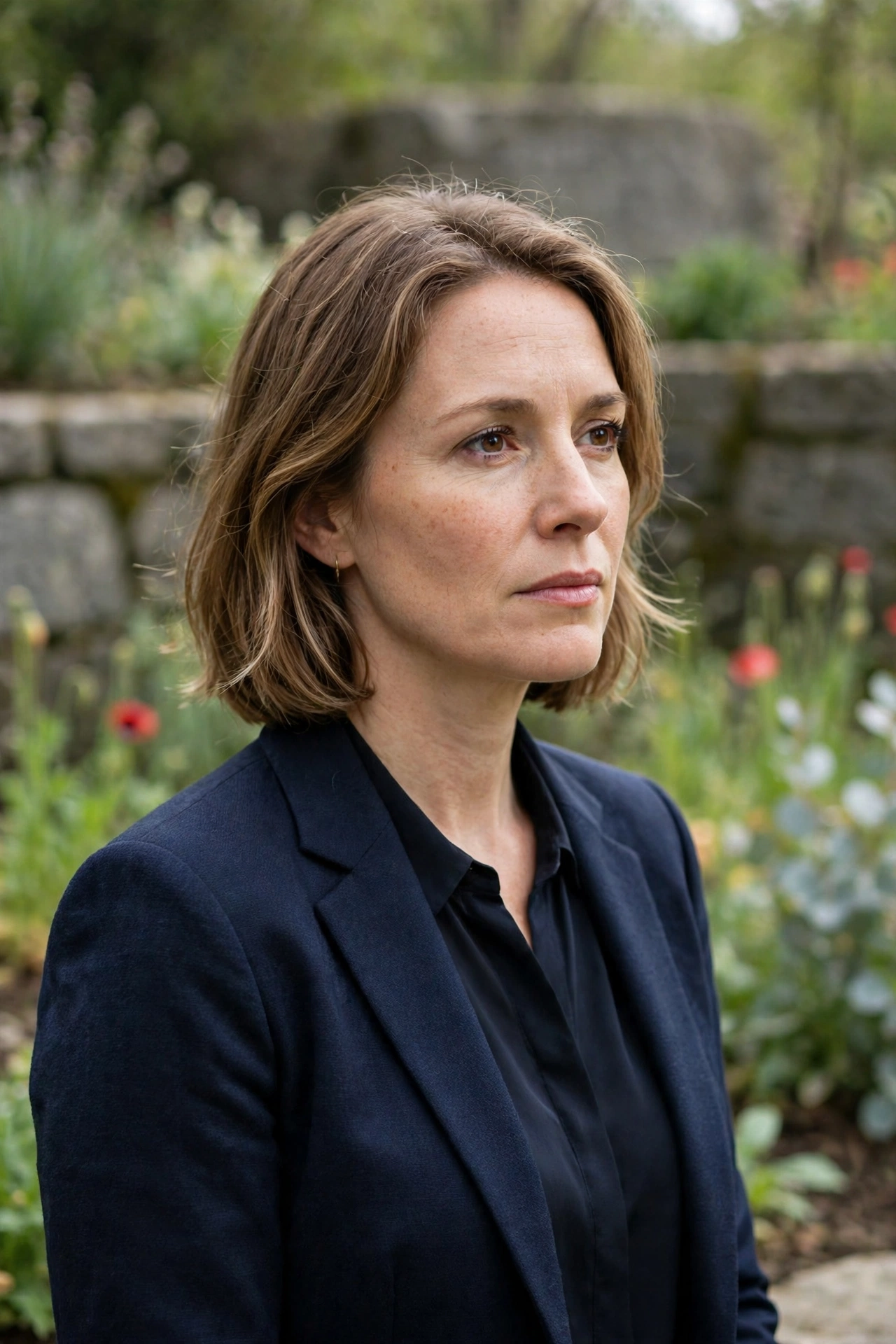
A calm, reflective photo in a garden or memorial setting, with soft light and no celebration props. I use this one when the post is meant for reflection rather than a greeting — for someone I want to remember quietly, without a crowd or a ceremony in the frame.
AI Prompt:
Edit my uploaded photo into a realistic quiet Veterans Day memorial garden portrait. Preserve my actual face, facial features, skin tone, and identity exactly. Dress me in smart, respectful attire and place me in a calm garden or memorial setting with soft daylight, simple stone and greenery in the background, and a thoughtful, respectful expression. Use soft natural light, realistic skin texture, and a vertical 9:16 composition. Make it look like a real outdoor photograph. No text, no logo, no watermark.
Best for: Reflective posts, memorial tributes, and keepsake photos.
Customize it: Keep the background simple and uncluttered; a quiet setting reads as respectful faster than a busy one.
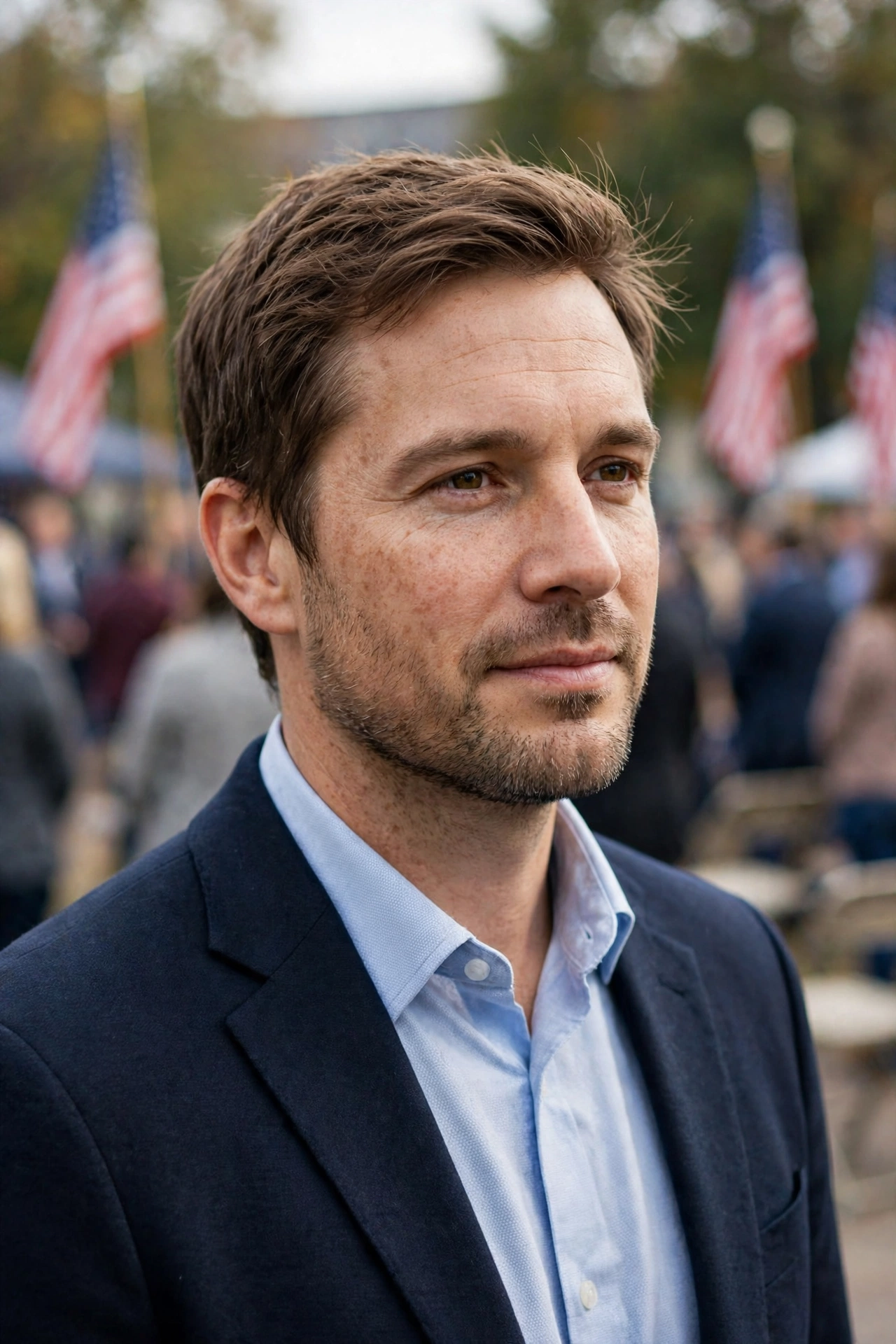
5. Community Ceremony Portrait
A dignified photo for someone attending a Veterans Day ceremony, parade, or community event, with flags and soft daylight in the background. I included this one because many Veterans Day photos are taken at an event, not at home, and a ceremony photo needs a different feel — public, but still calm.
AI Prompt:
Edit my uploaded photo into a realistic Veterans Day community ceremony portrait. Preserve my actual face, facial features, skin tone, and identity exactly. Dress me in smart, respectful attire and place me outdoors at a community ceremony with softly blurred flags and people in the far background, calm daylight, and a natural, respectful pose. Use natural daylight, realistic skin texture, and a vertical 9:16 composition. Make it look like a candid event photograph. Do not add a uniform, rank, medal, or insignia. No text, no logo, no watermark.
Best for: Event posts, community greetings, and parade-day photos.
Customize it: Keep other people softly blurred in the background; the person in the foreground should stay sharp and clearly recognizable.
6. Golden Hour Flag Portrait
A soft, hopeful outdoor photo at golden hour, with warm light, a flag in the background, and a calm, proud feeling. This is my pick when the tribute should feel hopeful rather than solemn — a veteran at ease, outdoors, in warm evening light.
AI Prompt:
Edit my uploaded photo into a realistic golden hour Veterans Day portrait. Preserve my actual face, hairstyle, skin tone, and identity exactly. Dress me in smart, respectful attire and place me outdoors at golden hour with a softly blurred American flag in the background, low warm sunlight, and a calm, proud expression. Use low golden-hour light, realistic outdoor texture, natural skin texture, and a vertical 9:16 composition. Make it look like a real outdoor photograph. Do not add a uniform, rank, medal, or insignia. No text, no logo, no watermark.
Best for: Outdoor posts, hopeful tribute photos, and seasonal albums.
Customize it: Keep the sun low and soft; harsh midday light flattens skin detail and washes out colors.

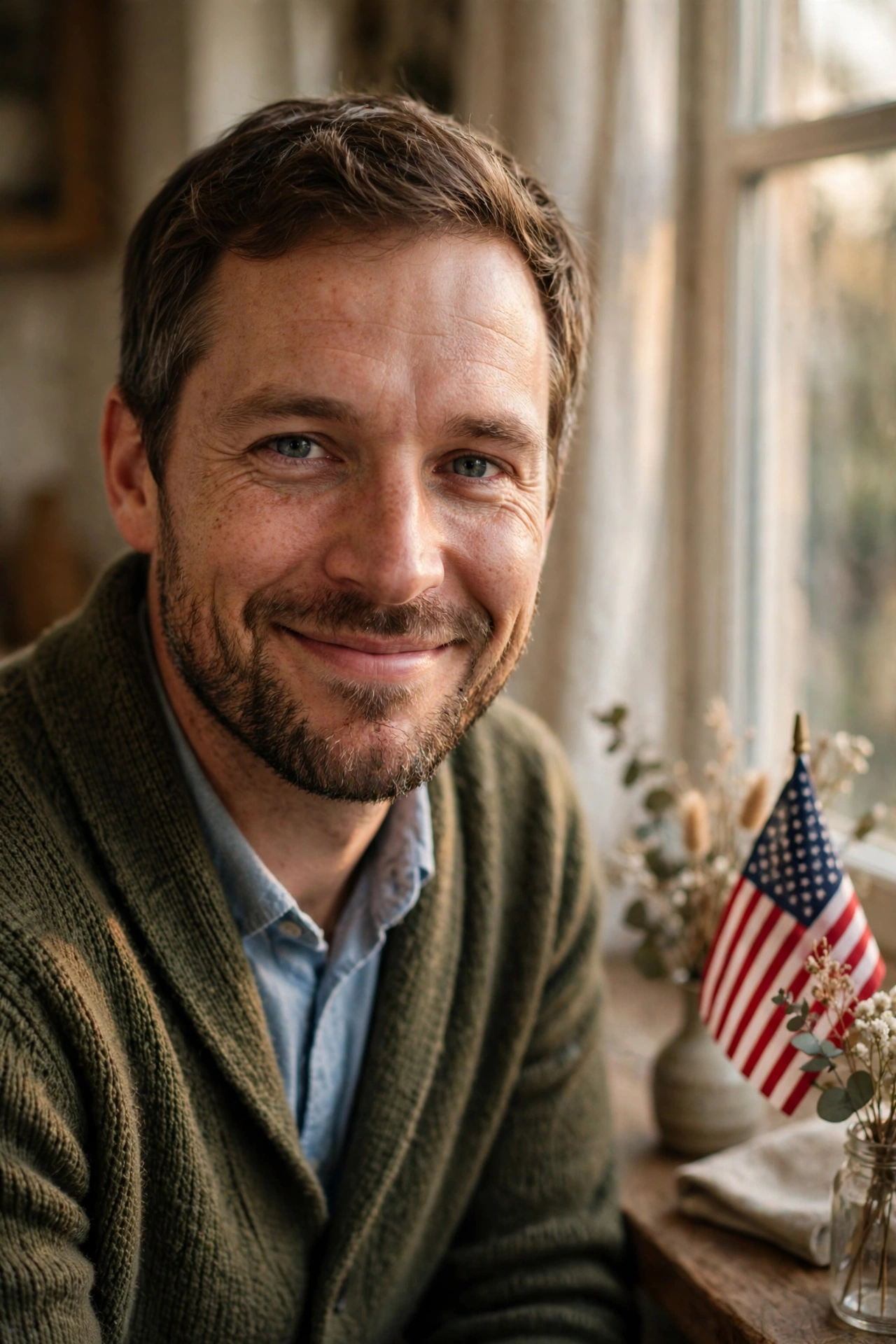
7. Thank You Portrait at Home
A simple, personal photo at home for a Veterans Day greeting — warm light, a small flag or flowers nearby, and a genuine smile. I like this one for a message to family, because it does not try to look like an official portrait. It looks like someone at home, saying thank you.
AI Prompt:
Edit my uploaded photo into a realistic warm Veterans Day thank you portrait at home. Preserve my actual face, facial features, skin tone, and identity exactly. Dress me in a smart, comfortable outfit and place me in a warmly lit home near a window with soft light, a small American flag or simple flowers nearby, and a warm, genuine expression. Use soft warm light, realistic skin texture, and a vertical 9:16 composition. Make it look like a candid home photograph. Do not add a uniform, rank, medal, or insignia. No text, no logo, no watermark.
Best for: Personal greetings, family messages, and simple Veterans Day posts.
Customize it: Keep the table and background simple — one flag or a small bouquet reads as a tribute faster than a crowded scene.
What Makes a Veterans Day Tribute Photo Different
A tribute photo has rules that a festive photo does not, and I think it helps to say them plainly. First, use these prompts only with your own photo, or with a photo you have permission to edit. Second, do not add a uniform, rank, medal, or service branch you did not earn. Every prompt in this article already says that, and I left it in on purpose — a medal that was never earned turns a tribute into a false claim, and people who served will notice it before anyone else does.
Third, do not present an AI-edited image as a real service photograph. If you edited a family member’s old photo, say so in your caption when you share it. A simple line like “restored with AI from an old family photo” tells people exactly what they are looking at, and it protects the memory of the person in the photo.
Fourth, keep the tone quiet. Veterans Day is a day of thanks, not a celebration with props and effects. One flag, soft light, and a calm expression carry more weight than fireworks, bold text, or a busy background. If you are writing a caption, I would keep it short too — a name, a sentence of thanks, and the date are enough.
Finally, check the result before you share it. AI tools sometimes change small details, such as the shape of a flag, the number of stars, or the folds of fabric. If a detail looks wrong, regenerate it or fix that one detail, rather than sharing a flawed tribute. I check the flag, the hands, and the face in that order, because those are the three places where a small error changes how the whole photo feels.
How to Use These Veterans Day Prompts in Gemini or ChatGPT
- Choose a clear photo. A front-facing, well-lit photo works best. Avoid blurry photos or photos where your face is covered. Use the original from your gallery, not a WhatsApp-forwarded copy.
- Open Gemini or ChatGPT and start a new image chat.
- Upload your photo first, then paste the full prompt in the same message.
- Keep one prompt at a time. Do not mix a flag portrait, a garden look, and a group look in one prompt.
- Generate, then refine. If the face looks slightly off, do not rewrite everything. Add one correction line, for example: “Keep my face exactly the same as the uploaded photo and make the lighting softer.”
If Your Veterans Day Photo Looks Wrong, Fix It Like This
| Problem | Add this line |
|---|---|
| Face looks different | Keep my face, facial structure, and skin tone exactly the same as the uploaded photo. |
| Flag looks wrong | Use a realistic American flag with correct proportions and natural fabric folds. |
| Photo looks too artificial | Use realistic skin texture, natural shadows, and soft light. Avoid plastic skin and over-smoothing. |
| Hands look wrong | Use natural hand positions with correct fingers and realistic proportions. |
| Background is too busy | Keep the background softly blurred and keep the focus on the person. |
| A uniform or medal appeared | Remove any uniform, rank, medal, or insignia. Keep the person in civilian formal attire. |
Tips for a More Realistic Veterans Day AI Photo
- Describe light, not just clothes. Soft daylight, golden hour, and warm home light change the whole photo.
- Mention the ratio. Add “vertical 9:16” for a DP or reel, and a wider ratio only if you want a landscape card.
- Keep the tribute simple. One flag, soft light, and a calm expression read as respectful faster than a crowded scene, and they keep your face visible.
- Check the flag at full size before posting. A flag that looks fine as a small thumbnail can show wrong stars or stripes when you open it full screen.
- Do not claim a photo is real when it is edited. If you edited a photo with AI, say so in your caption when it matters, especially for old family photographs.
FAQs
What is Veterans Day?
Veterans Day is a US observance on 11 November every year. It honours people who served in the United States Armed Forces, in wartime or in peacetime, living or deceased. The date comes from the armistice that ended the fighting of World War I in 1918, and the holiday was renamed Veterans Day in 1954.
How is Veterans Day different from Memorial Day?
Veterans Day thanks people who served, including those who are still living. Memorial Day honours those who died while serving. The two days look similar from the outside — flags, ceremonies, quiet moments — but the message is different, so I would not use the same caption for both.
I live in India. Can I still use these prompts?
Yes. Many Indian readers use them for a relative or friend who served in the US Armed Forces, or for a tribute post on 11 November for family abroad. The prompts themselves do not depend on where you live — you upload your photo, paste the prompt, and the result is the same. What changes is the context in your caption, not the prompt.
Can I add a uniform or a medal to my photo?
I would not. These prompts are written to keep the person in civilian formal attire and to leave out uniforms, ranks, medals, and insignia on purpose. Adding a uniform or a medal you did not earn is misleading, and it takes attention away from the person you are honouring. If the person in the photo did serve and you have a real photo of them in uniform, use Prompt 3 to restore that real photo instead of asking AI to invent a uniform.
Which Veterans Day prompt is best for a family tribute?
Prompt 2, the Family Tribute Portrait, is made for a veteran with family members. Upload a clear photo where every face is visible, and do not crop anyone tightly.
Which Veterans Day prompt is best for an old photo?
Prompt 3, the Restored Old Photograph Tribute, is made for old family photographs. It repairs damage without inventing new details, so compare the result with the original before sharing.
Can I use these Veterans Day prompts in both Gemini and ChatGPT?
Yes. Both tools support photo upload and text prompts. Try the same prompt in both if the first result is not right, and keep the face-preservation line in every version.
Will my face stay exactly the same?
Mostly, but no tool can guarantee 100% identity in every result. Use a clear original photo and repeat the face-preservation line if the first result drifts.
Is it safe to upload my photo to an AI tool?
Upload only photos you are comfortable sharing with that tool, and check the tool’s privacy settings. Do not upload photos of other people without their permission.
For Readers in India
I am writing this for Indian readers, so let me say plainly how these prompts fit here. Veterans Day is a US observance, and most of us in India do not mark 11 November in daily life. The people who use these prompts from India usually have a relative or friend who served in the US Armed Forces and now lives in the US, or they are posting a tribute for family abroad on WhatsApp or Instagram. If that is you, these prompts work the same way — upload your photo, paste the prompt, and keep your caption honest about who the tribute is for.
India has its own days of remembrance for its own armed forces, such as Kargil Vijay Diwas on 26 July, Armed Forces Flag Day on 7 December, and Vijay Diwas on 16 December. These prompts are not a replacement for those days, and I would not reuse a US flag portrait for an Indian observance — the flag, the occasion, and the meaning are different, and mixing them up would be disrespectful to both. Use these prompts for Veterans Day on 11 November, with the American flag as written, and keep your caption simple, for example “Thank you for your service — Veterans Day tribute.” If you are posting for family on WhatsApp, that one line, with the person’s name, says enough.
Originality and Privacy Note
These prompts were written originally for this site. They are not copied from another prompt site, and they do not copy any real person’s face, uniform, or service record. Results vary by tool and by photo, and no prompt can guarantee a viral result. Upload only your own photo, or a photo you have permission to edit.
Final Thoughts
A good Veterans Day AI photo is not about adding every patriotic element at once. It is about one clear look, soft light, and a face that still looks like the person you are honouring. That is what I kept coming back to while writing these prompts, and it is what I would check first in my own photo — the face, then the flag, then the light. Start with the Classic Flag Portrait or the Thank You Portrait at Home, then try the family or restored-photo version if you are posting for more than one person. Small changes — softer light, a simpler background, or a calmer expression — usually give a better result than a completely new prompt. And if the photo is for someone who served, take a moment to tell them, or their family, that you are thinking of them. The photo is only the frame. The thanks is the point.
Read more: Gemini Couple Photo Editing Prompts, 90s Look Prompts for Girls, Christmas AI Photo Editing Prompts