Children’s Day AI Photo Editing Prompts 2026: 7 Copy-Paste Gemini & ChatGPT Prompts
Every year, the week before 14 November, my camera roll fills up with the same thing: a classroom full of balloons, a stage being decorated, and teachers running around with chart paper and glue sticks. Children’s Day in India is the one school celebration where the teachers do most of the performing, and the photos from the day are the ones parents and teachers keep coming back to.
Children’s Day 2026 falls on Saturday, 14 November — the 137th birth anniversary of Pandit Jawaharlal Nehru, India’s first Prime Minister, who was born on 14 November 1889 in Allahabad, now Prayagraj. Children called him Chacha Nehru, and after his death in 1964, his birthday became India’s Children’s Day, or Bal Diwas. Since the day itself is a Saturday this year, many schools hold their main celebration on Friday, 13 November, so check your school’s notice before you plan your photos.
In this article, you will get 7 ready-to-use Children’s Day AI photo editing prompts written for teachers and parents: classroom portraits, stage photos, greeting cards, artwork displays, a nostalgic memory edit, a fancy-dress portrait, and a staff-room celebration. Upload your own photo, copy one prompt, and paste it into Gemini or ChatGPT. Every prompt keeps your face recognisable and focuses on realistic, warm celebration moments — not a cartoon filter.
Important: Read This First — These Prompts Are for Adults Only
I need to be straight about this, because it matters more than any prompt in this article. Google’s own help pages say that to edit images in Gemini you must be 18 or over, and users under 18 lose access to image editing. So these prompts are written for teachers and parents only, using photos of themselves. Do not upload photos of children to Gemini or ChatGPT, and do not ask an AI tool to edit a child’s photo. If you want photos of the children at your school function, take them with your camera like always — the AI part of this article is only for your own celebration photos, your classroom decor, and your greeting cards.
Quick Pick: Which Children’s Day Prompt Should You Use?
| Prompt | Best for | Mood |
|---|---|---|
| 1. Classroom Balloon Celebration Portrait | Teachers, classroom photos | Joyful, festive |
| 2. School Assembly Stage Poster Portrait | Stage photos, school posters | Bright, proud |
| 3. Happy Children’s Day Greeting Card Portrait | Greeting cards, WhatsApp wishes | Warm, cheerful |
| 4. Teacher with Students’ Artwork Display | Artwork photos, display boards | Proud, colourful |
| 5. Nostalgic Childhood Memory Edit | Parents, memory posts | Warm, nostalgic |
| 6. Carnival Fancy-Dress Teacher Portrait | Fancy-dress day, fun posts | Playful, fun |
| 7. Staff-Room Celebration with Cake and Gifts | Teachers’ group photos | Warm, together |
How to Use These Prompts
- Open Gemini or ChatGPT and upload a clear photo of yourself, face well lit and facing the camera.
- Copy one prompt below in full, including the face-preservation line.
- Paste it with your photo and let the AI generate the edit.
- If a result changes your face too much, run the same prompt again with a different photo, or add “keep my face exactly as in the uploaded photo”.
- Use only your own photo, or a colleague’s photo with their permission. Never upload a child’s photo, and never present an AI-edited photo as a real event that did not happen.
For the best results, start with a daylight photo, without sunglasses or a heavy filter. A sharp, front-facing photo gives you a much more natural result than a dark or blurry one.
7 Children’s Day AI Photo Editing Prompts
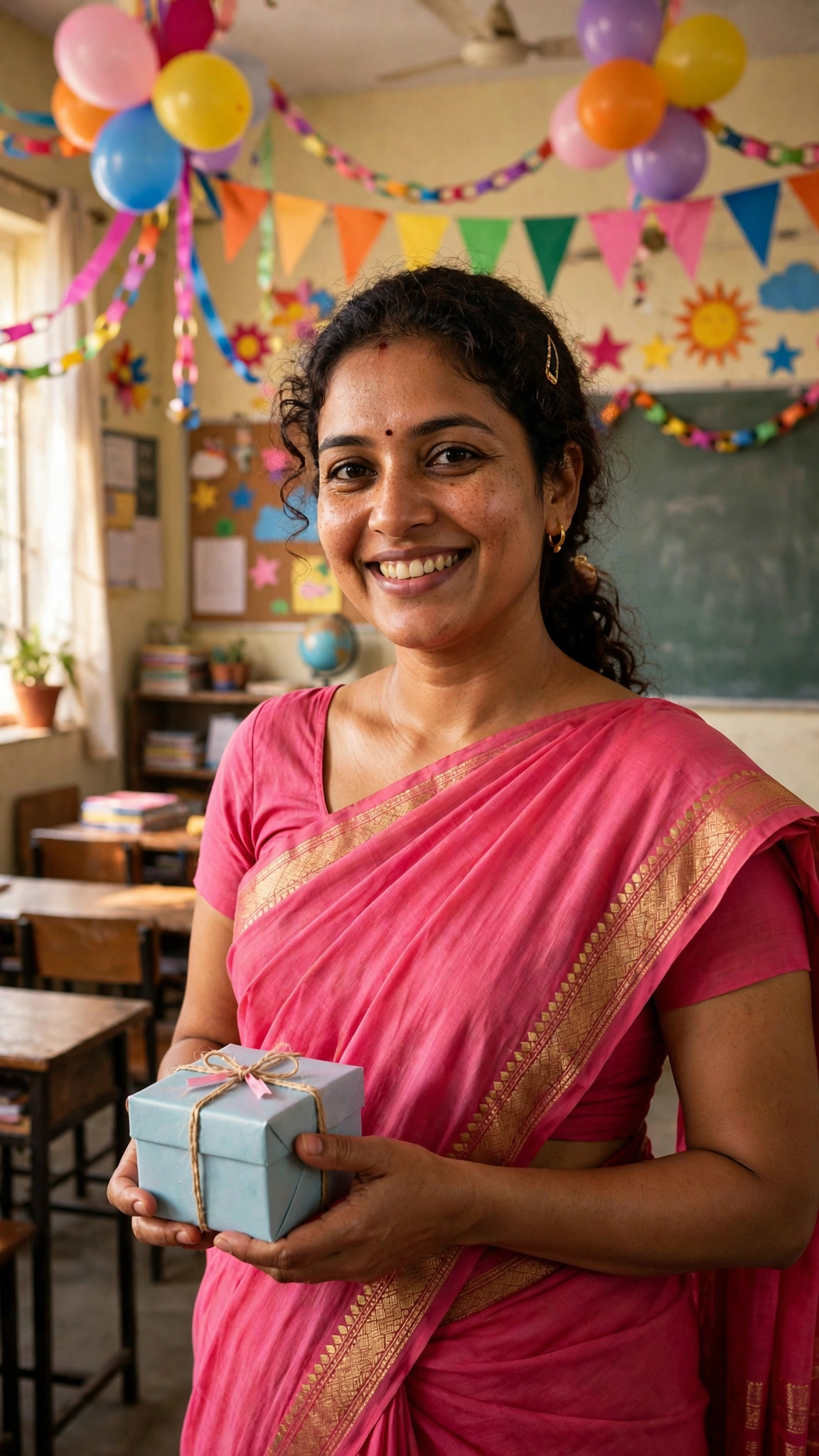
1. Classroom Balloon Celebration Portrait
The classic Children’s Day photo: you, in your decorated classroom, balloons and bunting everywhere, holding a small gift for your class. This is the one I would pick first if I only had time for one edit.
AI Prompt:
Edit my uploaded photo into a realistic Children’s Day classroom celebration portrait. Preserve my face, facial features, skin tone, and identity exactly. Place me standing in a bright Indian school classroom decorated with colourful balloons, paper bunting and streamers, dressed in a bright festive saree or kurta, holding a small wrapped gift box and smiling warmly at the camera. Use soft natural daylight, realistic fabric and skin texture, and a vertical 9:16 composition. Make it look like a candid professional photograph, not an illustration. No children in the scene, no text, no logo, no watermark.
Best for: Classroom photos and teacher DPs.
Customize it: If the balloons crowd your face, ask for them lower or to one side, so the colour frames you instead of hiding you.
2. School Assembly Stage Poster Portrait
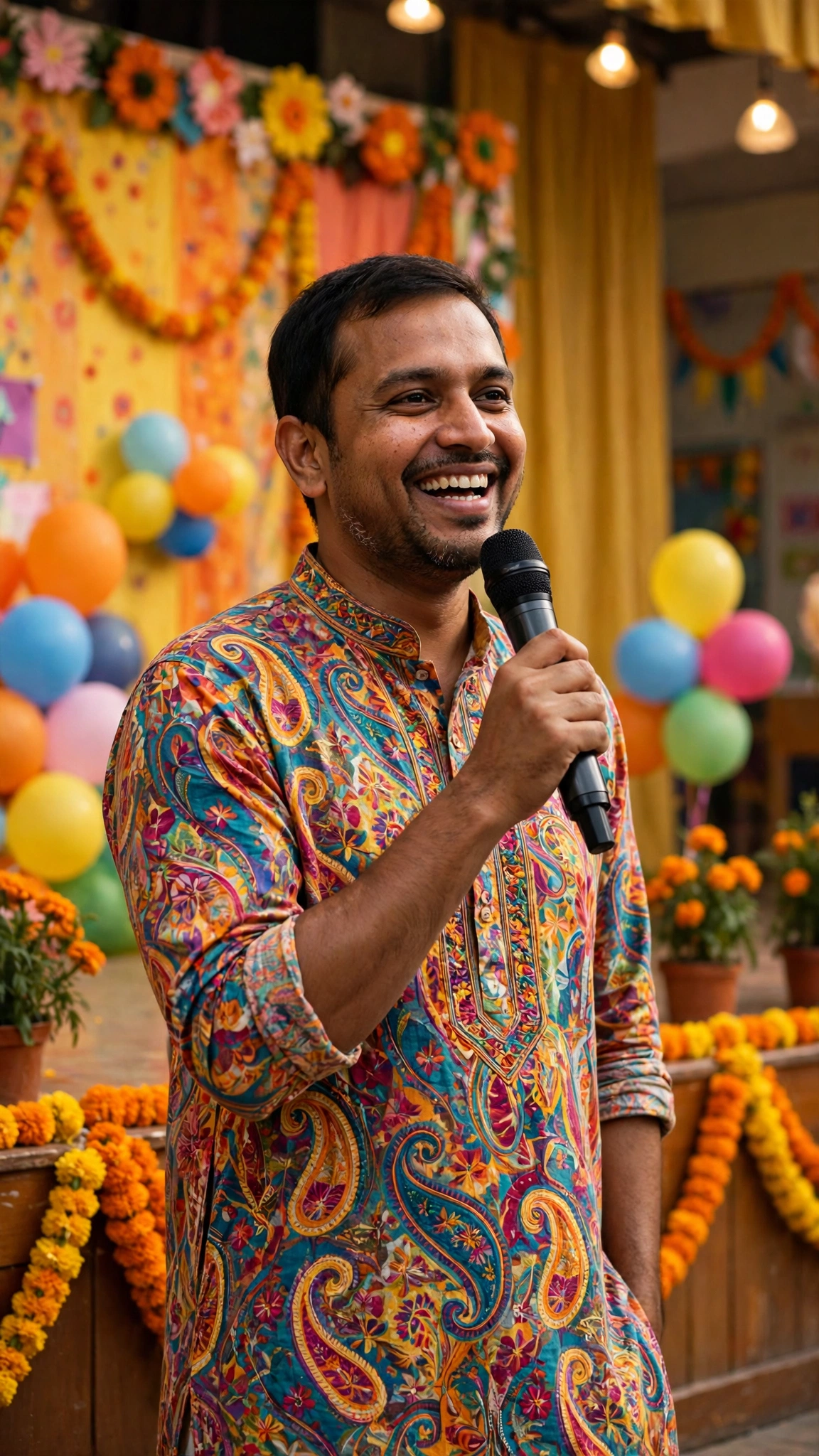
On Children’s Day, teachers often take the stage — a short skit, a song, or a welcome speech for the assembly. This prompt turns your photo into a bright stage portrait you can also use on the school’s poster or notice board.
AI Prompt:
Edit my uploaded photo into a realistic Children’s Day school assembly stage portrait. Preserve my face, facial features, skin tone, and identity exactly. Place me standing on a school assembly stage decorated with balloons, marigold garlands and a colourful festive backdrop, dressed in a bright kurta or saree, holding a microphone and smiling confidently at the camera. Use warm stage lighting, realistic fabric and skin texture, and a vertical 9:16 composition. Make it look like a candid professional photograph, not an illustration. No children in the scene, no text, no logo, no watermark.
Best for: Stage photos and school posters.
Customize it: Ask for the microphone in your lower hand if it covers your face, and keep the backdrop colours bright but simple so you stay the focus of the photo.
3. Happy Children’s Day Greeting Card Portrait
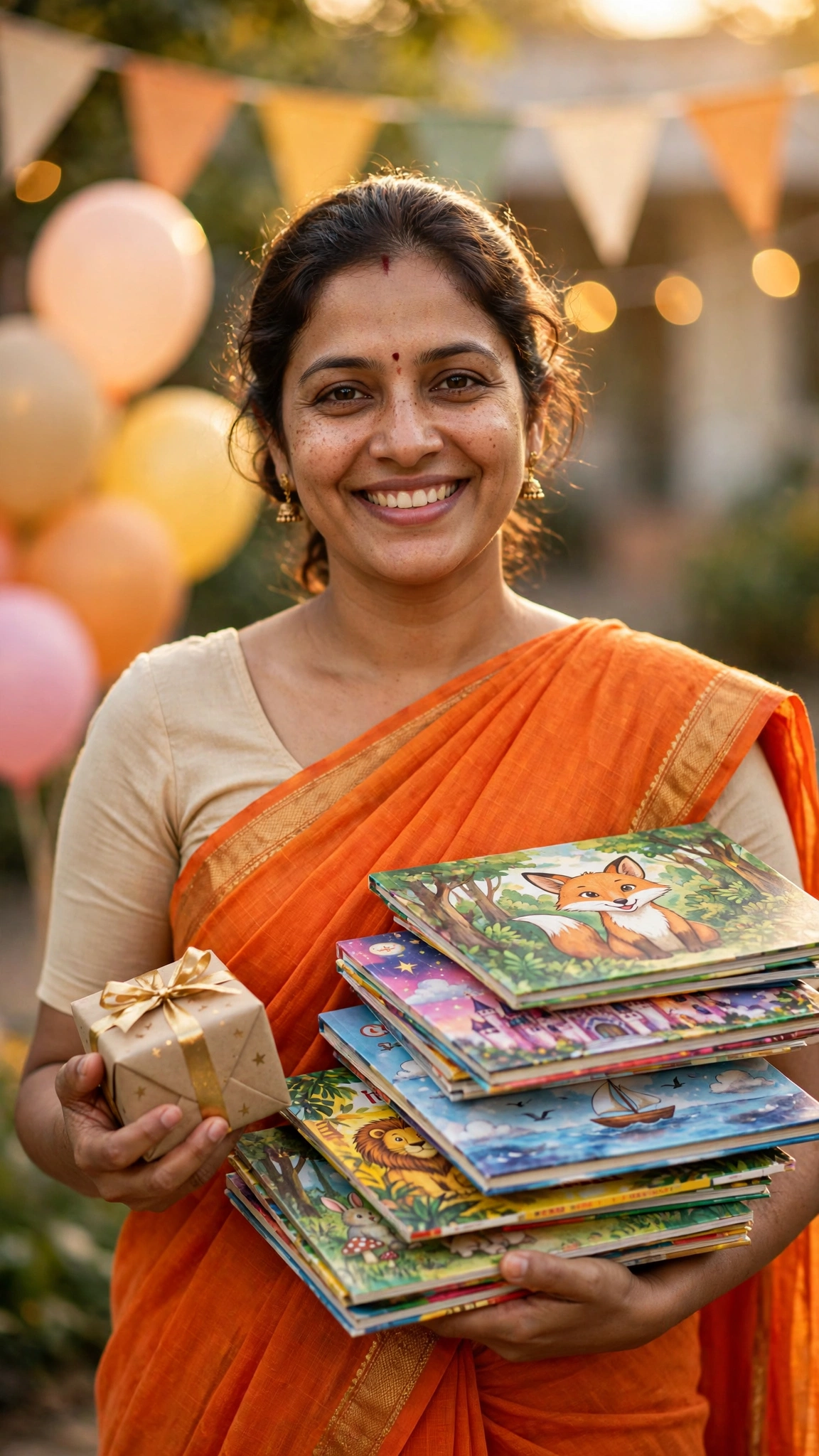
Every teacher sends a Children’s Day wish on WhatsApp, and a photo of you holding storybooks and a gift says more than a forwarded image ever will. This prompt is built for that greeting-card photo.
AI Prompt:
Edit my uploaded photo into a realistic Children’s Day greeting card portrait. Preserve my face, facial features, skin tone, and identity exactly. Place me outdoors in soft golden light, dressed in a bright festive saree or kurta, holding a stack of colourful children’s storybooks in one arm and a small wrapped gift box in the other hand, with softly blurred balloons and bunting behind me. Use warm golden light, realistic book, fabric and skin texture, and a vertical 9:16 composition. Make it look like a candid professional photograph, not an illustration. No children in the scene, no text, no logo, no watermark.
Best for: WhatsApp wishes and greeting cards.
Customize it: Keep the books low and your face high in the frame, so neither the storybooks nor your smile gets cropped out.
4. Teacher with Students’ Artwork Display
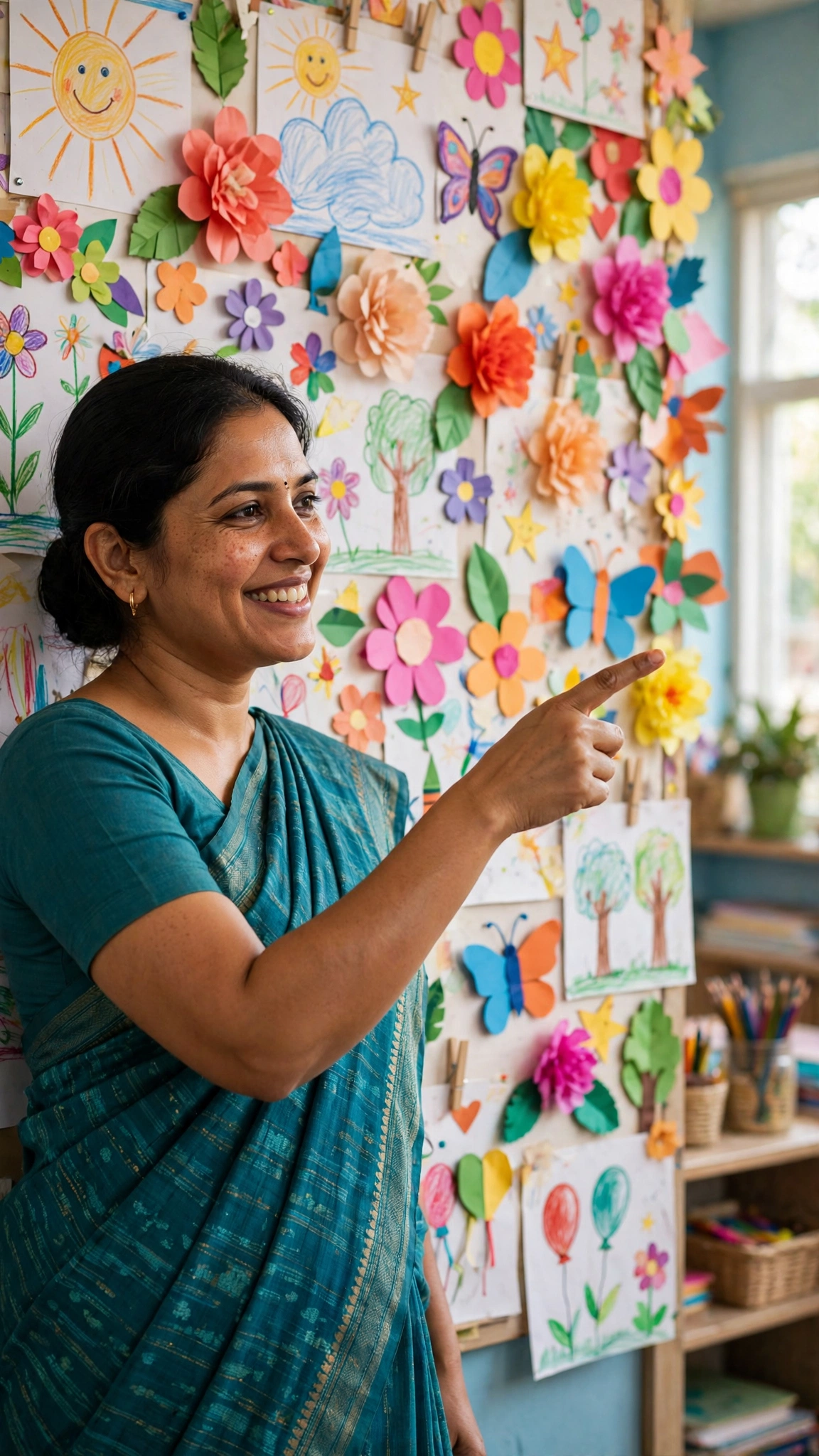
The display board is the quiet star of Children’s Day — weeks of children’s drawings, paper flowers and craft work, all pinned up for the parents to see. This prompt puts you beside that display, proud of the work your class made. The children’s artwork is in the photo; no child is.
AI Prompt:
Edit my uploaded photo into a realistic Children’s Day artwork display portrait. Preserve my face, facial features, skin tone, and identity exactly. Place me standing beside a colourful classroom display wall covered with children’s handmade artwork, paper flowers and crayon drawings, dressed in a bright festive saree or kurta, pointing proudly at the display and smiling at the camera. Use bright cheerful daylight, realistic paper, fabric and skin texture, and a vertical 9:16 composition. Make it look like a candid professional photograph, not an illustration. No children in the scene, no text, no logo, no watermark.
Best for: Display board photos and school social media posts.
Customize it: Use a photo where your face is well lit and ask for the artwork slightly behind you, so the colours frame you without competing with your face.
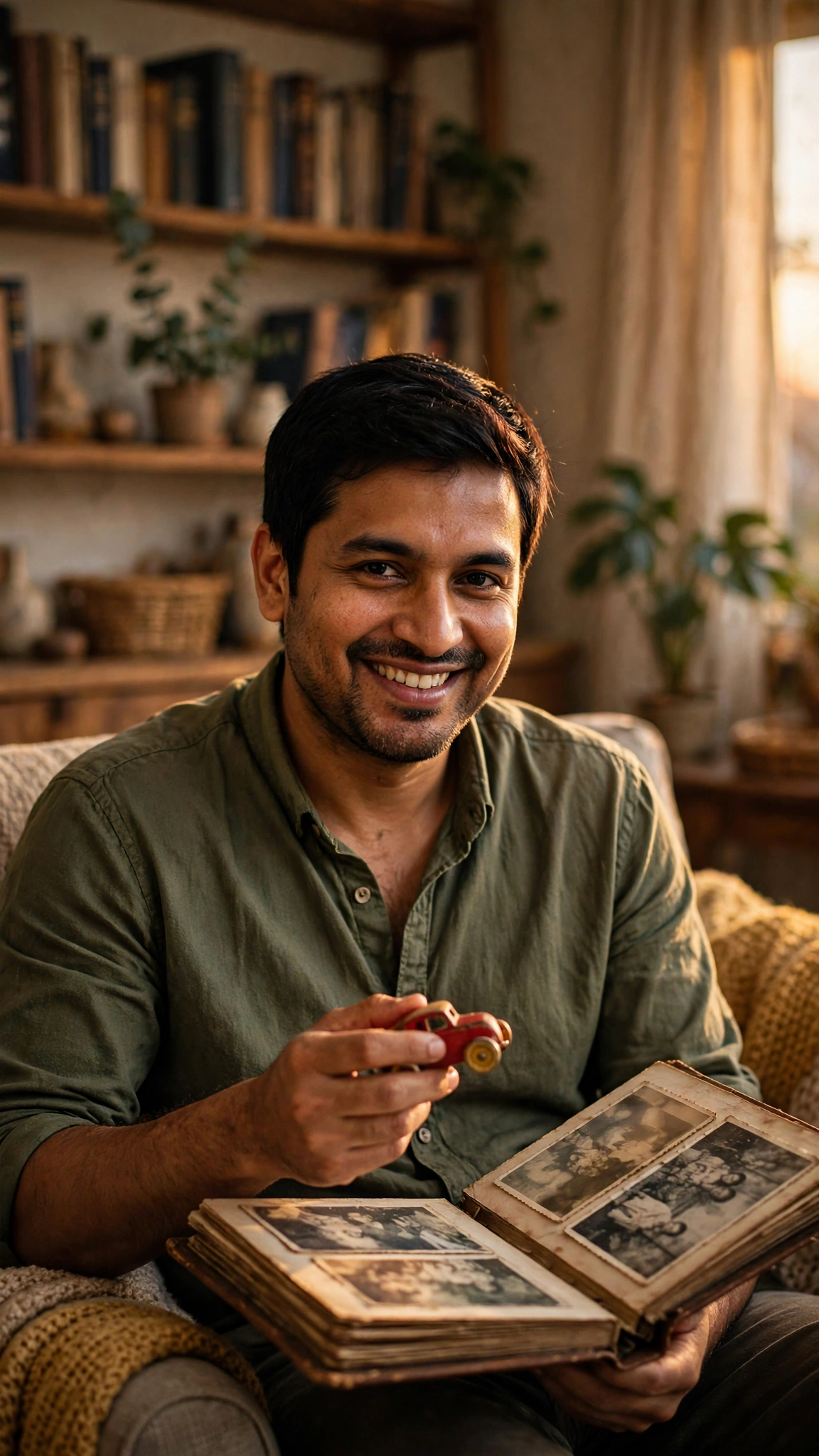
5. Nostalgic Childhood Memory Edit
This one is for the parents. Children’s Day always makes me think about my own school days — the fancy-dress competitions, the toffees from teachers, the games period that never felt long enough. This prompt turns a photo of you into a warm, nostalgic memory edit with your old photo album.
AI Prompt:
Edit my uploaded photo into a realistic nostalgic childhood memory portrait for Children’s Day. Preserve my face, facial features, skin tone, and identity exactly. Place me sitting in a warm living room at home in soft golden evening light, holding an open old photo album and a small childhood keepsake, dressed in a comfortable kurta, smiling softly as I look at the album. Use warm evening light, realistic paper, fabric and skin texture, and a vertical 9:16 composition. Make it look like a candid professional photograph, not an illustration. No children in the scene, no text, no logo, no watermark.
Best for: Parents’ memory posts and family WhatsApp groups.
Customize it: If you have a real childhood keepsake — a school trophy, an old toy, a favourite book — describe it in the prompt and the AI will work it into the scene.
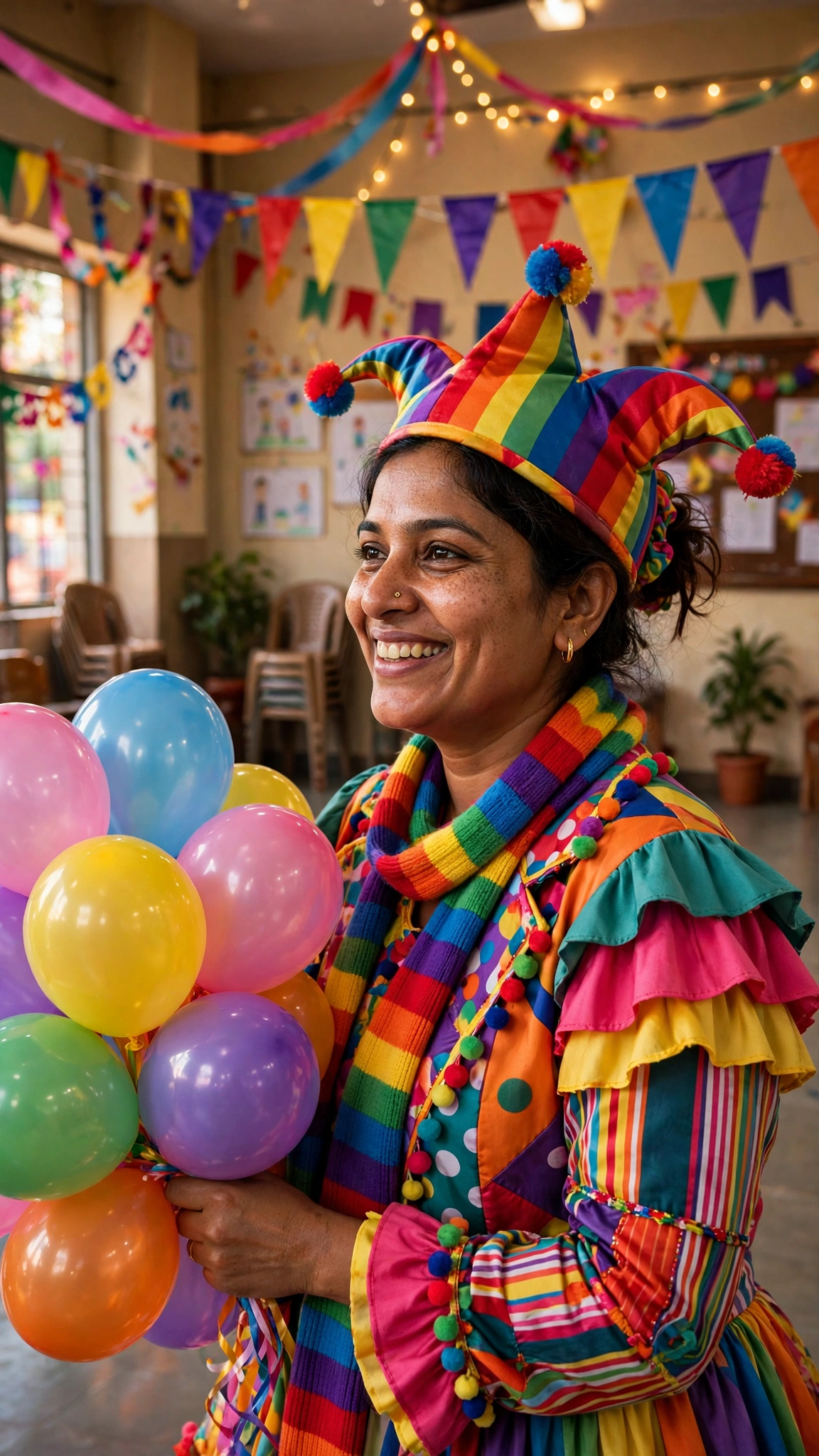
6. Carnival Fancy-Dress Teacher Portrait
Fancy-dress day is the part of Children’s Day teachers secretly enjoy the most. A colourful costume, a bunch of balloons, and a classroom full of laughter — this is the most playful prompt in the list.
AI Prompt:
Edit my uploaded photo into a realistic Children’s Day carnival fancy-dress portrait. Preserve my face, facial features, skin tone, and identity exactly. Dress me in a fun, colourful carnival fancy-dress outfit with a bright party hat and a rainbow scarf, holding a bunch of colourful balloons, standing in a festively decorated school hall with bunting and streamers. Use warm cheerful light, realistic fabric, balloon and skin texture, and a vertical 9:16 composition. Make it look like a candid professional photograph, not an illustration. No children in the scene, no text, no logo, no watermark.
Best for: Fancy-dress day photos and fun social media posts.
Customize it: Keep the hat high and the balloons low, so your face stays clear. If the costume looks too busy, ask for a simpler version with one bright colour.
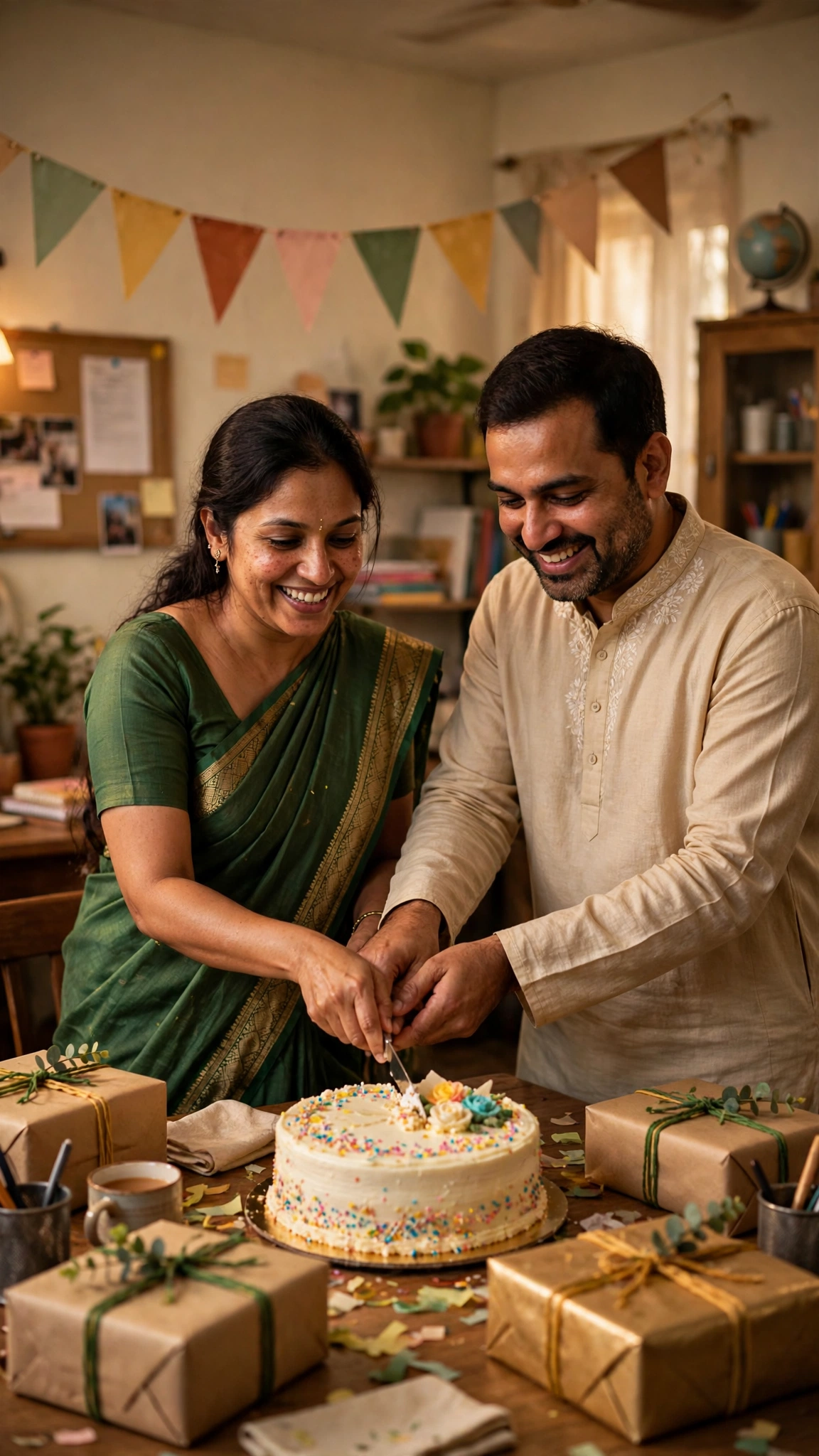
7. Staff-Room Celebration with Cake and Gifts
The teachers’ own celebration usually happens after the children leave — cake in the staff room, gifts exchanged, and a rare quiet moment together. This prompt is for that photo, with you and a colleague cutting the cake.
AI Prompt:
Edit our uploaded photo into a realistic Children’s Day staff-room celebration portrait. Preserve both faces, facial features, skin tones, and identities exactly, without merging faces. Place us in a warm staff room beside a table with a frosted celebration cake, wrapped gift boxes and paper bunting on the wall, cutting the cake together and smiling warmly. Use soft warm indoor light, realistic cake, fabric and skin texture, natural poses, and a vertical 9:16 composition. Make it look like a candid professional photograph, not an illustration. No children in the scene, no text, no logo, no watermark.
Best for: Teachers’ group photos and staff-room posts.
Customize it: Keep both faces at the same height and the cake low between you, so neither face hides behind the table.
Tips for Natural-Looking Children’s Day Photos
- Use one clear photo. A front-facing photo with even light beats a side profile or a group crop.
- Let the colour do the work. Balloons, bunting and marigold are the stars of a Children’s Day photo; a simple background makes them stand out.
- Keep the props low in the frame. Books, gifts and cake belong low, so your face stays high and clear.
- Check the hands, balloons and faces. AI tools sometimes struggle with fingers holding a gift box, balloon strings, and smiles. If anything looks painted or odd, regenerate before posting.
- Stay honest in captions. These are AI-edited photos. If you share one as a real memory, say so, so friends and family are not misled.
Children’s Day 2026 — The Facts
Children’s Day in India is celebrated on 14 November every year, the birthday of Pandit Jawaharlal Nehru, who was born on 14 November 1889 in Allahabad, now Prayagraj, and served as independent India’s first Prime Minister from 1947 to 1964. He was affectionately called Chacha Nehru, and after his death on 27 May 1964, his birthday came to be observed as Children’s Day, also called Bal Diwas. In 2026, 14 November is a Saturday and marks his 137th birth anniversary. It is not a nationwide gazetted public holiday, so schools set their own celebration plans. India’s Children’s Day is different from the United Nations’ World Children’s Day, which falls on 20 November.
On the safety side, Google’s own help pages state the rule plainly: to generate images in Gemini you must be 13 or over, and to edit images you must be 18 or over. That is why every prompt in this article is written for adults, and why no prompt here asks for a child’s photo.
Frequently Asked Questions
When is Children’s Day in 2026?
Children’s Day in India is on Saturday, 14 November 2026, the 137th birth anniversary of Pandit Jawaharlal Nehru. Since it falls on a Saturday, many schools hold their main celebration on Friday, 13 November.
Can I use these prompts in both Gemini and ChatGPT?
Yes. Both tools accept an uploaded photo plus a pasted text prompt, and the wording works in either app, though results vary slightly — so try the same prompt in both if the first result is not right.
Can I use a photo of my child with these prompts?
No. Gemini’s image editing is for users aged 18 and over, and children’s photos should not be uploaded to AI editing tools. Use these prompts only with photos of yourself or another adult, with their permission. Take children’s photos with your camera instead.
Will the AI keep my real face?
That is the goal of the “preserve my face” line in every prompt, and it usually works well with a clear starting photo. It is not perfect every time, so check the result closely, especially around the eyes, smile, and hairline.
Do these prompts cost money?
Gemini and ChatGPT both offer free tiers, but image generation limits change often. Check your app for its current free limits before you start; this article does not promise any free quota.
Final Thoughts
Children’s Day photos work best when they stay simple and real: bright colour around you, a genuine smile, and the things that make the day yours — your classroom, your stage, your students’ artwork, your old photo album. Pick the prompt that matches your moment — the classroom portrait for the classic photo, the stage portrait for the assembly, the greeting card for your WhatsApp wishes, the artwork display for the board you are proud of, the nostalgic edit for your own school memories, the fancy-dress portrait for the fun, or the staff-room celebration for the teachers’ cake. Upload a clear photo of yourself, paste the prompt in full, and check the hands, balloons and your face before you post.
If you are planning more festive-season photos, our Diwali AI Photo Editing Prompts article covers the festival of lights in the same style, and our Chhath AI Photo Editing Prompts article covers the four-day festival running from 13 to 16 November.