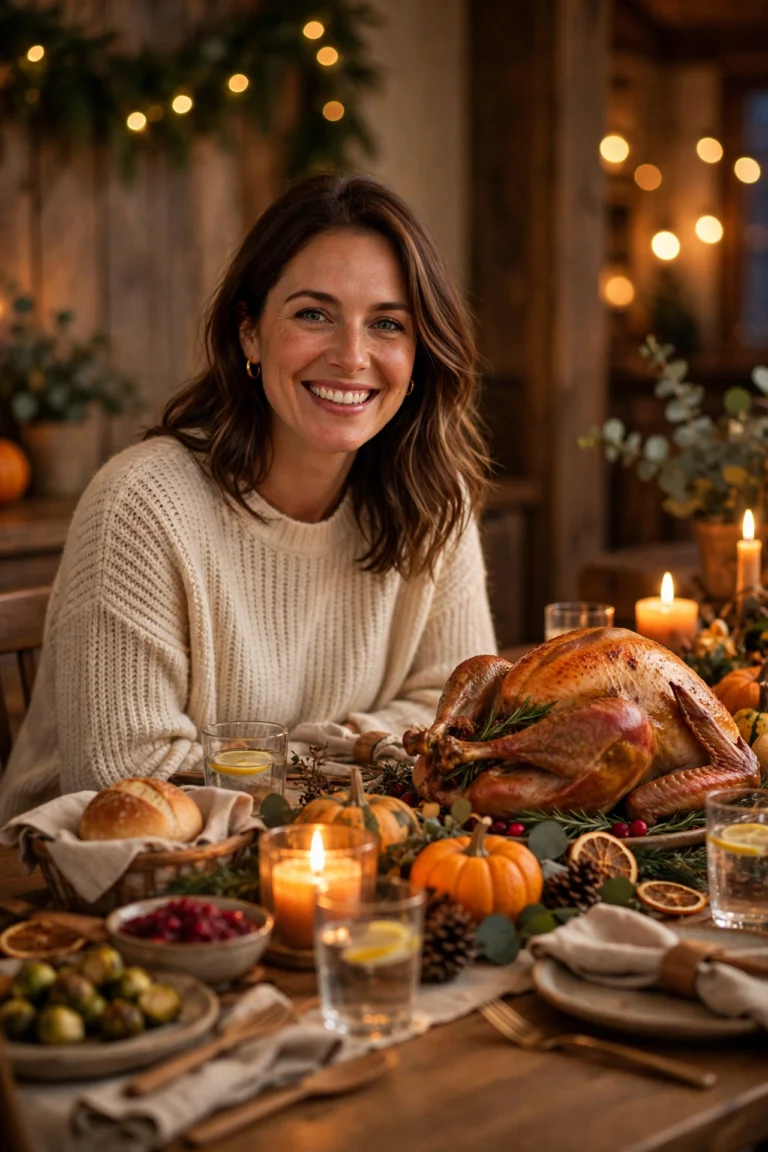
Cyber Monday AI Photo Editing Prompts: 7 Copy-Paste Gemini & ChatGPT Prompts
Cyber Monday is the Monday after Thanksgiving weekend in the USA, and in 2026 it falls on Monday, 30 November. I first heard about it the way most people in India do — not from a shop, but from my phone. Sale banners in shopping apps, emails about online-only deals, and friends sharing screenshots of things in their cart late at night. Unlike Black Friday, which is famous for early-morning store trips, Cyber Monday is the online-shopping day: a laptop on the couch, a warm drink nearby, packages arriving at the door, and gifts being wrapped at home.
I made these prompts because my own Cyber Monday photos never looked right. A normal selfie on the couch looks plain, and a photo with a laptop usually has a glowing screen that washes out my face. When I write the prompt properly — “preserve my face exactly”, plain background, soft light — the result looks like me at home on a shopping day, not like a stranger in an advert. So in this article, I am sharing the 7 Cyber Monday prompts I actually use, for solo portraits, friends, family, and gift photos. You upload your photo, copy one prompt, and paste it into Gemini or ChatGPT. Every prompt keeps your face recognizable and focuses on realistic laptops, packages, and natural indoor light — not a cartoon filter. These prompts are for personal photos, not store adverts: they name no store and promise no price or deal. If you want to show a price in your post, add that text yourself in your photo editor afterward, where you can check it.
Quick Pick: Which Cyber Monday Prompt Should You Use?
| Prompt | Best for | Mood |
|---|---|---|
| 1. Cozy Online Shopping Portrait | Solo, DP and posts | Warm, relaxed |
| 2. Unboxing Day Portrait | Solo, haul posts | Cheerful, excited |
| 3. Friends Online Deal Night Portrait | Friends, group posts | Joyful, fun |
| 4. Gift Wrapping After Delivery Portrait | Solo, cozy posts | Warm, thoughtful |
| 5. Coffee and Laptop Morning Portrait | Solo, candid posts | Calm, cozy |
| 6. Family Holiday Prep Portrait | Family, greeting posts | Warm, together |
| 7. Night Owl Deal Hunter Portrait | Solo, late-night posts | Cozy, playful |
Gemini or ChatGPT — Which One Should I Use for Cyber Monday Photos?
I have tried the same prompt in both tools. Gemini, from Google, is usually better at keeping a single face consistent — start there if your main worry is “will it still look like me”. ChatGPT, from OpenAI, is often stronger on scene detail: the blanket, the box, the wrapping paper, the lamp light. Try it if your main worry is “will the scene feel cozy and real”.
What I do in practice is simple: I generate the same prompt in Gemini first, and if the face is right but the room feels flat, I try the same prompt in ChatGPT and pick the better one. Both tools need the same thing from you — a clear original photo and the full prompt in one message. Do not upload a photo that WhatsApp already compressed. WhatsApp reduces photo quality when you forward it, and the AI then has less detail to work with. Use the original photo from your phone gallery.
One more thing I have learned: do not mix prompts. One prompt at a time, one result at a time. And keep the laptop screen simple — a plain or softly blurred screen keeps the focus on your face instead of on gibberish text on the screen.
7 Cyber Monday AI Photo Editing Prompts
1. Cozy Online Shopping Portrait
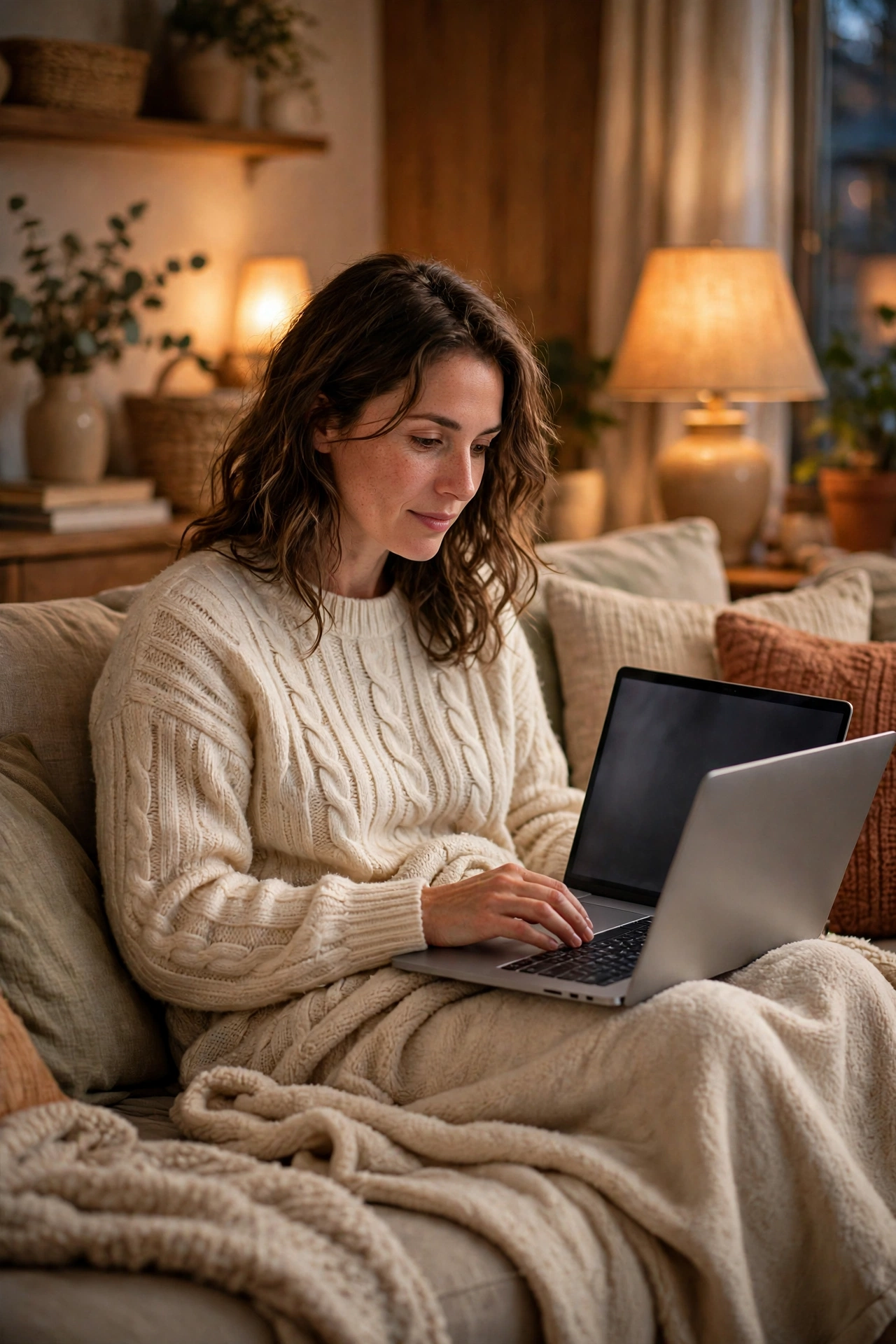
The classic Cyber Monday photo: you on the couch with a laptop, a blanket, and soft evening light. This is the one I recommend first, because the warm lamp light does most of the work.
AI Prompt:
Edit my uploaded photo into a realistic cozy Cyber Monday online shopping portrait. Preserve my actual face, facial features, natural skin tone, and identity exactly. Place me on a comfortable couch at home with a laptop open on my lap, a soft blanket, and warm lamps glowing in the background, dressed in a cozy sweater. Use soft warm indoor light, realistic fabric and screen-glow texture, natural skin texture, and a vertical 9:16 composition. Make it look like a candid home photograph, not an illustration. No text, no logo, no watermark.
Best for: Cyber Monday DP, shopping-day posts, and profile pictures.
Customize it: Keep the laptop screen simple and unbranded; a blank or softly blurred screen keeps the focus on your face.
2. Unboxing Day Portrait
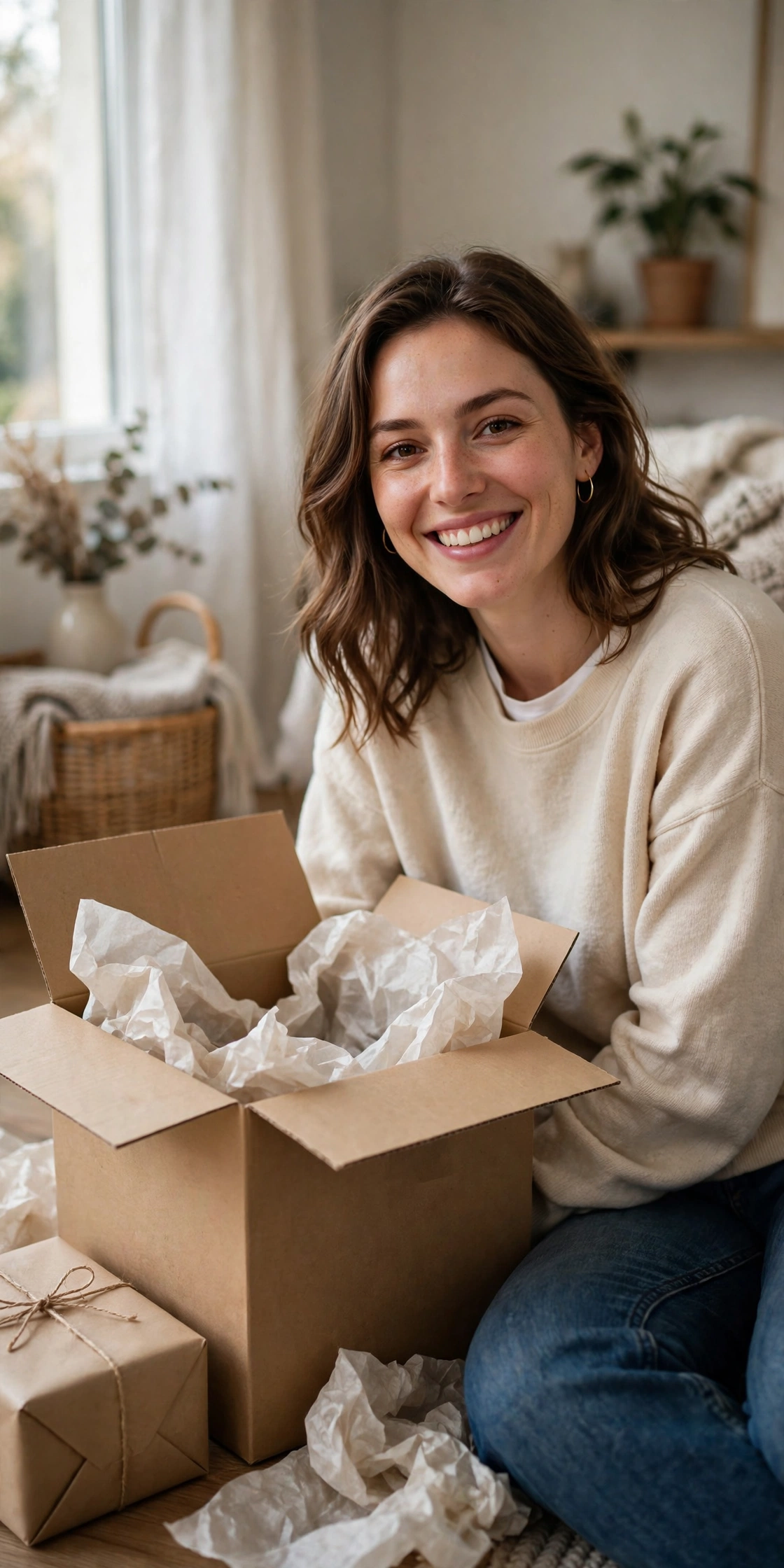
A cheerful photo with a just-opened delivery box, tissue paper, and a new gift in your hands. I like this one for haul posts, because the box tells the whole story without a long caption.
AI Prompt:
Edit my uploaded photo into a realistic Cyber Monday unboxing portrait. Preserve my actual face, facial features, skin tone, and identity exactly. Place me indoors sitting near a freshly opened cardboard delivery box with tissue paper and one neatly wrapped gift beside me, smiling naturally, dressed in a comfortable casual outfit. Use soft natural window light, realistic cardboard and wrapping paper texture, natural skin texture, and a vertical 9:16 composition. Make it look like a candid home photograph. No text, no logo, no watermark.
Best for: Unboxing posts, haul posts, and cheerful gift photos.
Customize it: Keep the box plain and unbranded; brand logos can make a personal photo look like an advertisement.
3. Friends Online Deal Night Portrait
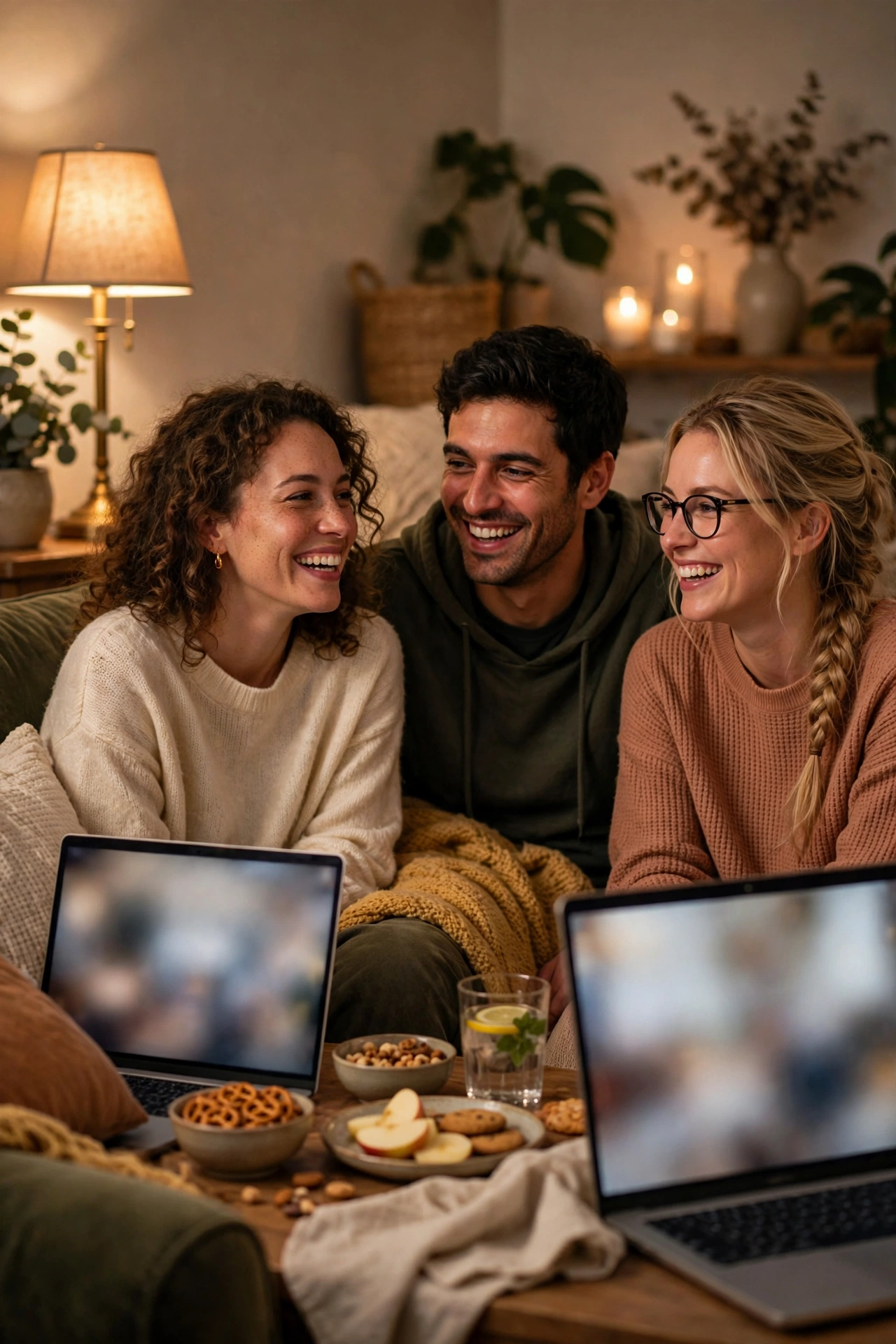
A joyful group photo for friends shopping online together, with laptops, snacks, and laughter. Upload one where every face is clearly visible — group photos are the hardest to get right.
AI Prompt:
Edit our uploaded group photo into a realistic Cyber Monday friends online shopping portrait. Preserve every face, facial feature, natural skin tone, and identity exactly, without merging faces. Place everyone together in a cozy living room with laptops, warm lamps, and simple snacks on a coffee table, all smiling and chatting naturally. Use warm indoor light, realistic skin texture, natural poses, and a vertical 9:16 composition. No text, no logo, no watermark.
Best for: Friends posts, group DPs, and fun shopping-night photos.
Customize it: Use a group photo where every face is clearly visible; the AI needs each face to keep them distinct.
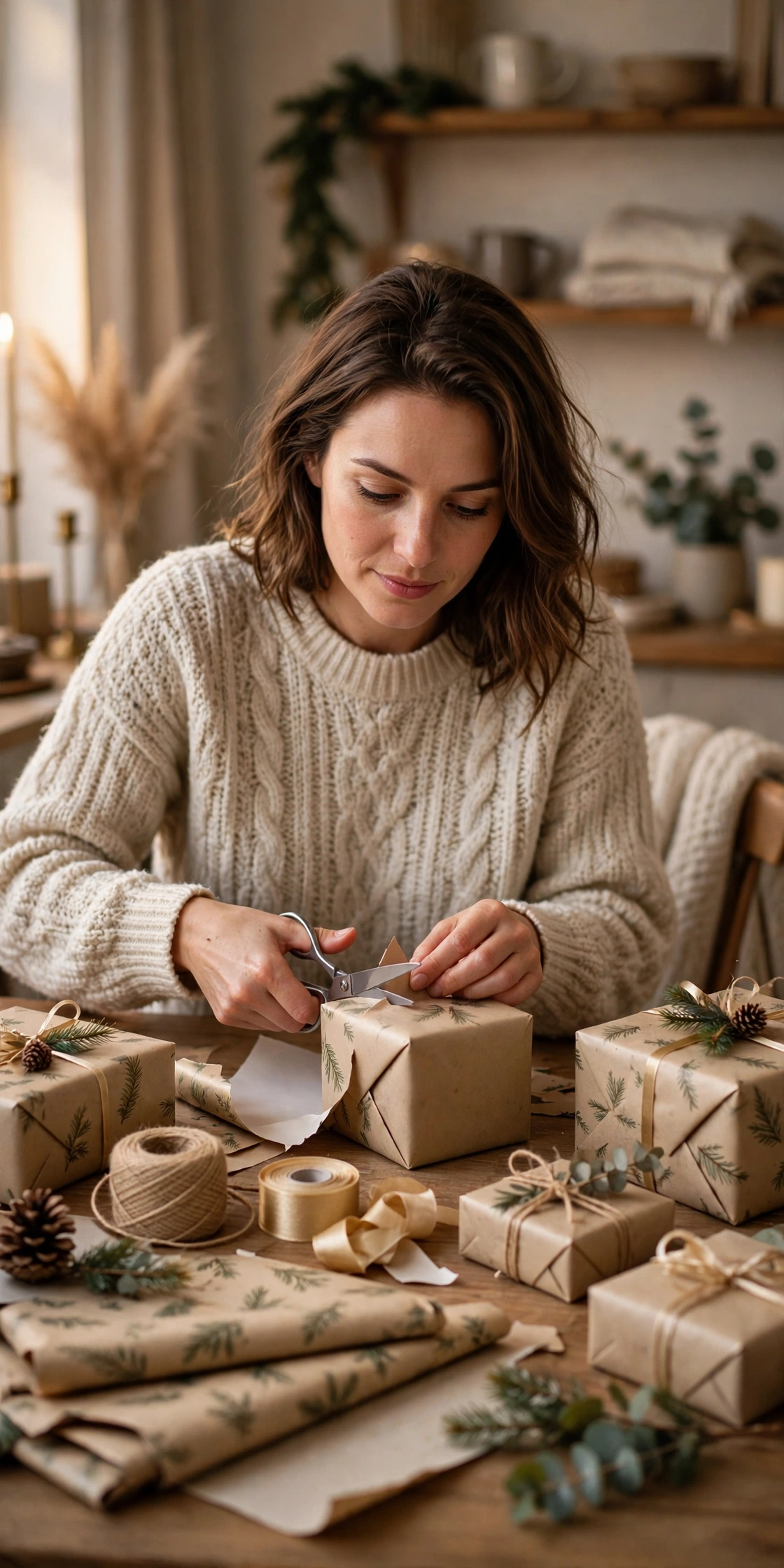
4. Gift Wrapping After Delivery Portrait
A warm, thoughtful photo of you wrapping gifts at home, with paper, ribbon, and soft light. My pick when the photo is for family, because it feels calm and personal.
AI Prompt:
Edit my uploaded photo into a realistic Cyber Monday gift wrapping portrait. Preserve my actual face, facial features, skin tone, and identity exactly. Place me at a table at home wrapping a gift in plain festive wrapping paper, with scissors, ribbon, and a few wrapped gifts nearby, dressed in a cozy sweater. Use soft warm indoor light, realistic paper and ribbon texture, natural skin texture, and a vertical 9:16 composition. Make it look like a candid home photograph. No text, no logo, no watermark.
Best for: Gift posts, holiday prep photos, and cozy indoor portraits.
Customize it: Choose simple, solid-color wrapping paper in the prompt if you want the photo to feel calm rather than busy.
5. Coffee and Laptop Morning Portrait
A calm morning photo: you at a kitchen table or window seat with coffee and a laptop, in soft daylight. I use this one the morning after, when the parcels have started arriving and I want a quieter photo.
AI Prompt:
Edit my uploaded photo into a realistic Cyber Monday morning coffee and laptop portrait. Preserve my actual face, facial features, skin tone, and identity exactly. Place me at a bright kitchen table by a window with a mug of coffee and an open laptop, dressed in a comfortable morning outfit, with soft daylight and a simple uncluttered background. Use natural daylight, realistic ceramic and fabric texture, natural skin texture, and a vertical 9:16 composition. Make it look like a candid morning photograph. No text, no logo, no watermark.
Best for: Morning posts, work-from-home photos, and calm profile pictures.
Customize it: Morning light from a window is flattering; if the result looks too dark, try a brighter photo as your starting image.

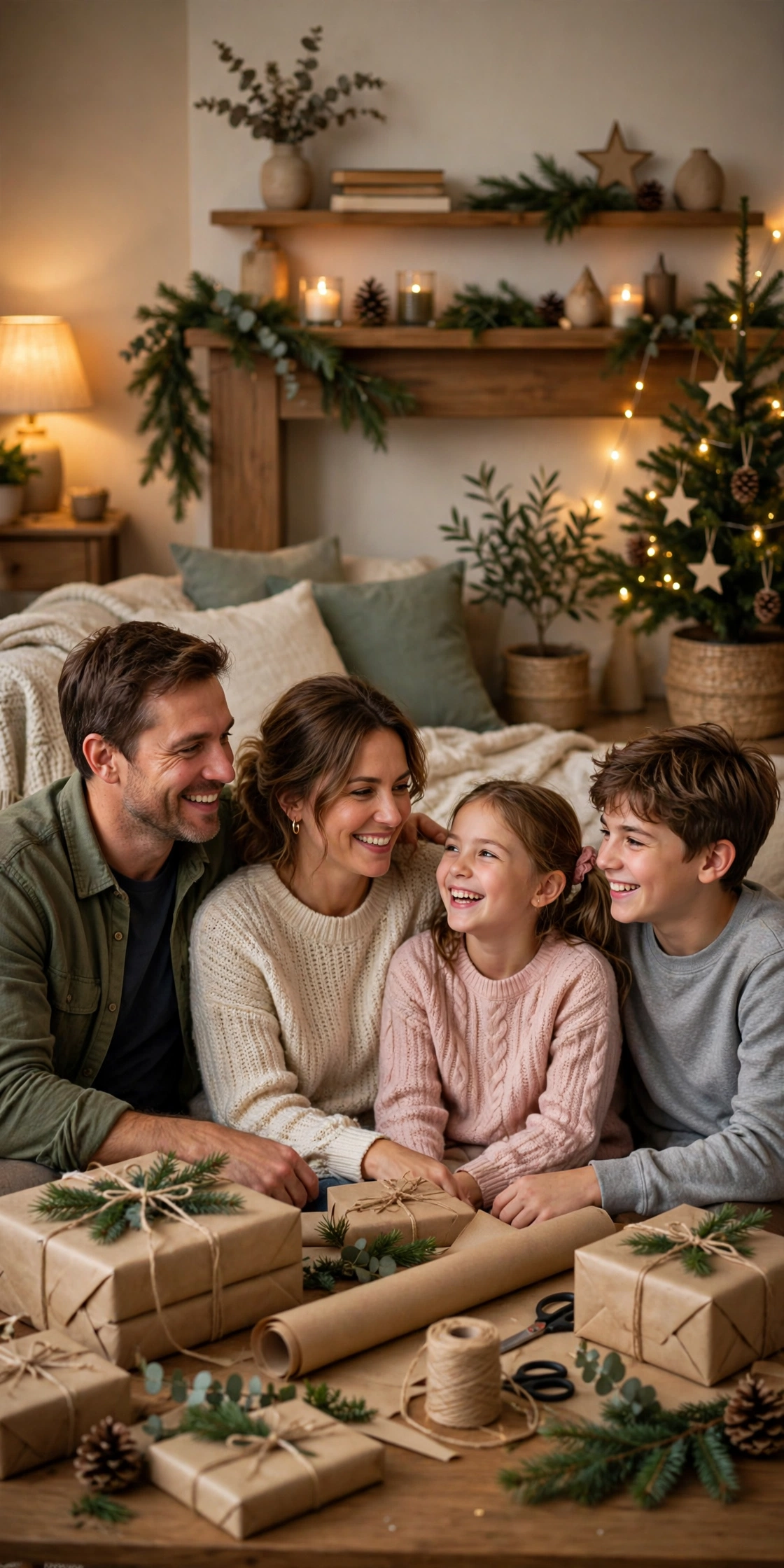
6. Family Holiday Prep Portrait
A warm family photo: everyone together at home, surrounded by wrapped gifts and soft lights. Keep everyone in frame — family photos fail most often when one face is cropped tight or turned away.
AI Prompt:
Edit our uploaded family photo into a realistic Cyber Monday family holiday prep portrait. Preserve every face, facial feature, natural skin tone, and identity exactly, without merging faces. Place the family together in a cozy living room with wrapped gifts, warm lamps, and simple holiday decorations in the background, everyone relaxed and smiling naturally. Use warm indoor light, realistic skin texture, natural poses, and a vertical 9:16 composition. No text, no logo, no watermark.
Best for: Family posts, holiday greetings, and warm seasonal photos.
Customize it: Keep the decorations simple and in the background so the family, not the decor, stays the focus of the photo.
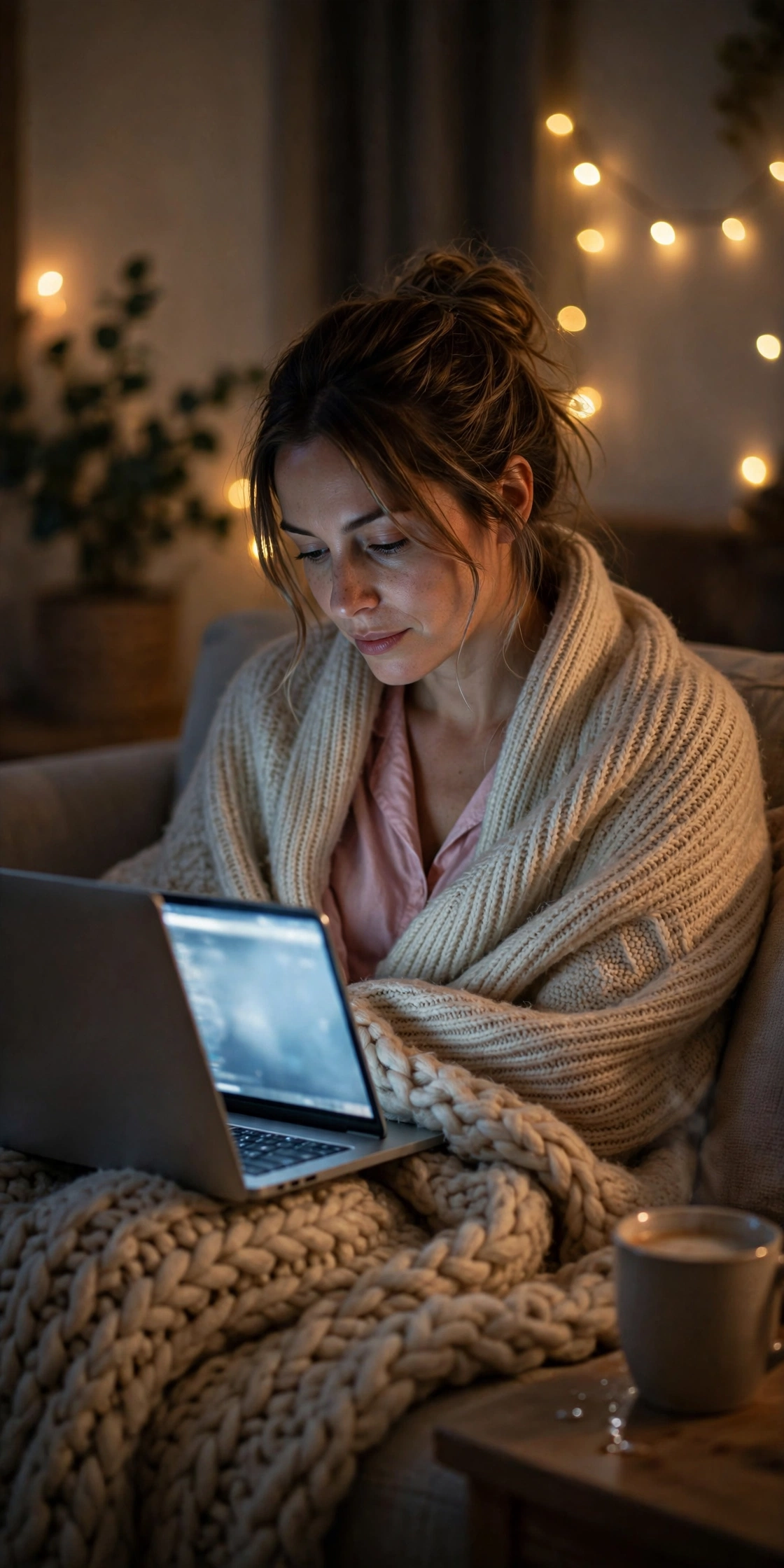
7. Night Owl Deal Hunter Portrait
A playful late-night photo: you in a blanket with a laptop, fairy lights glowing, and a mug nearby. The fun one, and the one that goes wrong most often — night photos turn dark fast, so start with a bright photo.
AI Prompt:
Edit my uploaded photo into a realistic Cyber Monday late-night deal hunter portrait. Preserve my actual face, facial features, skin tone, and identity exactly. Place me wrapped in a soft blanket on a couch late at night with a laptop, warm fairy lights in the background, and a mug on a side table, dressed in comfortable nightwear with a cozy cardigan. Use dim warm indoor light with a soft screen glow, realistic fabric texture, natural skin texture, and a vertical 9:16 composition. Make it look like a candid night photograph. No text, no logo, no watermark.
Best for: Late-night posts, funny shopping-day photos, and cozy night portraits.
Customize it: Night photos can turn out dark; if the face is too shadowed, regenerate with a brighter starting photo.
How to Use These Cyber Monday Prompts in Gemini or ChatGPT
- Choose a clear photo. A front-facing, well-lit photo works best. Use the original from your gallery, not a WhatsApp-forwarded copy.
- Open Gemini or ChatGPT and start a new image chat.
- Upload your photo first, then paste the full prompt in the same message.
- Keep one prompt at a time. Do not mix a couch look, an unboxing look, and a night look in one prompt.
- Generate, then refine. If the face looks slightly off, do not rewrite everything. Add one line, for example: “Keep my face exactly the same as the uploaded photo and make the lighting softer.”
If Your Cyber Monday Photo Looks Wrong, Fix It Like This
| Problem | Add this line |
|---|---|
| Face looks different | Keep my face, facial structure, and skin tone exactly the same as the uploaded photo. |
| Photo looks too artificial | Use realistic skin texture, natural shadows, and soft light. Avoid plastic skin and over-smoothing. |
| Laptop screen shows gibberish text | Keep the laptop screen blank and softly blurred, with no readable text on it. |
| Hands look wrong | Use natural hand positions with correct fingers and realistic proportions. |
| Background is too busy | Keep the background softly blurred and keep the focus on the person. |
| Night photo is too dark | Use brighter warm indoor light on the face and keep the background dim. |
How I Use Cyber Monday Photos for Unboxing and Online-Deal Posts
The photo and the post are two different jobs. The prompt makes the photo. You still have to decide what the post is saying, and that is where most Cyber Monday posts go wrong — they try to show everything at once.
For an unboxing post, I use Prompt 2 and keep the caption short. One box, one gift, one photo. Three boxes and a pile of wrapping paper make the photo messy and my face gets lost. I also take the real unboxing photo first, on my phone, then make the AI version from the same sitting position, so it still looks like my room and my day.
For an online-deal post, I never let the AI write the deal. The prompt says “no text” for a reason. I make the photo with Prompt 1 or Prompt 5, then I add the deal details myself in the caption or in my photo editor, where I can check the price and the date. A price on a screen photographs badly in AI — the numbers come out wrong, and friends notice before I do.
The laptop-and-coffee morning look, Prompt 5, is the one I use when I do not want the post to feel like shopping at all. It works as a normal morning DP the day after, with the laptop just sitting there. The trick is the window light: I use a daytime photo for this one, even if I am generating it at night, because the AI cannot invent morning light properly from a night photo.
And the night-owl photo, Prompt 7, is where things go wrong most often. In my own tries, the face goes dark because the only light is the laptop screen, the blanket covers half the face, or the fairy lights turn into big white blobs. What fixes it: start with a brighter photo than you think you need, keep the blanket below your shoulders, and keep the fairy lights in the background, not next to your face. If the first result is too dark, regenerate once from a brighter starting photo instead of adding “brighter” five times.
Tips for a More Realistic Cyber Monday AI Photo
- Describe light, not just clothes. Warm lamp light, soft window light, and a gentle screen glow change the whole photo.
- Mention the ratio. Add “vertical 9:16” for a DP or reel, and “horizontal 3:2” only if you want a wider post.
- Keep the scene simple. One laptop, one box, or one table of gifts reads better than a crowded room.
- Check the hands. AI tools sometimes struggle with hands holding boxes or ribbon; if a hand looks odd, regenerate the image.
- Stay honest in captions. These are AI-edited photos. If you share one as a real memory, say so, so friends are not misled.
Cyber Monday vs Black Friday Photos: What Is Different?
Black Friday photos usually show the store trip: streets, shopping bags, and early mornings. Cyber Monday photos show the other half of the weekend: home, a laptop, deliveries, and wrapping paper. If you already used a Black Friday prompt this year, a Cyber Monday prompt gives you a second, different set of photos without repeating the same scene.
FAQs
What is Cyber Monday, and when is it in 2026?
Cyber Monday is the Monday after Thanksgiving weekend in the USA, and in 2026 it falls on Monday, 30 November. It started as the online-shopping day after the Black Friday weekend — people who did not go to stores shopped from home on their laptops instead. That home, laptop, and delivery feeling is what these prompts are built around.
I live in India — is Cyber Monday for me?
Yes, as an online shopping day, not as a holiday. There is no Cyber Monday holiday in India, and most of us do not celebrate Thanksgiving. But shopping apps and websites here run sale events around the same time, and the photos still work — a couch, a laptop, a delivery box, and gift wrapping look the same in an Indian home.
Can I use these prompts in both Gemini and ChatGPT?
Yes. Both tools accept an uploaded photo plus a pasted text prompt. The wording is written to work in either app, though results vary slightly between tools, so try the same prompt in both if the first result is not right.
Will the AI keep my real face?
That is the goal of the “preserve my face” line in every prompt, and it usually works well with a clear starting photo. It is not perfect every time, so check the eyes, smile, and hairline closely before posting.
Do these prompts cost money?
Gemini and ChatGPT both offer free tiers, but image generation limits and features change often. Check the app you use for its current free limits before you start; this article does not promise any free quota.
Can I use these photos for a shop or a business page?
These prompts are written for personal photos. For business use, check the terms of the AI tool you use, avoid brand logos, and do not imply a sale, price, or endorsement that is not real.
What if the laptop screen shows gibberish text?
AI tools often render screen text imperfectly. That is why every prompt asks for a simple or blurred screen. If text still appears, regenerate the image or crop the screen out in your photo editor.
Which prompt is best for an unboxing or haul post?
Prompt 2, the Unboxing Day Portrait. Keep the box plain and unbranded, and keep only one gift beside you. A pile of boxes makes the photo look like an advert, and the AI will struggle to keep your face as the focus.
My night-owl photo came out too dark. What should I do?
Start with a brighter photo and regenerate. Keep the blanket below your shoulders and the fairy lights behind you, not beside your face.
For Readers in India
Cyber Monday is a US-observed day, so let me explain it plainly for readers in India. Thanksgiving is a US holiday, and the Monday after that weekend became the day for online shopping deals in the USA. In India, we do not get a holiday for it. What we do get is the online part: shopping apps and websites run sale events around the same time, parcels arrive at home, and a lot of us end up browsing deals late at night — because US daytime often falls late at night in India.
These prompts are written for that Indian setting: a home in Delhi, Mumbai, Lucknow, or a small town, a laptop on the couch, chai or coffee on the side table, a delivery box at the door, and gifts being wrapped at home. They work the same way whether your sale shopping happened at noon or at 1 am. If you are posting for family on WhatsApp, a simple caption like “online shopping day at home” works better than changing the prompt itself.
Originality and Privacy Note
These prompts were written originally for this site. They are not copied from another prompt site, and they do not copy any celebrity’s face or a movie scene. Results vary by tool and by photo, and no prompt can guarantee a viral result. Upload only your own photo, or a photo you have permission to edit.
Final Thoughts
Cyber Monday is the quiet, cozy half of the shopping weekend, and that is exactly what makes it photogenic: warm light, a laptop, a delivery box, and gifts waiting to be wrapped. Pick the prompt that matches your day — the cozy couch portrait for a classic DP, the unboxing shot for a haul post, or the night owl portrait for a fun late-night share — upload a clear photo, and paste the prompt in full. Small details matter more than a dramatic scene: a plain box, a simple screen, and your real face, kept recognizable, will always look better than a busy, branded image.
If you are planning the rest of your holiday photos, our Winter, Christmas, and New Year prompt articles cover the season that follows, and our Black Friday article covers the store-trip side of the same weekend.
Read more: Black Friday AI Photo Editing Prompts, Winter AI Photo Editing Prompts, Christmas AI Photo Editing Prompts, New Year AI Photo Editing Prompts