
Gemini Couple Photo Editing Prompts: 7 Romantic Copy-Paste Prompts
A couple photo is the hardest AI edit to get right, and I learned that the hard way. I have made plenty of single-person edits that came out well on the first try. But with a couple photo, one face usually stays perfect and the other changes. The background looks good, but the hands look wrong. Or the photo looks romantic, but it no longer looks like us.
That is why I wrote these prompts the way I did. Every one of them starts with the same rule: preserve both faces first, then change the scene. In this article, I am sharing the 7 Gemini couple photo editing prompts I actually use, each made for a different mood — romantic, retro, traditional, cinematic, or casual. You upload your couple photo, copy one prompt, and paste it. Each prompt keeps both faces recognizable, and none of them turns you into a cartoon.
Quick Pick: Which Couple Prompt Should You Use?
| Prompt | Best for | Mood |
|---|---|---|
| 1. Beach Sunset Walk | Romantic DP, anniversary | Soft, dreamy |
| 2. Retro Bollywood Couple | Retro lovers, reels | Nostalgic, cinematic |
| 3. Royal Indian Traditional | Wedding, festive, family posts | Regal, traditional |
| 4. Cafe Candid | Casual Instagram posts | Natural, everyday |
| 5. Rainy Neon Night | Cinematic, stylish posts | Moody, dramatic |
| 6. Mountain Travel Couple | Travel posts, adventure | Fresh, adventurous |
| 7. Cozy Winter Couple | Winter DP, cozy posts | Warm, intimate |
Why Couple Photos Go Wrong — and How I Fix Them
Before the prompts, I want to explain the three problems I run into most with couple photos, because once you see them, you will spot them in your own results too.
The first problem is one face changing while the other stays right. AI tools pay more attention to the face that is bigger or better lit in the original photo. The second face gets rebuilt from less detail, so it drifts. My fix is to name both faces separately in the prompt — “preserve both faces, facial features, natural skin tones, and identities exactly” — and to upload a photo where both faces are similar in size and light. If one of you is standing half in shadow, fix that before you upload, because no prompt fully saves a face the tool can barely see.
The second problem is faces merging. When two people stand very close, the tool sometimes blends their features, and the result looks like two versions of the same person. My fix is the line “without merging or beautifying either face”, and a pose where both faces are clearly separated — looking at the camera, or looking at each other, but not overlapping.
The third problem is hands. Holding hands, an arm around a shoulder, a hand on a table — hands are where AI still slips most. My fix is simple: keep the pose simple. Holding hands or standing close reads naturally. A complicated pose almost always gives you extra fingers or a bent wrist. Every prompt below uses a simple pose for exactly this reason.
Gemini or ChatGPT — Which One for Two Faces?
This is the question I get most about couple photos, so here is what I have found by trying the same prompt in both tools. Gemini, from Google, is usually better at keeping two faces consistent. If your main worry is “will we both still look like us”, start with Gemini — that is why these prompts are written for Gemini first. ChatGPT, from OpenAI, is often stronger on scene detail — the neon reflections, the film grain, the texture of a saree or a jacket come out richer. If the faces are right in Gemini but the scene feels flat, I try the same prompt in ChatGPT and pick the better one.
What I do in practice is this: I generate in Gemini first, check both faces carefully at full size, and only then think about the background. If one face is off, I do not rewrite the whole prompt. I add one short line, for example: “Keep the woman’s face exactly the same as the uploaded photo, and keep the rest of the image unchanged.” One small correction at a time beats ten new generations.
One more thing I have learned: do not upload a photo that WhatsApp already compressed. WhatsApp reduces photo quality when you forward it, and the AI then has less detail to work with — and with two faces, that missing detail shows twice as fast. Use the original photo from your phone gallery.
7 Gemini Couple Photo Editing Prompts
1. Beach Sunset Walk
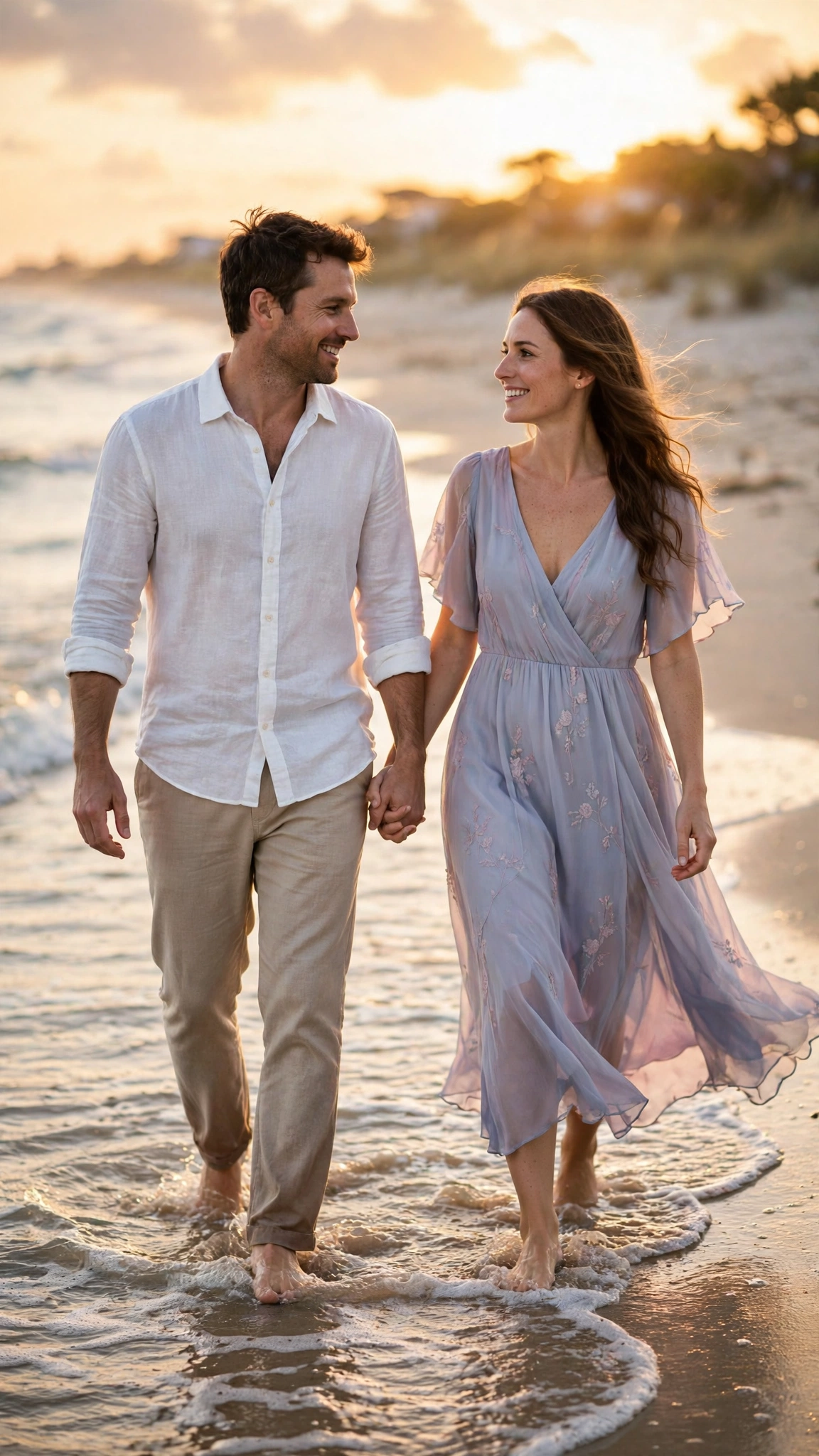
A soft, romantic classic that works for almost every couple. This is the prompt I recommend first, because the pose is simple — walking, holding hands, looking at each other — so the hands and faces have the least chance of going wrong.
AI Prompt:
Edit our uploaded couple photo into a realistic romantic beach portrait at sunset. Preserve both faces, facial features, natural skin tones, and identities exactly, without merging or beautifying either face. Show the couple walking barefoot on a beach, holding hands and looking at each other, with gentle waves at their feet. The man wears a white linen shirt and beige trousers, and the woman wears a flowing pastel dress. Use warm golden-hour light on both faces, realistic skin texture, natural hand positions, soft background blur, and a vertical 9:16 composition. Make it look like a candid photograph, not an illustration. No text, no logo, no watermark.
Best for: Anniversary posts, couple DP, and romantic reels covers.
Customize it: Change the dress color or the beach to a lakeside, but keep both faces and the hand-holding pose the same.
2. Retro Bollywood Couple
For couples who love old Hindi cinema — warm colors, film feel, and a timeless pose. I included this one because my parents’ generation of film romance still gets the most comments on our family posts, and the 1990s chiffon-saree look is the one people ask me about most.
AI Prompt:
Edit our uploaded couple photo into a realistic retro Bollywood-inspired couple portrait from the 1990s. Preserve both faces, skin tones, and identities exactly. Dress the man in a classic open-collar shirt and dark trousers, and the woman in a bright chiffon saree with soft wavy hair. Place them on a rainy old Mumbai street or in a vintage film-studio setting with warm cinematic light and subtle film grain. Use realistic skin texture, natural expressions, soft shadows, and a vertical 9:16 composition. Make it feel like a frame from an old romantic film, but keep both people clearly recognizable. No text, no logo, no watermark.
Best for: Retro reels, nostalgic posts, and couple photos with a film look.

3. Royal Indian Traditional Couple
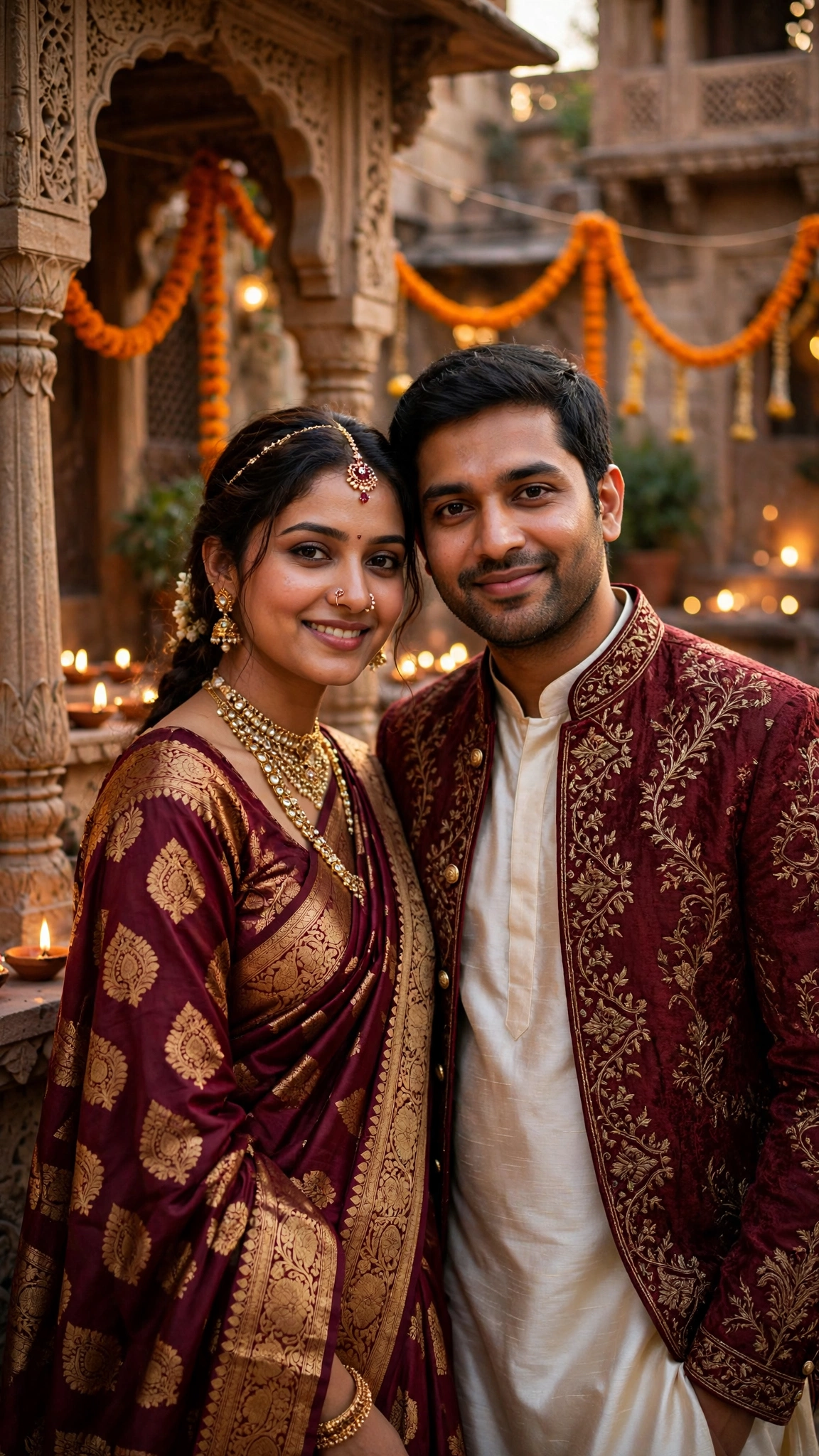
A festive and wedding-ready look with traditional clothes and a royal background. This is my pick for wedding season and Diwali family posts, because the Banarasi saree and the haveli courtyard need no caption — everyone in the family group understands the photo at once.
AI Prompt:
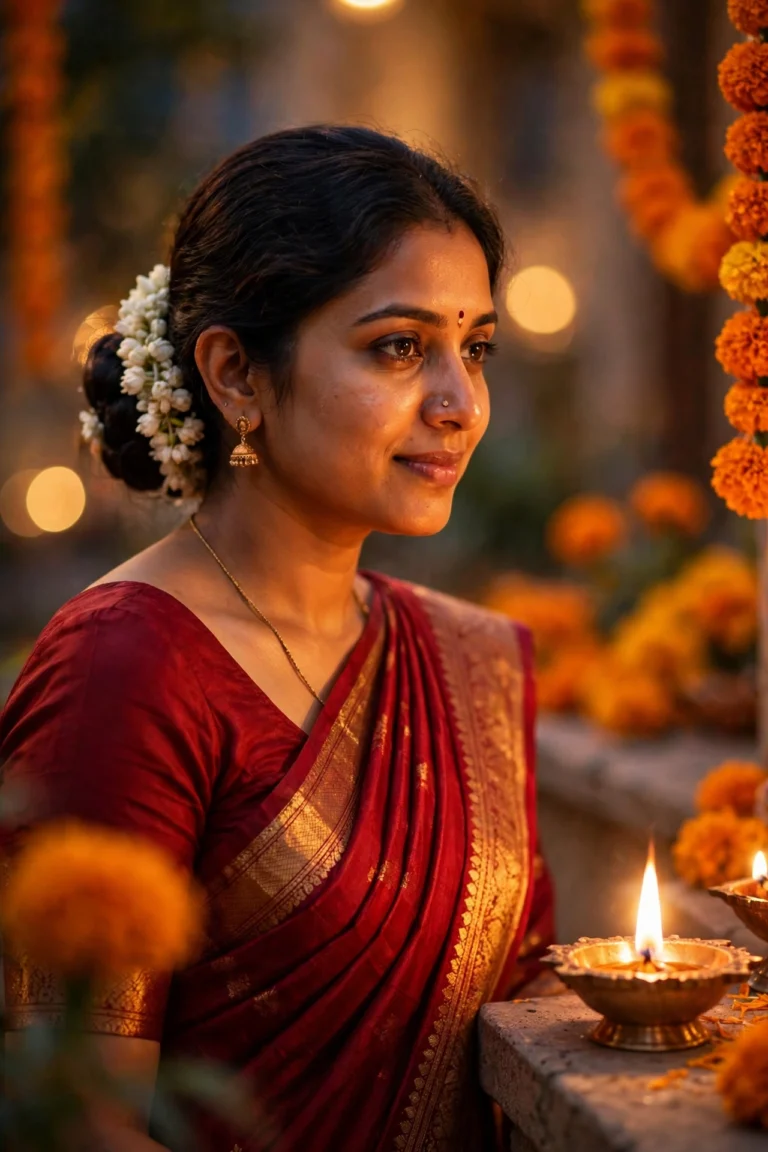
Edit our uploaded couple photo into a realistic royal Indian couple portrait. Preserve both faces, facial features, skin tones, and identities exactly. Dress the woman in a deep maroon Banarasi silk saree with gold jewellery and the man in an ivory silk kurta with a maroon embroidered jacket. Place them in a carved haveli courtyard with marigold garlands and warm diya light softly blurred behind them. They stand close, smiling gently at the camera. Use soft late-afternoon light, realistic fabric and jewellery detail, natural skin texture, and a vertical 9:16 composition. No text, no logo, no watermark.
Best for: Wedding season, festive posts, and family celebration photos.
4. Cafe Candid Couple
The most natural option in this list — no posing, no drama, just a real moment. I reach for this one when I want a photo that looks like it was taken by a friend, not arranged for a post. The laughing mid-conversation pose also hides small face differences better than a straight-to-camera portrait.
AI Prompt:
Edit our uploaded couple photo into a realistic candid cafe portrait. Preserve both faces, expressions, skin tones, and identities exactly. Show the couple sitting together at a small cafe table by a window, laughing naturally mid-conversation, with coffee cups on the table and soft daylight coming through the window. Dress them in smart casual clothes — a simple shirt and jeans for the man, and a casual dress or top with jeans for the woman. Use natural daylight, realistic skin texture, accurate hand positions, soft background blur, and a vertical 9:16 composition. Make it look like a photo taken by a friend, not a studio shoot. No text, no logo, no watermark.
Best for: Everyday couple posts, Instagram stories, and natural DPs.

5. Rainy Neon Night Couple
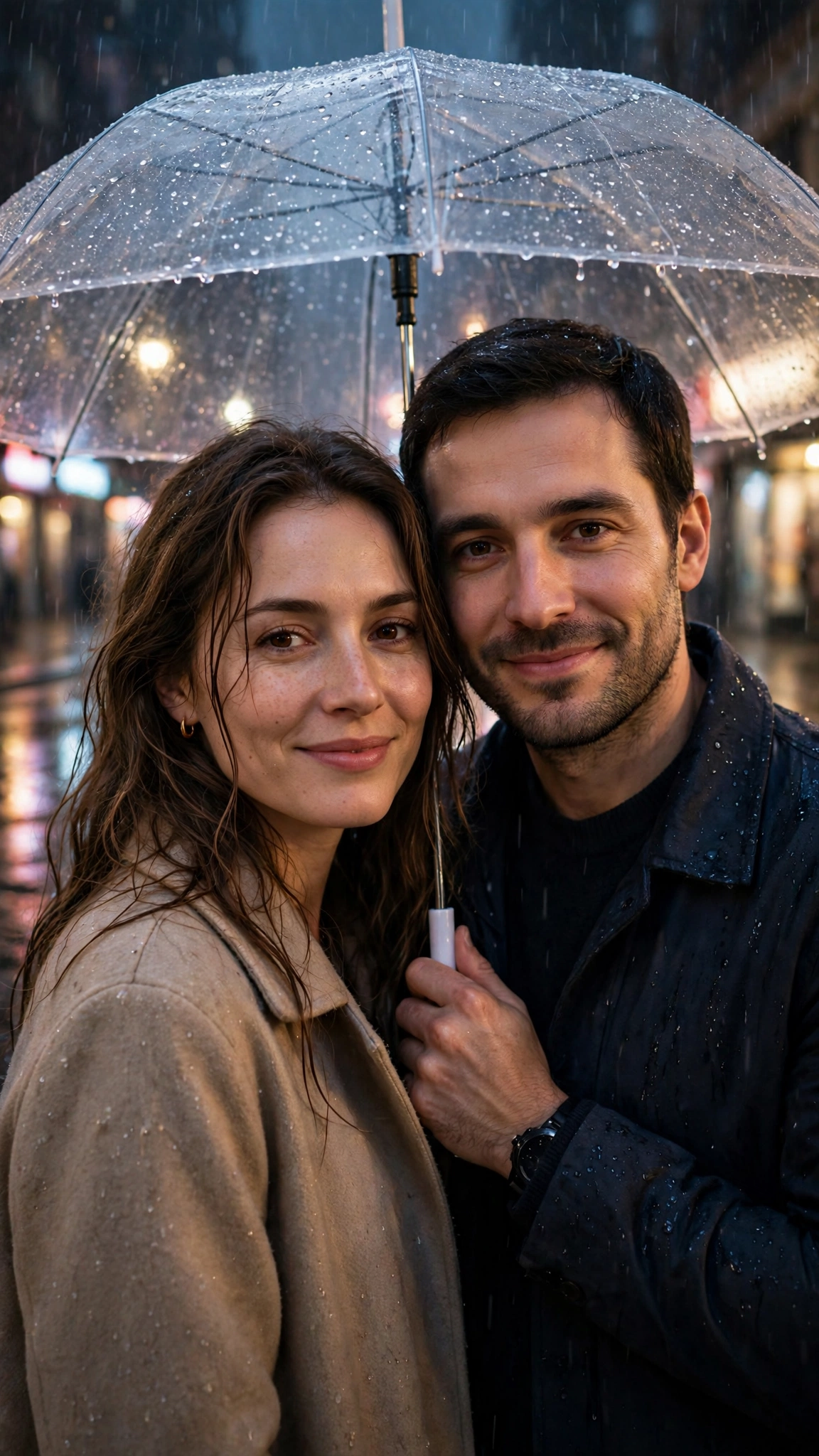
A cinematic, stylish option for couples who want drama without losing realism. The umbrella is doing real work here — it gives both of you a reason to stand close, and it keeps both faces under the same soft light, which is why this prompt holds up better than most night scenes.
AI Prompt:
Edit our uploaded couple photo into a realistic cinematic rainy-night couple portrait. Preserve both faces, skin tones, and identities exactly. Place the couple on a city street after rain, sharing one transparent umbrella, with colorful neon lights reflecting softly on wet pavement behind them. Keep both faces clearly visible and well-lit with soft cinematic light. Use realistic rain detail in the background, natural skin texture, believable clothing, accurate hand positions, and a vertical 9:16 composition. Avoid exaggerated neon colors and plastic skin. No text, no logo, no watermark.
Best for: Stylish Instagram posts and cinematic couple DPs.
6. Mountain Travel Couple
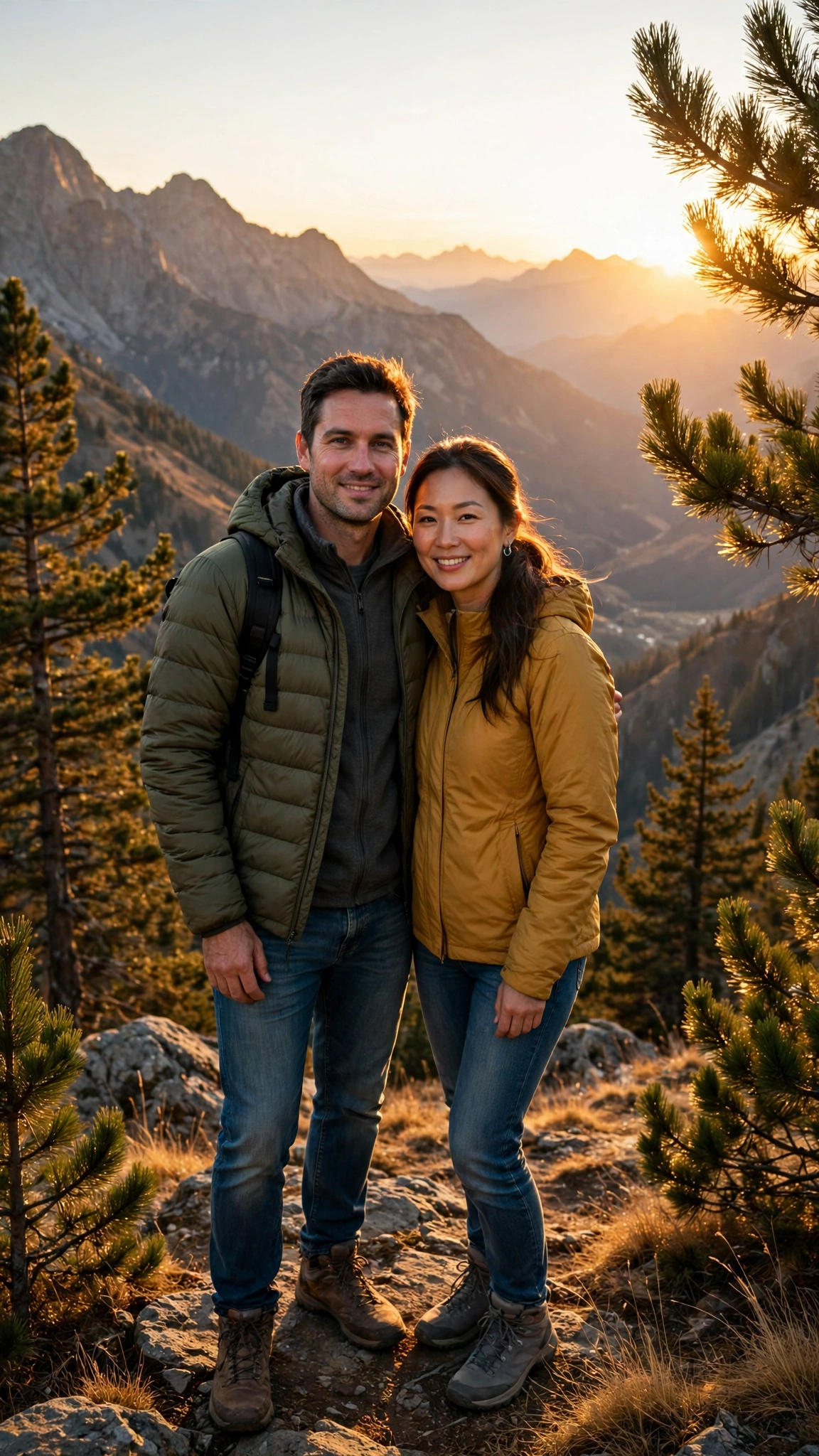
A fresh, adventurous look that works well for travel lovers. I like this one for honeymoon and holiday photos, because the mountain viewpoint gives the photo a story — you were actually somewhere together — instead of just a pretty background.
AI Prompt:
Edit our uploaded couple photo into a realistic mountain travel portrait during golden hour. Preserve both faces, skin tones, hairstyles, and identities exactly. Show the couple standing together on a mountain viewpoint, with distant peaks, pine trees, and warm sunlight behind them. Dress them in comfortable travel clothes — jackets, jeans, and walking shoes — with natural, relaxed poses. Use warm sunlight on both faces, realistic outdoor lighting, natural skin texture, gentle depth of field, and a vertical 9:16 composition. Make it look like a real travel photograph. No text, no logo, no watermark.
Best for: Travel posts, adventure DPs, and vacation-style photos.
7. Cozy Winter Couple
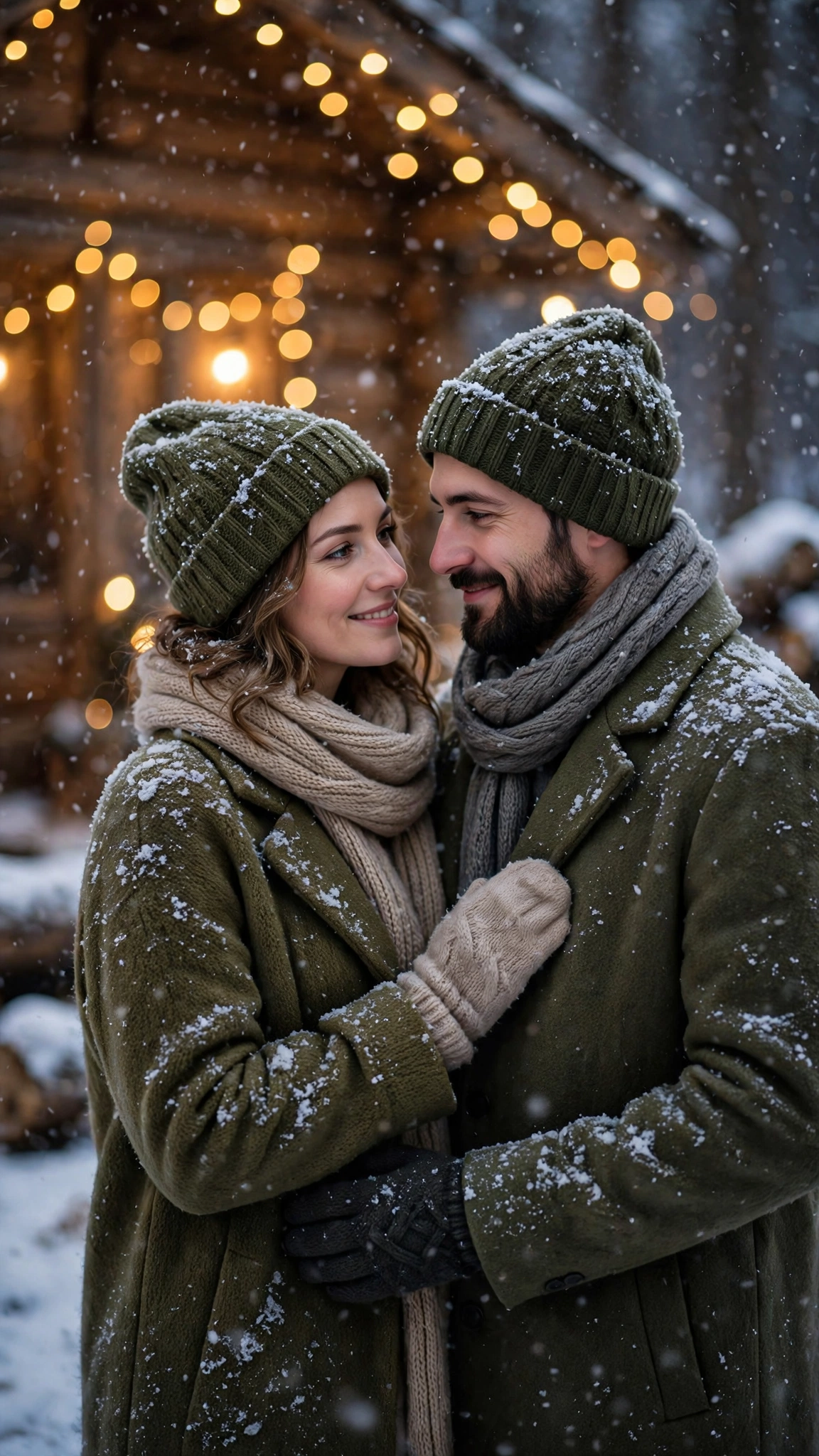
A warm, intimate winter photo — perfect for the November to February season. This is the prompt I use for our winter DP, because the matching coats and the fairy lights make the photo feel like a season, not just a day.
AI Prompt:
Edit our uploaded couple photo into a realistic cozy winter couple portrait. Preserve both faces, skin tones, and identities exactly. Dress the couple in matching warm winter clothes — wool coats, scarves, and gloves — and place them together in softly falling snow, with warm fairy lights and a wooden cabin softly blurred behind them. They stand close, smiling softly, with light snow on their coats and hair. Use soft warm winter light, realistic fabric and snow detail, natural skin texture, and a vertical 9:16 composition. Make it feel warm and intimate, not cold and distant. No text, no logo, no watermark.
Best for: Winter DPs, cozy couple posts, and festive season photos.
How to Use Gemini Couple Prompts — Step by Step
- Use one clear couple photo. Both faces should be visible, well-lit, and not cropped. A blurry second face is the most common reason a couple edit fails.
- Open Gemini and start a new image chat.
- Upload the photo first, then paste the full prompt in the same message.
- Do not ask for two looks at once. Pick beach, retro, or cafe — one scene per generation.
- Check both faces first. If one face is right and the other is off, refine only that face with a short follow-up, for example: “Keep the woman’s face exactly the same as the uploaded photo, and keep the rest of the image unchanged.”
Couple Photo Problems and Quick Fixes
| Problem | Fix to add |
|---|---|
| One face changes, the other stays right | Preserve both faces separately: mention each person’s face, skin tone, and identity. |
| Faces look merged or too smooth | Add: no face merging, no beautifying, realistic skin texture. |
| Hands look wrong | Add: natural hand positions, correct fingers, realistic proportions. |
| Photo looks like a painting | Add: realistic photograph, natural light, real camera look. |
| Background steals attention | Add: softly blurred background, focus on the couple. |
| One face is darker than the other | Add: even warm light on both faces, no face in shadow. |
Tips for Better Couple AI Photos
- Start with the face rule. Every prompt in this article starts with face preservation for a reason. If you remove it, the result drifts faster.
- Keep poses simple. Holding hands, standing close, or sitting together reads more naturally than a complex pose.
- Match the clothes to the scene. A beach dress on a mountain viewpoint, or a heavy winter coat on a beach, makes the photo feel fake even if the faces are right.
- Use vertical 9:16 for DP and reels. Use a wider ratio only for a cover photo or a print.
- Check the photo small before posting. A couple photo that looks good full-screen can look muddy as a WhatsApp DP. If one face gets lost at small size, regenerate with slightly brighter, even light on both faces.
- Do not expect a viral guarantee. A strong couple photo helps, but reach also depends on caption, timing, and audience.
FAQs
Can I use these prompts in ChatGPT too?
Yes. The prompts are written for Gemini, but they also work in ChatGPT image editing. If ChatGPT changes the second face more, try Gemini for couple photos first.
What photo works best for a couple prompt?
A clear, front-facing couple photo with both faces visible and good daylight. Avoid group photos, sunglasses covering eyes, or heavily filtered originals. If your only good photo is a WhatsApp-forwarded one, ask someone in the family for the original from their gallery — the quality difference shows in both faces.
How do I keep both faces the same?
Upload one clear reference photo, keep the face-preservation line in the prompt, and refine with one small correction at a time instead of rewriting the whole prompt. Name the face that drifted — “keep the man’s face exactly the same” — instead of asking for a whole new photo.
Which couple prompt is best for a WhatsApp DP?
The Beach Sunset Walk and the Cafe Candid are the most natural for a DP, because both faces are well-lit and easy to recognise at small size. The Rainy Neon Night is better if you want a stylish, cinematic DP. Check the result as a small DP first — if one face disappears at that size, pick a brighter prompt.
Can I use these prompts for our anniversary post?
Yes, that is what the Beach Sunset Walk and the Royal Indian Traditional prompts are made for. For an anniversary, I would use a photo from the actual day if you have one — the result feels more honest than a random selfie in anniversary clothes.
Can I make a couple photo from a single photo?
Gemini can generate a couple scene from one photo, but keeping two real faces accurate is much easier when you upload a real couple photo. Single-photo couple results often change one face.
Can I use our old wedding photo with these prompts?
Yes, and this is one of my favourite uses. An old wedding photo is usually well-lit and both faces are visible, which is exactly what these prompts need. Try the Royal Indian Traditional prompt first — it suits a wedding photo better than a beach scene does.
Can I post the result in our family WhatsApp group?
Yes. That is where most of our couple photos end up. One practical tip: send the photo as a document in WhatsApp, not as a regular photo, so the group gets the full quality instead of a compressed copy.
For Readers in India
Couple photos in India live in a different place than they do elsewhere — mostly on WhatsApp. The DP, the family group, the anniversary post that relatives forward to each other. These prompts are written for that life: wedding season, Diwali family posts, honeymoon photos, and a simple cafe photo that looks like a real evening out. The Royal Indian Traditional prompt is for the wedding and festive posts, the Beach Sunset Walk is for anniversaries, and the Cafe Candid is for the everyday photos that actually get used as DPs. They work the same way whether you are in Delhi, Mumbai, Lucknow, or a small town — upload your couple photo, paste the prompt, and keep both faces in even light. And if you are posting for family, a simple caption works better than changing the prompt itself.
Originality and Privacy Note
These prompts were written originally for this site. They are not copied from another prompt site, and they do not copy any celebrity couple’s faces. Results vary by tool and by photo, and no prompt can guarantee a viral result. Upload only a couple photo you have permission to edit, and do not upload photos of other people without their permission.
Final Thoughts
A good couple AI photo is not about the most dramatic background. It is about two faces that still look like the real couple, a simple pose, and light that matches the scene. That is what I check first in my own photos, and it is what I would check first in yours. Start with the Beach Sunset Walk or the Cafe Candid, check both faces carefully, and then try a more cinematic version like Rainy Neon Night. One small fix at a time will give you a better result than ten completely new prompts.
Read more: Diwali AI Photo Editing Prompts, 90s Look Prompts for Girls, Anime AI Photo Editing Prompts

6 Comments