
Winter AI Photo Editing Prompts: 7 Copy-Paste Gemini & ChatGPT Prompts
Winter in India feels different depending on where you live. In Delhi and Lucknow, it means thick morning fog, woollen sweaters, and chai that goes cold too fast on the balcony. In Shimla or Manali, it means real snowfall and jackets pulled up to your ears. In Mumbai or Chennai, it mostly means cooler evenings and a good excuse for a light jacket. I made these prompts because I wanted winter photos that fit all of that — not just the snowy postcard version of winter you see in foreign movies.
In my experience, the difference between a good winter AI photo and a strange one is not the tool. It is the prompt. When I write “preserve my face exactly” and describe the light properly, the result looks like me on a cold morning. When I skip those lines, the face drifts. So here are the 7 winter prompts I actually use, for solo portraits, couples, and cozy indoor looks. You upload your photo, copy one prompt, and paste it. Every prompt keeps your face recognizable and focuses on realistic snow, natural winter light, and a photographic feel — not a cartoon filter.
One honest note: most of India does not get snowfall, so a snowy street photo is a fun edited look, not your actual street. Pick the prompt that matches your real photo — snow prompts for hill station trips, foggy-morning and cozy indoor prompts for home in the plains.
Quick Pick: Which Winter Prompt Should You Use?
| Prompt | Best for | Mood |
|---|---|---|
| 1. Falling Snow Street Portrait | Solo, DP and posts | Cinematic, calm |
| 2. Cozy Cabin Cocoa Portrait | Solo, cozy DP | Warm, relaxed |
| 3. Winter Couple in Snowfall | Couples, winter posts | Romantic, soft |
| 4. Golden Hour Snow Mountain Portrait | Solo, striking DP | Bright, dramatic |
| 5. Snowy City Night Lights Portrait | Solo, evening posts | Lively, glowing |
| 6. Winter Forest Walk Portrait | Solo, nature-style posts | Quiet, dreamy |
| 7. Frosty Morning Park Portrait | Solo, morning posts | Fresh, crisp |
Gemini or ChatGPT — Which One Should I Use for Winter Photos?
Here is what I have found by trying the same prompt in both tools. Gemini, from Google, is usually better at keeping a single face consistent. If your main worry is “will it still look like me”, start with Gemini. ChatGPT, from OpenAI, is often stronger on winter detail — the snowfall, the knit texture of a sweater, the warm light of a room on a cold evening come out richer. If your main worry is “will the scene feel like winter”, try ChatGPT.
What I do in practice is simple: I generate the same prompt in Gemini first, and if the face is right but the snow feels flat, I try the same prompt in ChatGPT and pick the better one. Both tools need the same thing from you — a clear original photo and the full prompt in one message. Do not upload a photo that WhatsApp already compressed; it reduces quality, and the AI then has less detail to work with. Use the original from your phone gallery.
One more thing I have learned: do not mix prompts. A street look, a mountain look, and a couple look in one message will confuse both tools. One prompt at a time, one result at a time.
Winter in India: What I Keep in Mind Before I Edit
Winter here is not one season. In North India — Delhi, Lucknow, Amritsar, Patna — December and January bring dense morning fog, and the sun shows up late. That fog is a gift for photos: a soft, foggy background hides a messy street and puts the focus on your face, which is why I like Prompt 7 for my own morning photos. If your photo was taken on a foggy morning, let the fog stay soft and pale.
Hill stations are the other side of Indian winter. If you went to Shimla, Manali, or Gulmarg, use your trip photos for the snow prompts — Prompts 1, 3, 4, and 6 — because the snow matches the place you actually visited. I only use the snow prompts on my hill trip photos.
Then there is the wedding season. December to February is when half my family seems to get married, and my phone fills with sherwanis, shawls, and outdoor functions in the evening cold. Prompt 3 works well for wedding-season couples — just keep the outfits warm, because a light summer outfit in a snowy scene is the fastest way to make a photo look fake.
Warm clothes are what tell the viewer it is winter — a thick sweater, a woollen shawl, a muffler, a jacket. If the prompt says “wool coat” but your photo already has a sweater, that is fine; the AI works from your photo. And the chai point, because someone always asks: Prompt 2 says hot cocoa, because that is how it was written. At my home it is chai, not cocoa, so I added a chai option in the customize line under Prompt 2. A kulhad of chai by a foggy window looks more like my winter than a cocoa mug ever will.
7 Winter AI Photo Editing Prompts
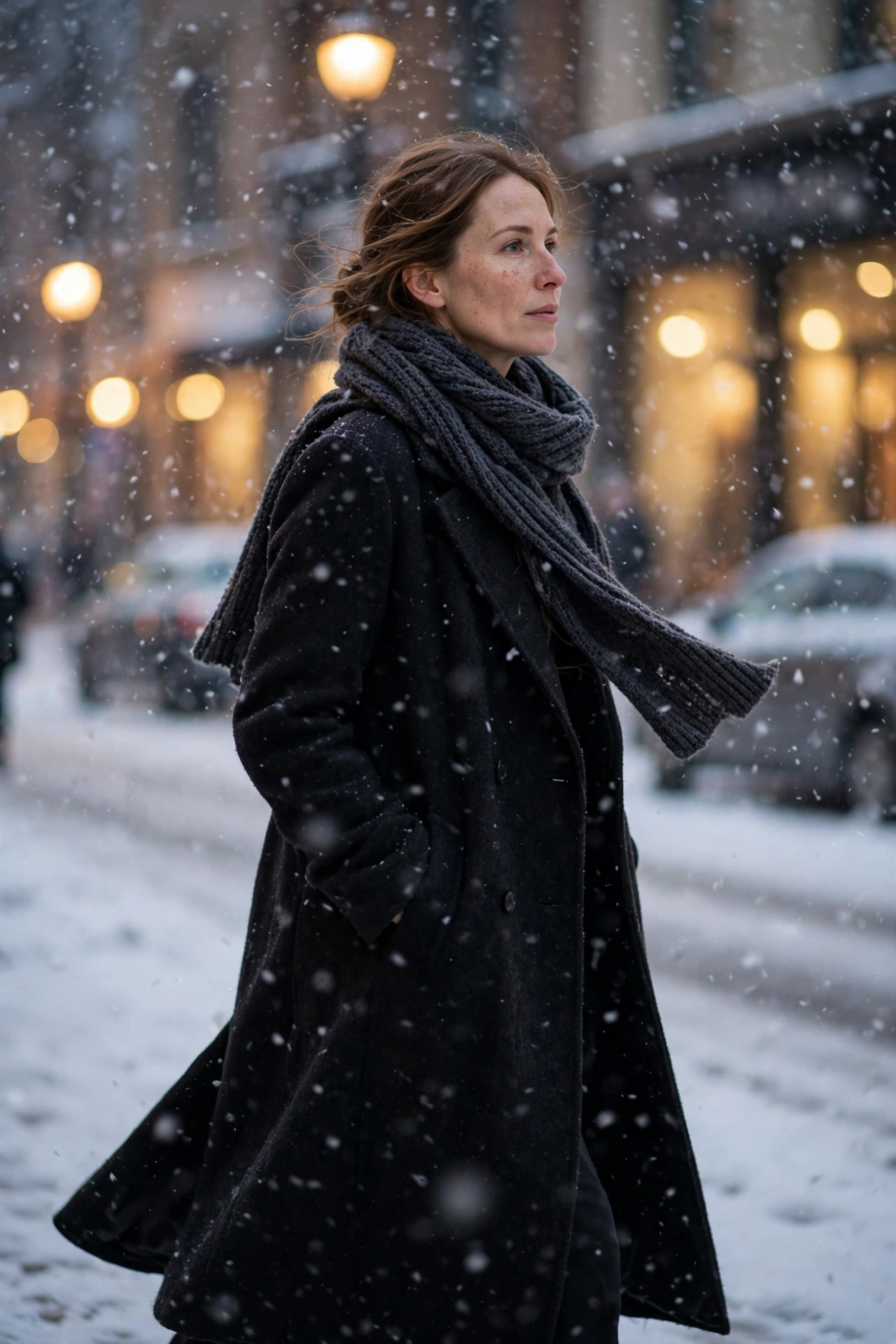
1. Falling Snow Street Portrait
The classic winter photo: you on a snowy street, snowflakes falling, city light soft behind you. I use it for a clean, cinematic DP, and it works best on a photo taken outdoors — ideally a hill station trip, so the snow feels honest.
AI Prompt:
Edit my uploaded photo into a realistic winter portrait on a snowy street. Preserve my actual face, facial features, natural skin tone, and identity exactly. Dress me in a long dark wool coat and a knit scarf, and place me walking on a snow-covered street as soft snowflakes fall, with warm street lights softly blurred behind me. Use soft winter daylight, realistic snowflakes on my coat, natural skin texture, and a vertical 9:16 composition. Make it look like a professional winter photograph, not an illustration. No text, no logo, no watermark.
Best for: Winter DP, seasonal posts, and profile pictures.
Customize it: Change the coat color to camel or deep green, but keep the snowfall light so your face stays clear.
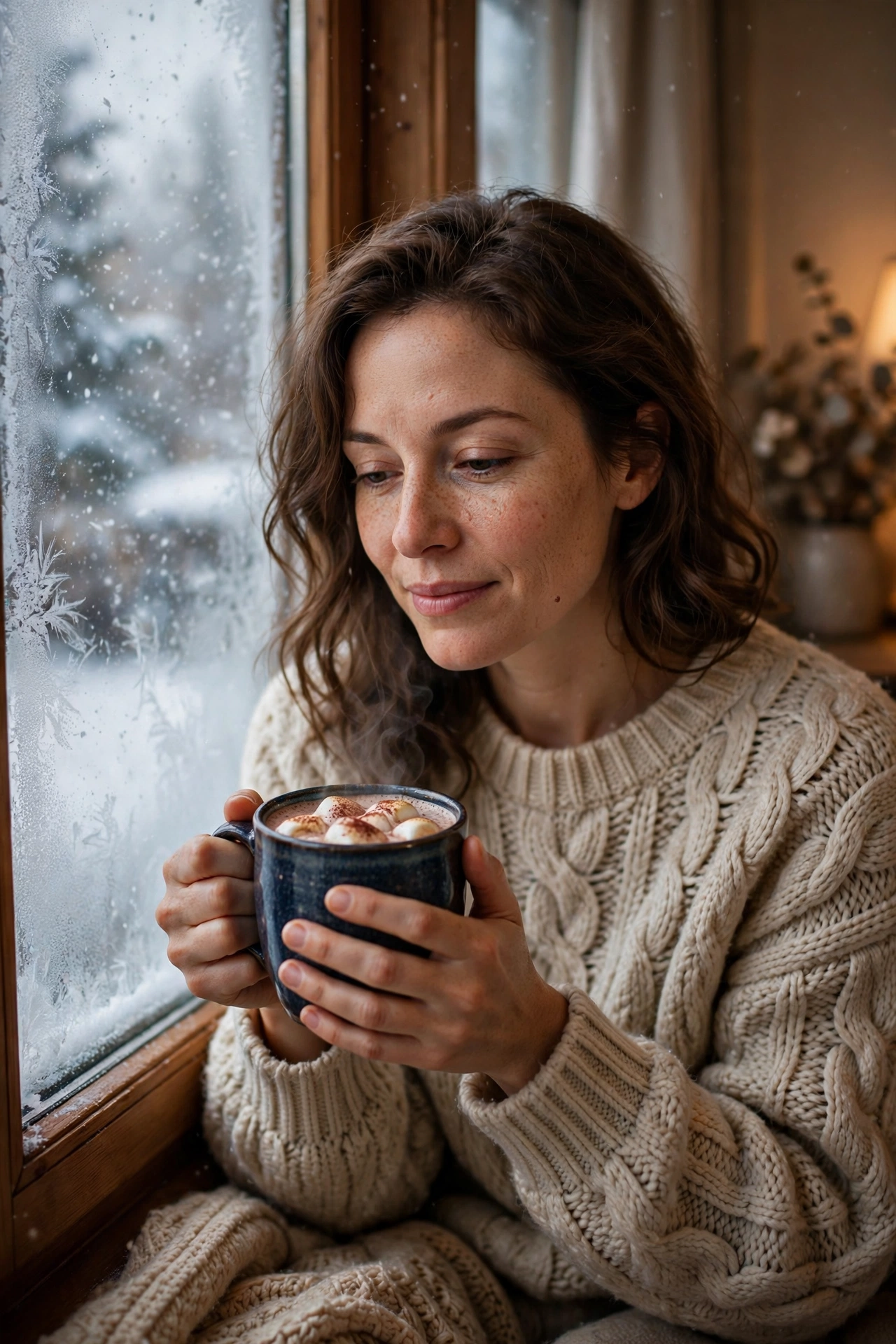
2. Cozy Cabin Cocoa Portrait
A quiet, warm portrait indoors — snowfall outside, a hot drink in your hands, no crowd. My pick for a relaxed winter DP, and the easiest prompt here if you never see snow, because the whole photo happens inside a warm room.
AI Prompt:
Edit my uploaded photo into a realistic cozy winter portrait indoors. Preserve my actual face, facial features, skin tone, and identity exactly. Dress me in a chunky knit sweater and place me sitting by a frosty window with snowfall visible outside, holding a mug of hot cocoa with both hands. Use soft warm indoor light, realistic knit texture, natural skin texture, and a vertical 9:16 composition. Make it look like a candid home photograph. No text, no logo, no watermark.
Best for: Cozy DP, winter-season posts, and relaxed profile pictures.
Customize it: Add a plaid throw over your shoulders, but keep the window light as the main light source. If you want chai instead of cocoa, add: “Replace the hot cocoa with a hot cup of chai in a kulhad.”
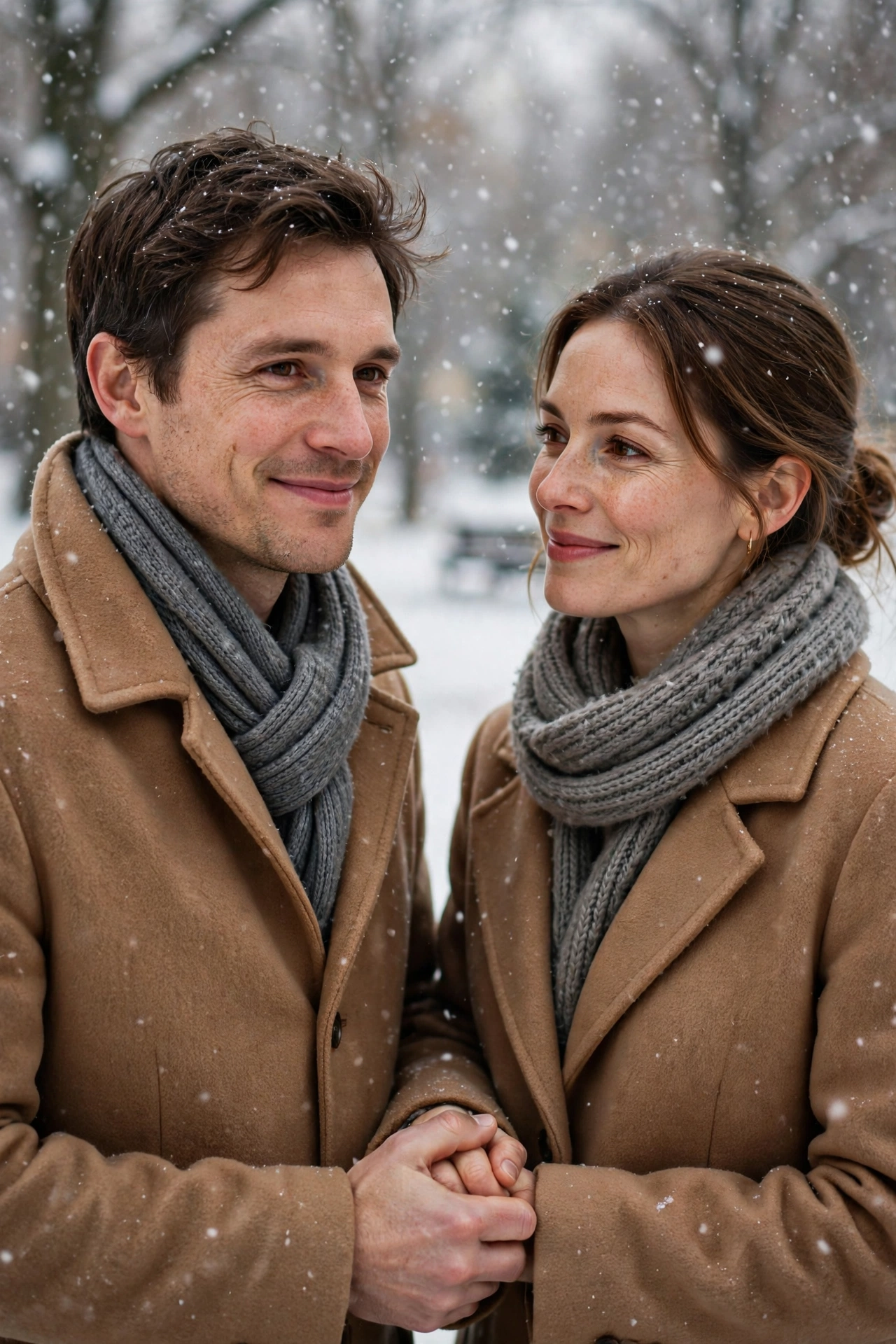
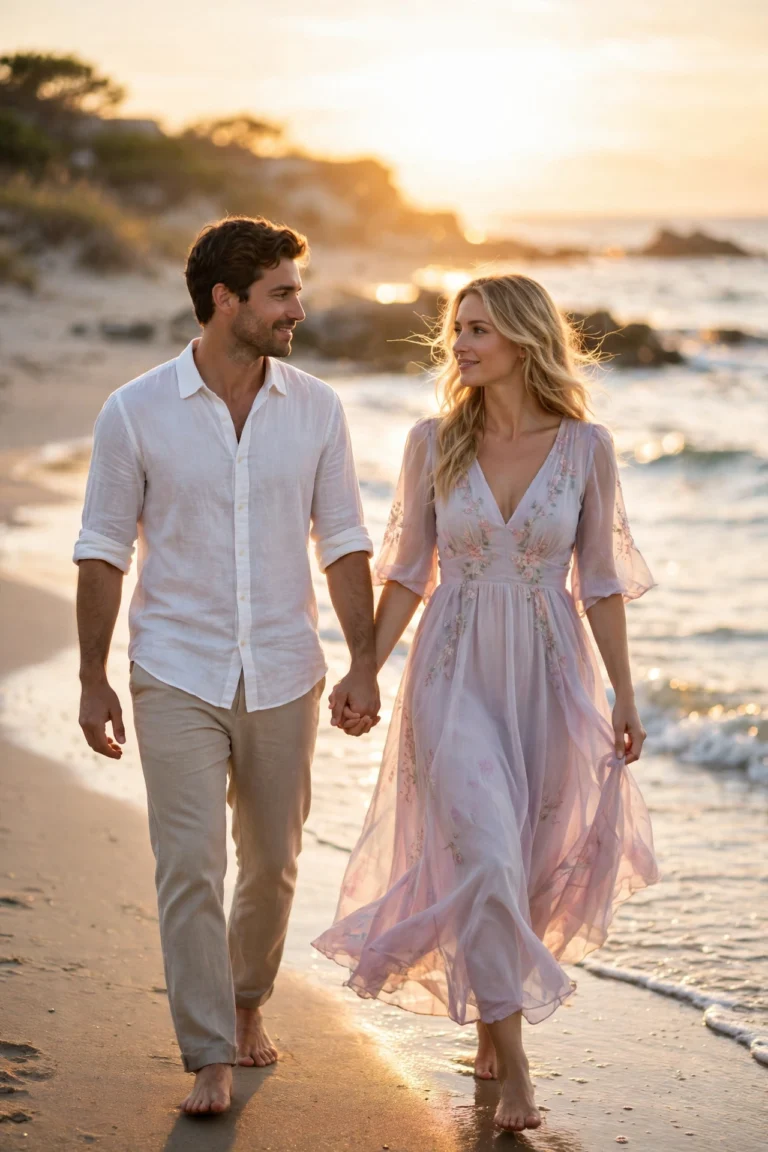
3. Winter Couple in Snowfall
Couple photos are the hardest to get right in AI, because two faces have to stay natural. This prompt locks both faces first, so upload a photo where both faces are clearly visible and facing the camera.
AI Prompt:
Edit our uploaded couple photo into a realistic winter portrait in falling snow. Preserve both faces, facial features, natural skin tones, and identities exactly, without merging or beautifying either face. Dress them in matching wool coats and scarves, and place them holding hands in a snowy park with snowflakes falling and bare trees softly blurred behind them. They smile gently at the camera. Use soft winter daylight, realistic snow on their coats, natural hand positions, and a vertical 9:16 composition. No text, no logo, no watermark.
Best for: Couple DP, winter posts, and anniversary photos.
Customize it: Ask for a candid version by adding: “Make them look at each other and laugh naturally, like a candid photo.”
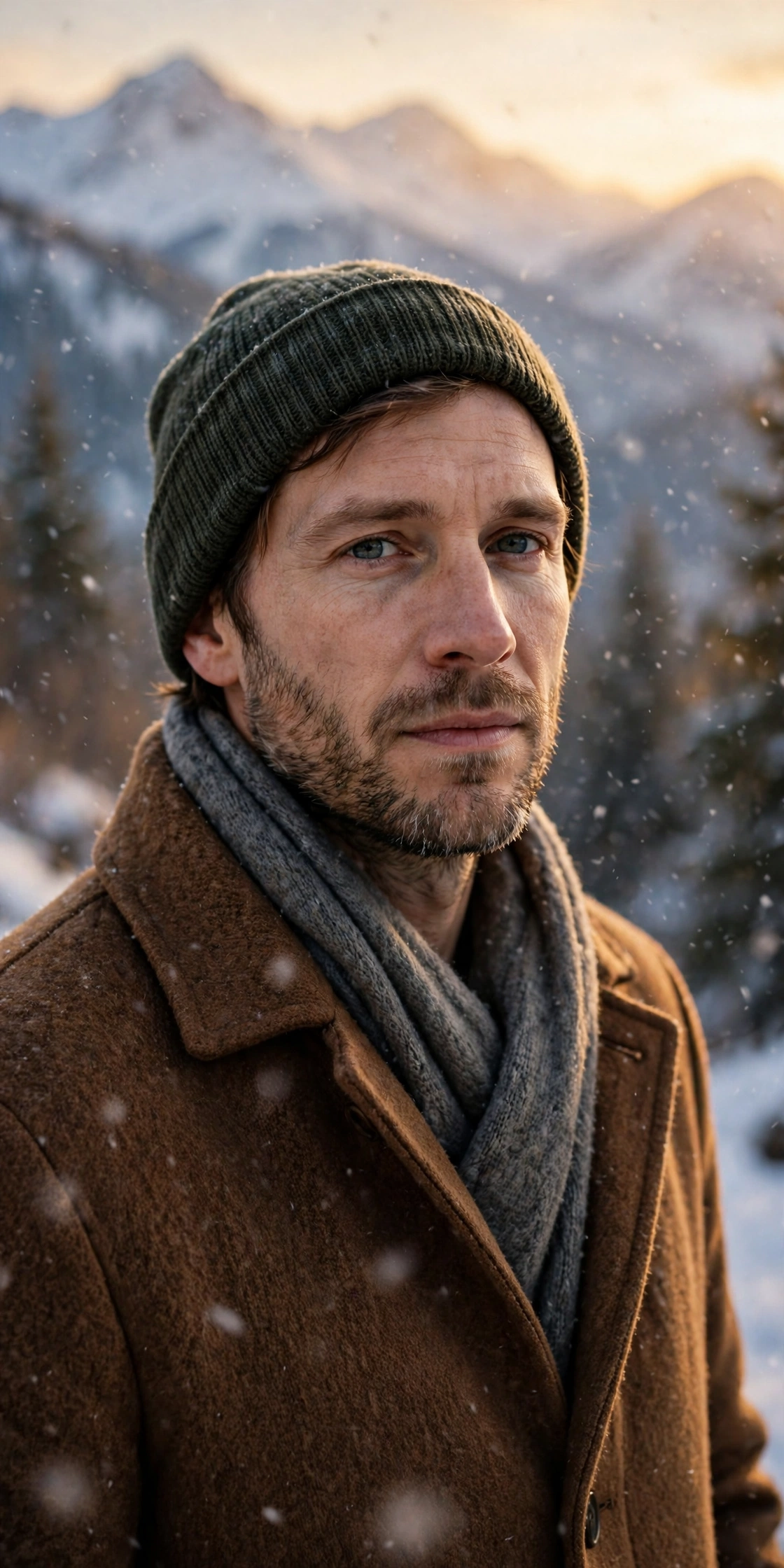
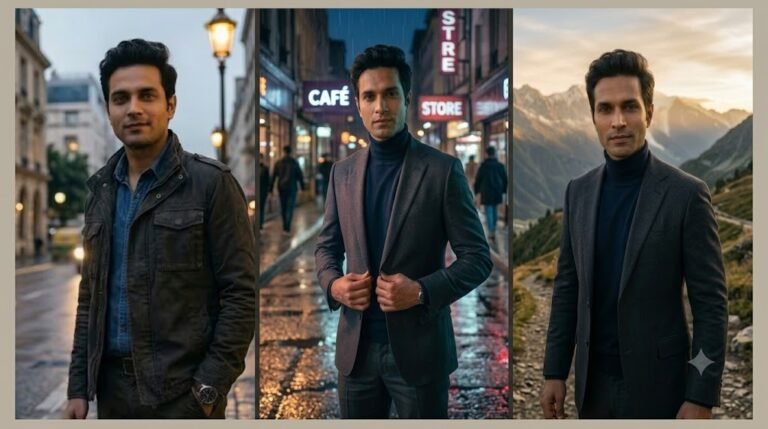
4. Golden Hour Snow Mountain Portrait
A bright, striking photo with mountains behind you and low golden light on the snow. I save this one for hill station photos only — on a Manali or Gulmarg photo it looks like a travel portrait, but on a flat-city selfie it will look pasted.
AI Prompt:
Edit my uploaded photo into a realistic winter portrait at golden hour. Preserve my actual face, hairstyle, skin tone, and identity exactly. Dress me in a warm wool coat, a knit beanie, and a scarf, and place me outdoors with snow-covered mountains softly blurred behind me and gentle snowfall in the air. Use low golden-hour light, realistic snow texture, natural skin texture, and a vertical 9:16 composition. Make it look like a real mountain winter photograph. No text, no logo, no watermark.
Best for: Striking DP, travel-style posts, and winter photo albums.
Customize it: Keep the sun low and soft; harsh midday light flattens snow and skin detail.
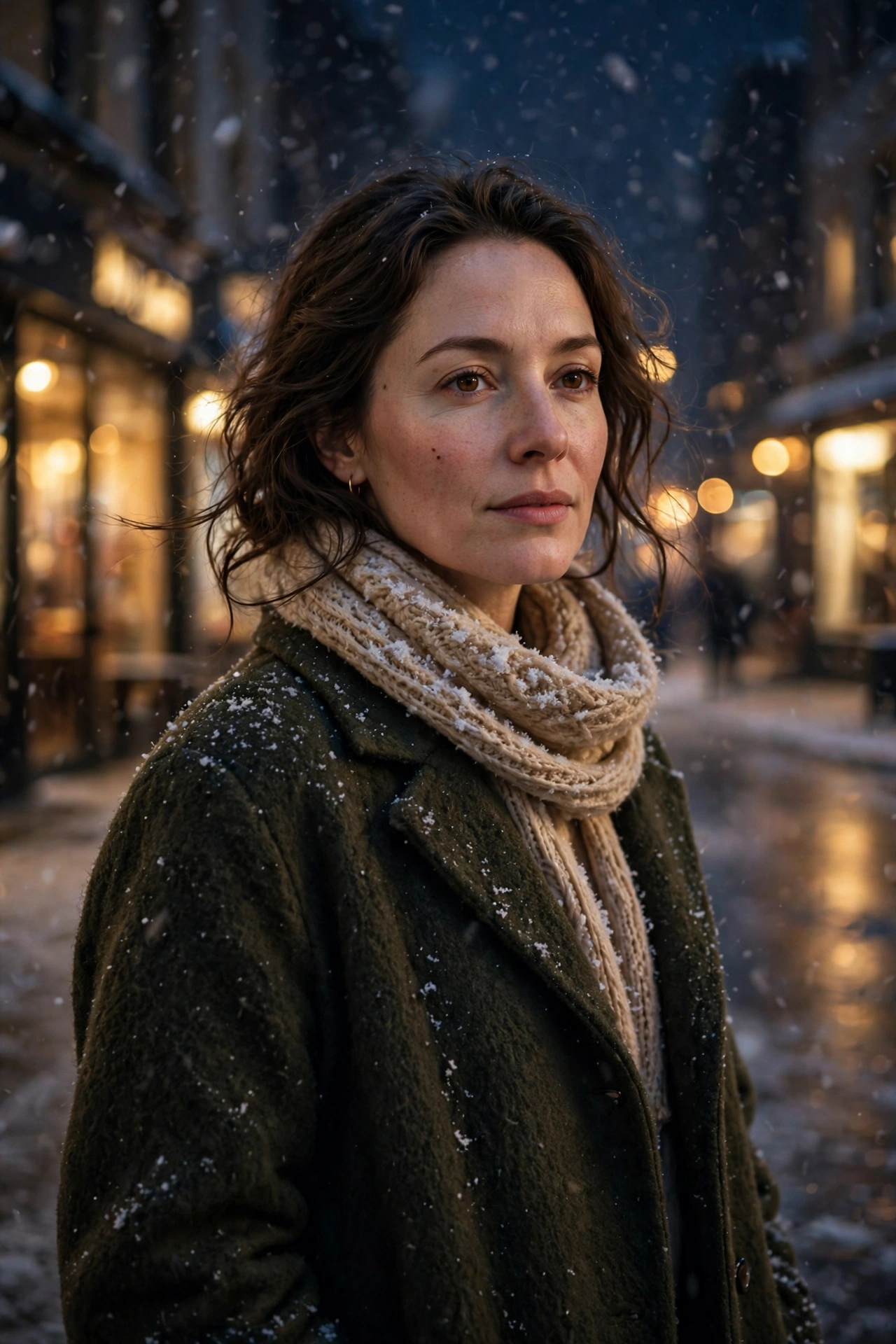
5. Snowy City Night Lights Portrait
A glowing evening photo: snow falling, shop lights blurred, and you in a long winter coat. I like it for evening posts, especially photos from a market or a decorated street in December, when the lights are already doing half the work.
AI Prompt:
Edit my uploaded photo into a realistic winter night portrait on a snowy city street. Preserve my actual face, hairstyle, skin tone, and identity exactly. Dress me in a long coat and a knit scarf, and place me on a snowy street at night with warm shop lights, gentle snowfall, and wet pavement reflections softly blurred behind me. Use warm night lighting, realistic snowflakes, natural skin texture, and a vertical 9:16 composition. Make it look like a candid evening photograph. No text, no logo, no watermark.
Best for: Evening posts, city-style winter photos, and seasonal stories.
Customize it: Keep one light source in focus — the shop lights or the street lamps — and let the rest blur softly.
6. Winter Forest Walk Portrait
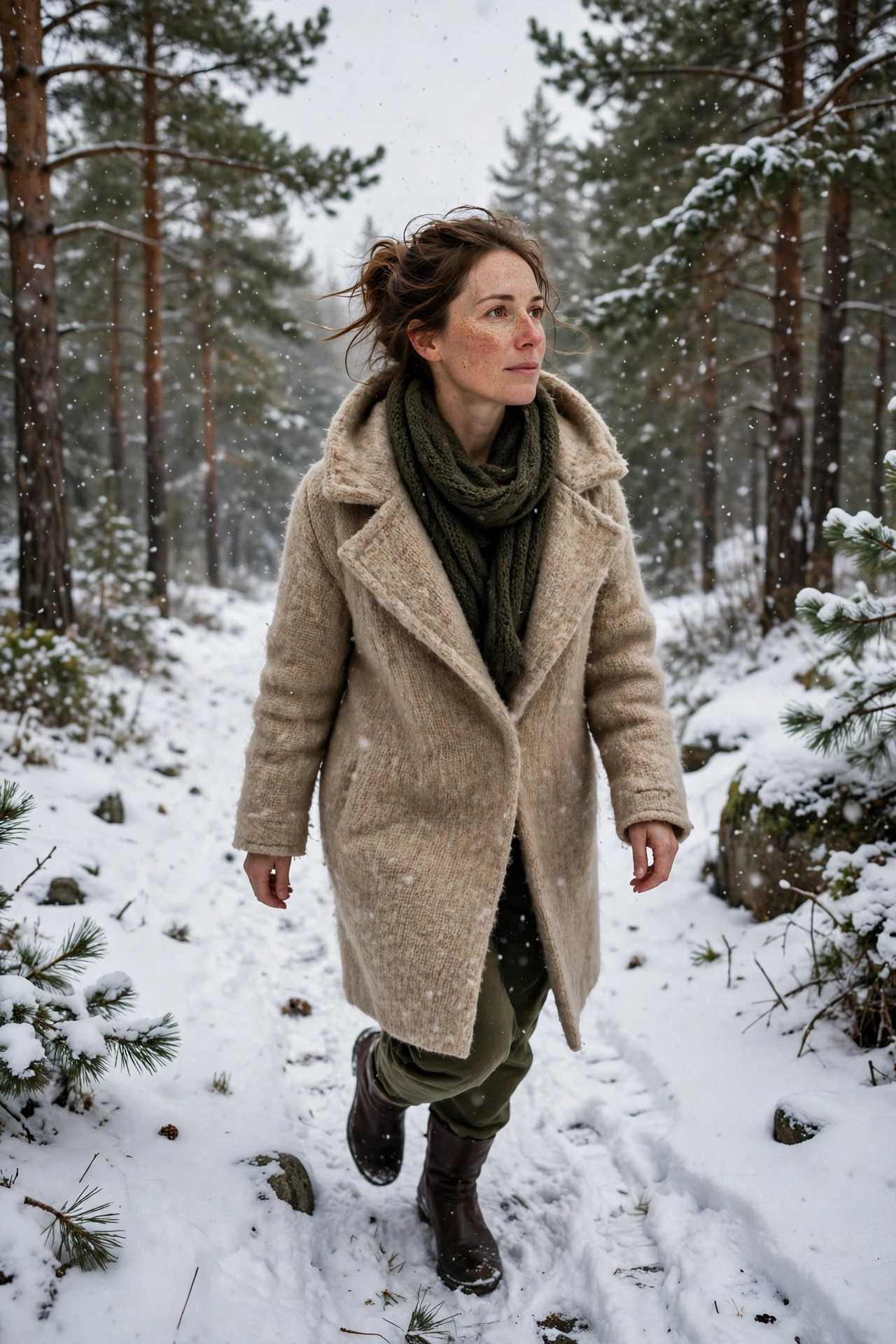
A quiet, dreamy photo on a snow-covered forest path, with tall pines and falling snow. The calmest prompt in the list — I use it for a nature-style photo without any city behind me, ideally from a hill walk.
AI Prompt:
Edit my uploaded photo into a realistic winter forest portrait. Preserve my actual face, hairstyle, skin tone, and identity exactly. Dress me in a wool coat and boots, and place me walking along a snow-covered forest path with tall pine trees and soft falling snow around me. Use calm winter daylight, realistic snow on the path and trees, natural skin texture, and a vertical 9:16 composition. Make it look like a real nature photograph. No text, no logo, no watermark.
Best for: Nature-style posts, calm winter photos, and seasonal albums.
Customize it: Keep the path simple and the trees softly blurred so the focus stays on you.
7. Frosty Morning Park Portrait
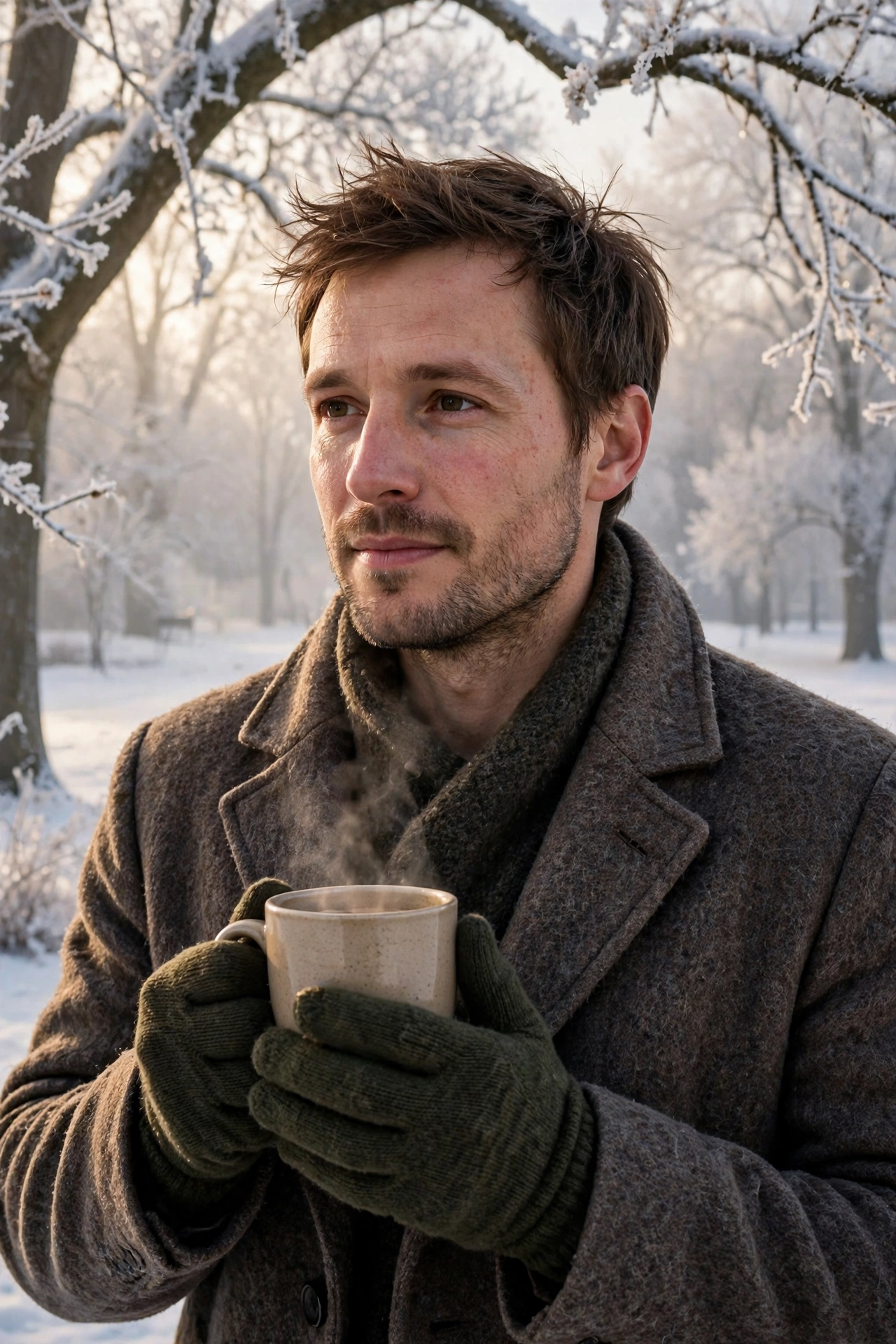
A fresh morning photo with frost on the trees, soft light, and a warm drink in your hands. The prompt I reach for most in North India, because a foggy December morning in a park is a real memory for me — cold air, pale light, chai in my hands.
AI Prompt:
Edit my uploaded photo into a realistic frosty winter morning portrait. Preserve my actual face, hairstyle, skin tone, and identity exactly. Dress me in a wool coat and gloves, and place me in a snowy park on a frosty morning with frost-covered trees and soft morning light behind me, holding a warm drink. Use natural morning light, realistic frost texture, natural skin texture, and a vertical 9:16 composition. Make it look like a real morning photograph. No text, no logo, no watermark.
Best for: Morning posts, fresh winter photos, and seasonal albums.
Customize it: Add a knit beanie for extra warmth in the look, but keep the morning light soft rather than harsh. If your morning was foggy rather than snowy, add: “Use soft morning fog instead of heavy snow.”
How to Use These Winter Prompts in Gemini or ChatGPT
- Choose a clear photo. A front-facing, well-lit photo works best. Avoid blurry photos or photos where your face is covered. Use the original from your gallery, not a WhatsApp-forwarded copy.
- Open Gemini or ChatGPT and start a new image chat.
- Upload your photo first, then paste the full prompt in the same message.
- Keep one prompt at a time. Do not mix a street look, a mountain look, and a couple look in one prompt.
- Generate, then refine. If the face looks slightly off, do not rewrite everything. Add one correction line, for example: “Keep my face exactly the same as the uploaded photo and make the lighting softer.”
If Your Winter Photo Looks Wrong, Fix It Like This
| Problem | Add this line |
|---|---|
| Face looks different | Keep my face, facial structure, and skin tone exactly the same as the uploaded photo. |
| Snow looks fake | Use soft, realistic snowfall with natural snowflakes, not flat white dots. |
| Photo looks too artificial | Use realistic skin texture, natural shadows, and soft light. Avoid plastic skin and over-smoothing. |
| Hands look wrong | Use natural hand positions with correct fingers and realistic proportions. |
| Background is too busy | Keep the background softly blurred and keep the focus on the person. |
| Colors look washed out | Use balanced winter colors with warm skin tones against cool snow tones. |
Tips for a More Realistic Winter AI Photo
- Describe light, not just clothes. Winter daylight, golden hour, and night shop lights change the whole photo.
- Mention the ratio. Add “vertical 9:16” for a DP or reel, and a wider ratio only if you want a landscape card.
- Keep the snowfall light. Gentle snow reads as winter faster than a blizzard, and it keeps your face visible.
- Do not promise a viral result. A good prompt improves the photo. Whether it goes viral also depends on timing, caption, and audience.
FAQs
I live in a city where it never snows. Will these prompts still work for me?
Yes, but pick the right ones. Prompts 2 and 7 work best without real snow — one is indoors by a window, the other is a foggy morning look that suits North Indian winters. The snow prompts look most believable on photos from a hill station trip.
Which winter prompt is best for a foggy morning photo in North India?
Prompt 7, the Frosty Morning Park Portrait. It is made for soft morning light, and the customize line lets you ask for morning fog instead of heavy snow — which is what a plains morning actually looks like.
Which prompt should I use for a hill station trip photo?
Prompt 4, the Golden Hour Snow Mountain Portrait, if the photo has hills or mountains behind you. Prompt 1 works for a street photo in a hill town, and Prompt 6 for a walk among pine trees. Use the photo you actually took in the hills, not a home selfie.
Can I use these prompts for winter wedding photos?
Yes, especially Prompt 3 for couples. Winter weddings run through December to February in India, and the couple prompt handles two faces in warm clothes. Upload a photo where both faces are clearly visible, and keep the outfits warm — a heavy snow scene with light wedding clothes will look wrong.
Can I replace the hot cocoa with chai in Prompt 2?
Yes. The prompt says hot cocoa, but add one line: “Replace the hot cocoa with a hot cup of chai in a kulhad.” Change only that detail and keep the rest the same, so the face and the lighting stay as written.
Can I use these winter prompts in both Gemini and ChatGPT?
Yes. Both tools support photo upload and text prompts. In my experience, Gemini often keeps a single face consistent, while ChatGPT is also strong on winter indoor detail. Try the same prompt in both if the first result is not right.
Is it safe to upload my photo to an AI tool?
Upload only photos you are comfortable sharing with that tool, and check the tool’s privacy settings. Do not upload photos of other people without their permission.
For Readers in India
Winter in India runs roughly from December to February, and it looks different in every part of the country. In the North, it means foggy mornings, woollen sweaters, mufflers, and chai on cold evenings. In the hills, it means real snow and heavy jackets. In the South and West, it mostly means cooler, pleasant evenings. These prompts are written for that range: foggy-morning and cozy indoor looks for the plains, snow looks for hill station photos, and warm clothes throughout. They work the same way whether you are in Delhi, Lucknow, Mumbai, or a small town — upload your photo, paste the prompt, and pick the look that matches where your photo was actually taken.
Originality and Privacy Note
These prompts were written originally for this site. They are not copied from another prompt site, and they do not copy any celebrity’s face or a movie scene. Results vary by tool and by photo, and no prompt can guarantee a viral result. Upload only your own photo, or a photo you have permission to edit.
Final Thoughts
A good winter AI photo is not about adding every seasonal element at once. It is about one clear look, soft snow or soft fog, and a face that still looks like you. That is what I kept coming back to while writing these prompts. For me, winter in India is a foggy morning with chai, a warm sweater, and maybe a trip to the hills if I am lucky — so I start with the Frosty Morning Park Portrait or the Cozy Cabin Cocoa Portrait, and I save the mountain and snowfall looks for my hill trip photos. Start with the prompt that matches your real photo. Small changes — a different coat color, softer light, or a simpler background — usually give a better result than a completely new prompt.
Read more: Christmas AI Photo Editing Prompts, Thanksgiving AI Photo Editing Prompts, Diwali AI Photo Editing Prompts, Gemini Couple Photo Editing Prompts
7 Comments